


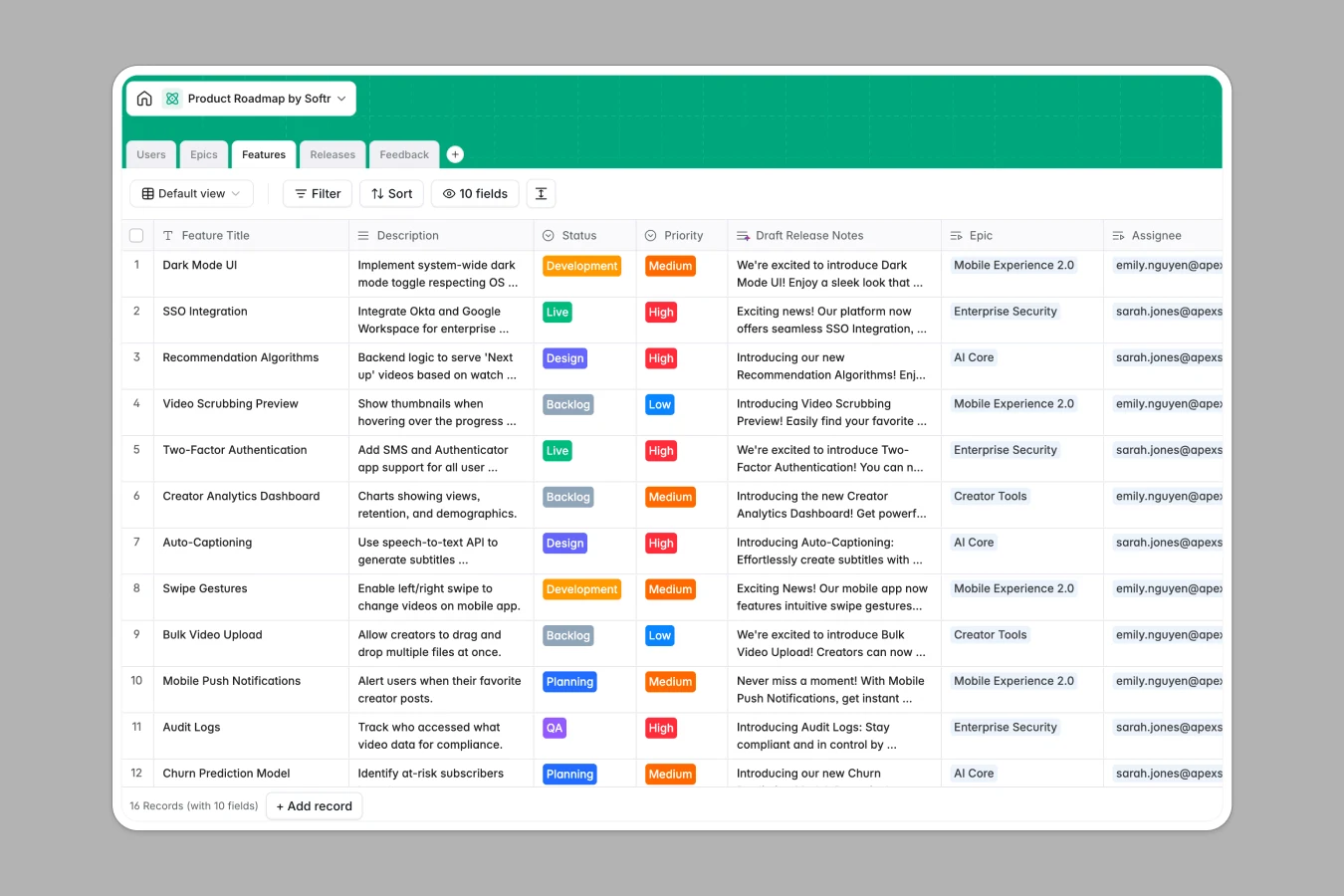
Your Product Roadmap database at a glance
This template gives your team a centralized space to track features, organize epics, schedule releases, and aggregate user feedback without fragmentation. By keeping all your product data connected, you eliminate information silos and make strategic planning easier.
Built with five interconnected tables—Users, Epics, Features, Releases, and Feedback—this database ensures updates to release timelines or feedback tickets propagate automatically across related epics. You always know who owns which feature and how individual tasks contribute to high-level strategic goals.
Best of all, native AI functions automate tedious manual updates. Built-in capabilities can automatically summarize massive goals into executive summaries, analyze feedback sentiment, and even draft your marketing-friendly release notes.
What to check before building your product roadmap base in Airtable
While Airtable is a capable relational database, managing a comprehensive product lifecycle with complex internal stakeholders often surfaces hidden trade-offs.
What changes with a database built for apps
Airtable handles relations well, but sharing your roadmap across the whole company gets expensive quickly because of rigid per-seat pricing. Softr Databases give you the same relational capabilities with higher performance limits and unlimited, free collaborators.
Furthermore, databases are only half the job when sharing roadmaps with executives or engineering teams. If you use external databases, you end up stitching interfaces and automation tools together to achieve granular security.
With Softr, the database is directly unified with our app builder, letting you restrict view access, run automations, and manage records in one place as your product scales.
What you can do with this template
Connect customer ideas directly to your feature backlog and let Database AI agents analyze feedback sentiment and draft releases notes right inside your tables. This keeps engineering, product, and customer success in lockstep.
You can also import your existing Airtable bases in just a few clicks to quickly leverage these advanced AI field models and start collaborating with your wider team for free.
-
Users
Track product team members, roles, and assigned roadmap deliverable records
-
Epics
Manage strategic goals with AI-generated executive summaries to group features
-
Features
Plan product deliverables using AI for release note drafts and tech research
-
Releases
Schedule product deployments, track version dates, and monitor release status
-
Feedback
Centralize support requests using AI to auto-tag categories and sentiment
Who is this Product Roadmap database for
This database keeps cross-functional teams aligned on upcoming releases and feature priorities.
- Product Teams: Manage high-level epics, prioritize backlog features, and streamline release planning easily.
- Engineering Leads: Track developers assigned to specific deliverables and coordinate technical dependencies.
- Customer Support: Log raw user feedback and bug submissions directly into a connected database.
- Marketing & Stakeholders: Access auto-drafted product release announcements and high-level summaries for go-to-market prep.
How to take it further
1. Customize the database
Modify priority selectors, add target launch dates, or add fields to store wireframes and design files, adapting the template to matches your team's specific sprint methodology.
2. Import your existing data
Bulk upload backlog items or customer request history directly into the table via CSV import, or use our developer API to sync records with existing project trackers.
3. Build a full app around it
When you are ready to distribute this information, you can build an app directly on top of your database. Utilize our AI app generator to produce tailored portals and dashboards within minutes.
Setting custom users and permissions ensures developers only edit coding-related specs, client success teams only submit feedback, and executives only see strategic epic status progress bars.
-
1
-
2
-
3
-
4
Frequently asked questions
-
What is a product roadmap database?
-
Why use a no-code database to build a product roadmap system?
-
How can AI help managing data for product roadmaps?
-
Can I build an app with this product roadmap database?
-
Is this product roadmap template free?
-
How is this product roadmap template different from an Airtable template?
Start building today. It's free!
Build and launch your first app in under 30 minutes.