


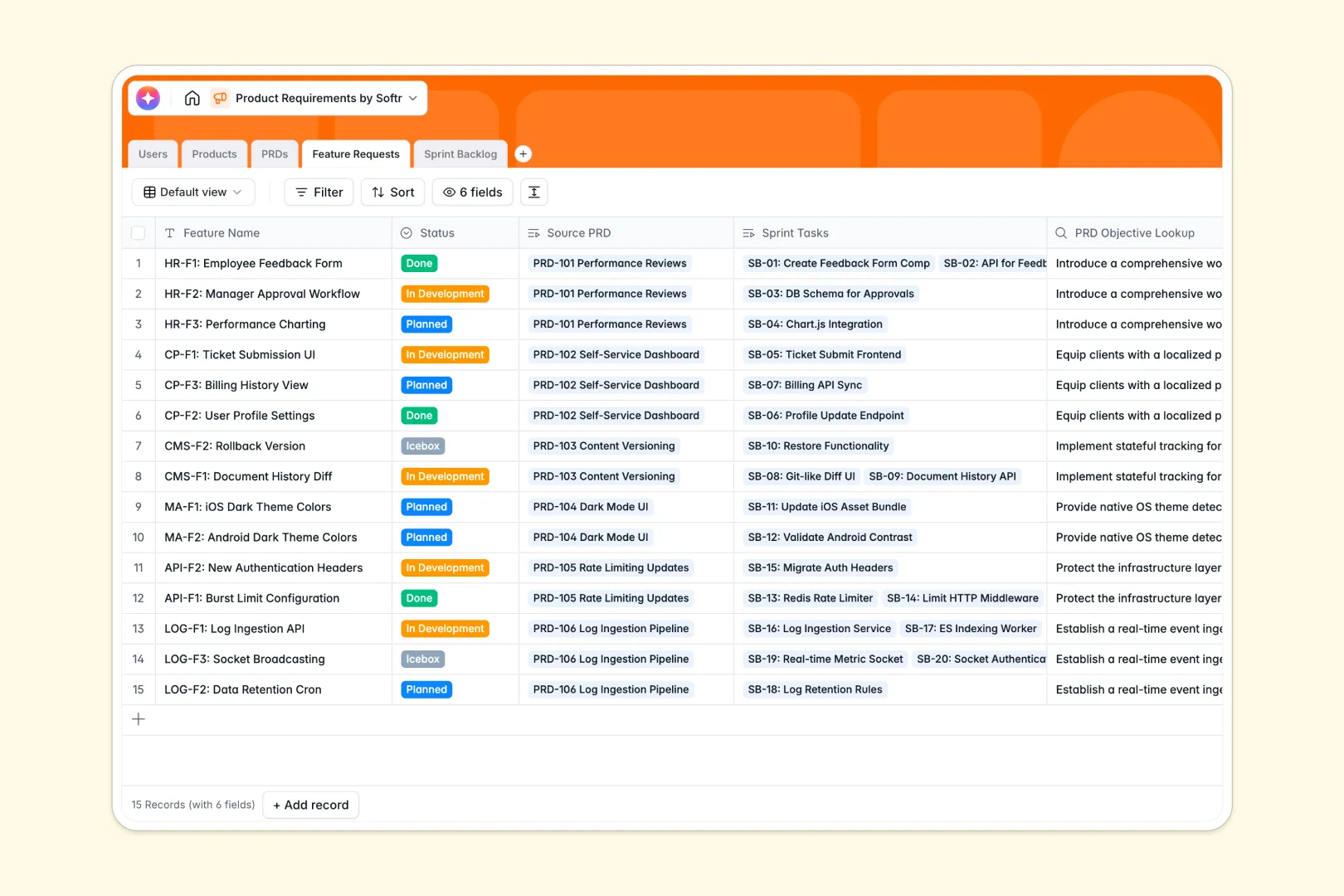
Your Product Requirements database at a glance
This template gives your product team a single, reliable hub to manage specifications, features, and task assignments. Keep your product specs connected directly to active sprint tasks so engineers always have the full context.
Five dedicated tables for Users, Products, PRDs, Feature Requests, and Sprint Backlogs work together natively. Every document relates to a broader product module, and every sprint task points back to its source specification.
Equipped with database AI agents, this database drafts executive summaries of your PRDs, outlines technical requirements, and writes acceptance criteria automatically.
What to check before building your product requirements base in Airtable
When managing a complex product lifecycle, choosing where your data lives is a critical decision. While Airtable provides a relational structure, scaling a product team on it often leads to unexpected bottlenecks.
What changes with a database built for apps
Instead of paying per-seat fees just so developers and designers can view specifications, you can work with unlimited collaborators under flat-rate structures. Highly active product teams also avoid the fast-approaching API and record limit caps of older database tools.
This is exactly what Softr Databases are built for. You get the same powerful relational foundations, coupled with built-in tools to display, automate, and protect your data.
What you can do with this template
Directly link your high-level product modules to authors and technical specs. Your engineering team can move feature requests into development while referencing the original PRD lookup fields in one click.
Because database AI agents run inside columns, you can automatically convert rough feature descriptions into standardized acceptance criteria as tasks move onto the sprint backlog.
-
Users
Track team members with roles, contacts, and linked product work
-
Products
Manage applications and high-level product modules under development
-
PRDs
Specify product requirements using AI to generate key executive summaries
-
Feature Requests
Draft detailed deliverable requirements utilizing AI-driven PM insights
-
Sprint Backlog
Track task statuses and effort estimates with AI-generated acceptance criteria
Who is this Product Requirements database for
- Product Teams: Align specifications with active development schedules and generate summaries instantly.
- Engineering Leaders: Access complete technical context and auto-generated acceptance criteria for every ticket.
- Startup Founders: Centralize product vision and operational backlogs in one scalable workspace.
How to take it further
Customize the database
Adjust fields to match your team's specific product frameworks. You can easily add custom status states, change category drop-downs, or append rating systems for feature prioritization in a visual workspace.
Import your existing data
Migrate existing roadmaps and backlogs in seconds. Use the CSV import tool to pull in specs from legacy documents, or connect other design systems via API to sync product data instantly.
Build a full app around it
When your team is ready, you can easily generate an app with AI directly on top of this database. Build a dedicated client portal or developer dashboard with custom users and permissions to control who can view, draft, or approve specifications.
-
1
-
2
-
3
-
4
Frequently asked questions
-
What is a product requirements database?
-
Why use a no-code database to build a product requirements system?
-
How can AI help managing data for product requirements?
-
Can I build an app with this product requirements database?
-
Is this product requirements template free?
-
How is this template different from an Airtable template?
Start building today. It's free!
Build and launch your first app in under 30 minutes.