


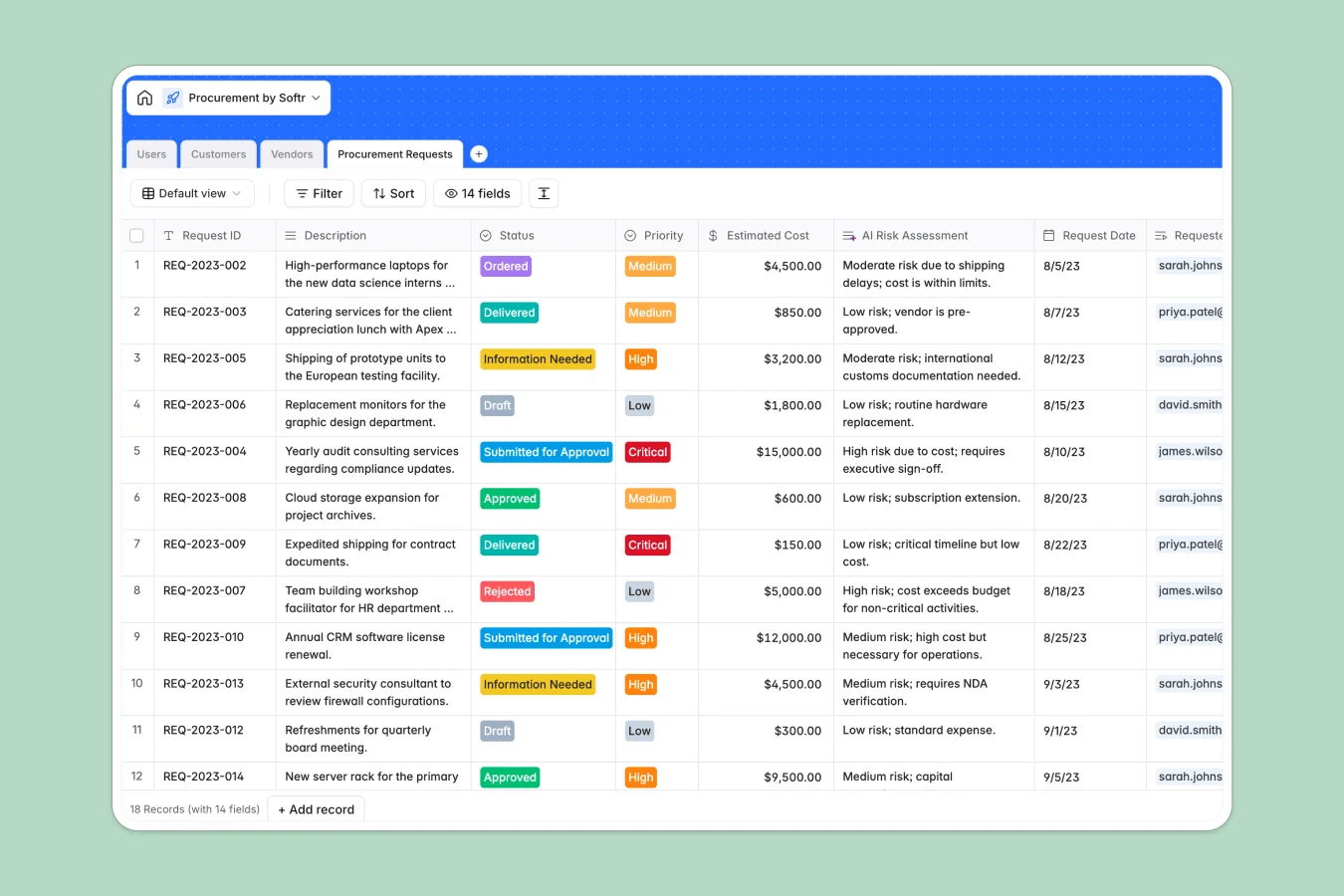
Your Procurement Tracker at a glance
This template streamlines company purchasing by organizing purchase requests, vendors, and clients in a secure, central system. It helps operations and procurement teams track spending, manage suppliers, and handle approvals without manual delays.
The database connects Users (requesters and managers), Customers, Vendors, and Procurement Requests seamlessly. Every record auto-links so you can track total project spend and review vendor categories in a single click.
Built-in AI-powered fields automatically generate request titles, categorize suppliers using live web search, and run instant financial risk assessments on high-value orders.
Where procurement outgrows Airtable
Managing your company's purchasing workflows requires absolute data control and seamless team collaboration. While keeping raw supplier data organized is critical, doing it on a platform that charges for every participant gets complicated quickly.
What changes with a database built for apps
With structured Softr Databases, you get the relational power you expect—like linking a critical purchase request directly to a registered user or vendor—but on a sharing-friendly platform.
You can bring your entire company on board to submit and manage requests without worrying about costly per-seat pricing. There are no restrictive collaborator fees to stop your employees from filing expense requests.
As your organization grows, higher record capacities and faster API limits ensure that your buying history, invoice attachments, and supplier records never hit a ceiling.
Gain control with automated insights
This template uses native Database AI agents to automate repetitive procurement research directly inside your tables.
When you add a new supplier, our built-in agents automatically find their official website, run a web search to classify their primary business, and draft instant financial risk assessments based on the estimated request cost.
-
Users
Track team members with department details, roles, and request access levels
-
Customers
Manage external clients with AI-powered business summaries and industry lookup
-
Vendors
Organize supply providers and classify business categories using AI enrichment
-
Procurement Requests
Manage purchase approvals and utilize AI for risk assessment and titles
Who is this Procurement database for
- Finance & Admin Teams: Track total project spend, oversee approvals, and control departmental hardware and software expenses.
- Procurement Managers: Assess buying risks, manage vendor relationships, and review invoices in a single interface.
- Department Heads: Easily submit requests for tools, equipment, or consulting and monitor real-time approval stages.
- Operations Leads: Keep track of supply logistics, delivery dates, and external customer project costs smoothly.
How to take it further
Customize your database structure
Modify selection drop-downs to match your company's exact operational flow. Add specific custom fields like department budget caps or payment terms to fit your financial operations naturally within the native Softr Database.
Import your existing datasets
Incorporate your active vendor contact lists or pending request logs in moments using clean CSV imports. You can also hook up external APIs to pipe hardware or software order data directly into your workspace.
Build a custom procurement app
When your team is ready, easily build an app on top of this exact database using Softr's AI Co-Builder. Describe what you need in plain text, and the AI will generate user login screens, submission forms, and structured dashboards.
You can implement precise users and permissions so employees only view their own requests, while managers see the entire queue to review, approve, or reject submissions.
-
1
-
2
-
3
-
4
Frequently asked questions
-
What is a procurement database?
-
Why use a no-code database to build a procurement system?
-
How can AI help managing data for procurement?
-
Can I build an app with this procurement database?
-
Is this procurement template free?
-
How is this template different from an Airtable template?
Start building today. It's free!
Build and launch your first app in under 30 minutes.