


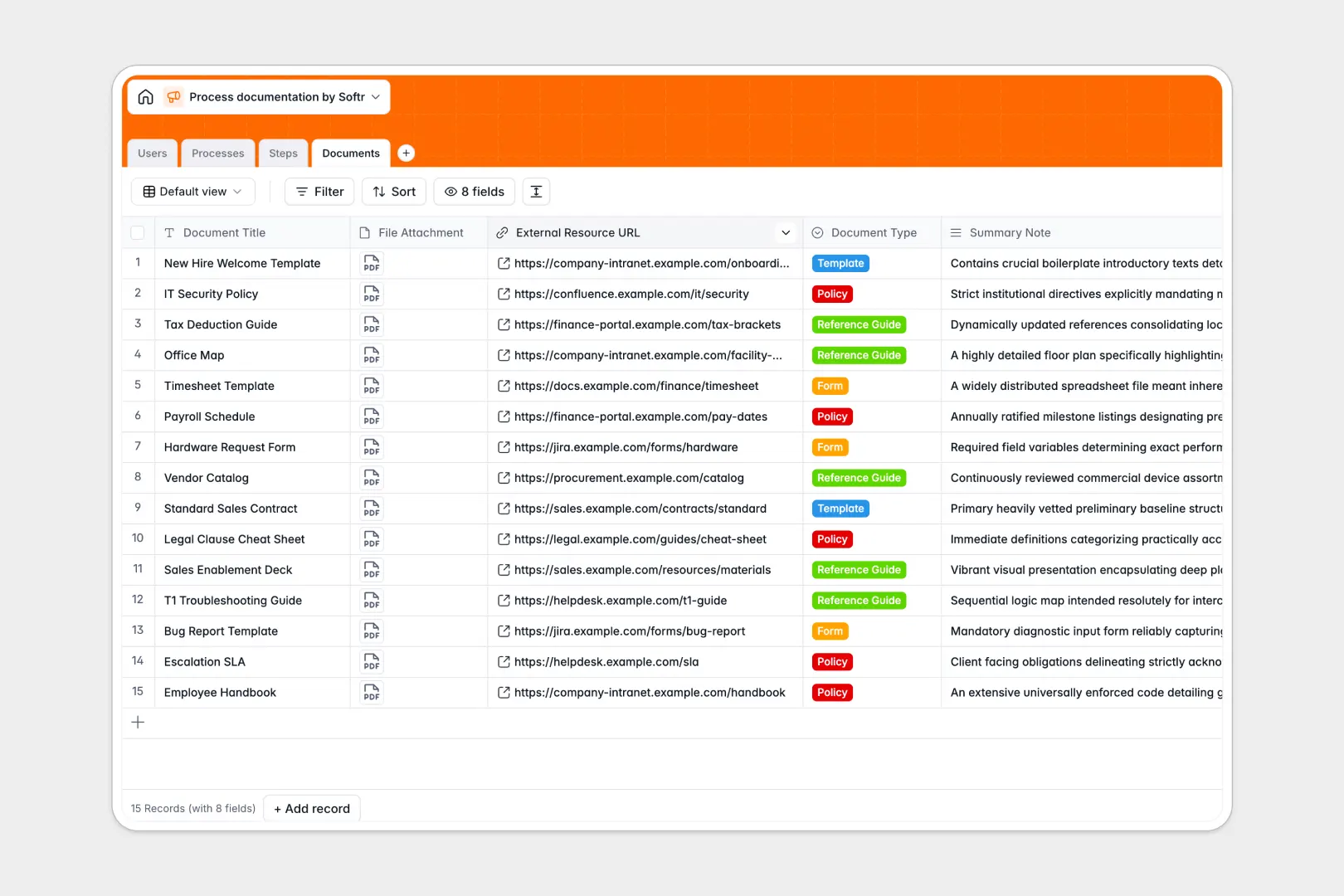
Your Process Documentation database at a glance
This template helps you centralize, organize, and maintain your standard operating procedures (SOPs) in one clean directory. It connects your team members directly to the exact steps, owners, and reference files they need to work efficiently and consistently.
Your database is built on four core tables: Processes, Steps, Documents, and Users. These tables link natively—meaning when you edit step instructions, the high-level process documentation and assignee assignments update instantly across your workspace.
Built-in AI fields analyze your process objectives to categorize SOPs automatically. They even compile full, draft instructions directly into clean manual pages so you never have to write documentation from scratch.
What to check before building your process documentation base in Airtable
While starting with a relational base to organize team operations is smart, relying on complex per-seat tools can make it hard to scale access across your organization.
Managing your team guides requires a database that is built for everyone to use, share, and expand without worrying about soaring monthly costs.
What changes with a database built for apps
Airtable charges per user as soon as a contributor needs edit access to edit steps or upload files. Softr Databases include unlimited collaborators on all plans, allowing your entire workforce to update steps, draft SOPs, and modify attachments freely.
Because the database sits in the exact same platform as user portals and workflow automations, you do not need to stitch multi-tool platforms together. You can seamlessly scale from simple, clean backend spreadsheets to full team apps with custom editing controls on top of your databases.
Our system supports larger relational capacities with faster API performance, and runs automated updates directly within your grid. You get clean relational structure built for long-term growth and high team usage.
What you can do with this template
- Automate standard manual drafts: Let native Database AI agents synthesize complex step listings and process objectives into structured, written guidelines instantly.
- Link guidelines directly to steps: Ensure templates, policy documents, and required files are always accessible right where team members execute daily operations.
- Verify ownership instantly: Track each SOP owner alongside step assignees to ensure accountability across all organizational departments.
-
Users
Track team members with department roles, contact info, and step assignments
-
Processes
Manage SOPs using AI for auto-categorization and generating full manual drafts
-
Steps
Detail operational guidance utilizing AI to rewrite and clear up execution details
-
Documents
Centralize templates, policies, and file uploads used across company processes
Who is this Process Documentation database for
- Operations teams: Centralize standard operating guidelines, keep execution steps updated, and assign tasks to different team roles dynamically.
- Onboarding and HR managers: Automate manual drafts, keep standard policy files in one accessible area, and track process training ownership.
- Department leads: Oversee standard workloads, manage workflow files, step orders, and identify training updates across operational areas.
How to take it further
Customize the database
Define selective classifications, edit specific categories, or add columns like execution difficulty and compliance review dates directly. You can customize fields and edit options instantly visually to represent your physical workflow accurately without writing code.
Import your existing data
Import your processes instantly by uploading CSV files, or connect your current operational platforms using the native API. Transition is immediate, meaning your team can pick up step reviews and edit work instruction records right away.
Build a full app around it
When you need to turn tables into secure internal training hubs, you can build custom interfaces easily. Use the interface builder to create structured employee dashboards, portals, or knowledge bases directly.
You can set clear users and permissions so only editors modify processes while viewers read them. To launch fast, use the Softr AI Co-Builder to generate an app interface on top of this exact database in seconds, then customize it visually.
-
1
-
2
-
3
-
4
Frequently asked questions
-
What is a process documentation database?
-
Why use a no-code database to build a process documentation system?
-
How can AI help managing data for process documentation?
-
Can I build an app with this process documentation database?
-
Is this Process Documentation database template free?
-
How is this process template different from an Airtable template?
Start building today. It's free!
Build and launch your first app in under 30 minutes.