


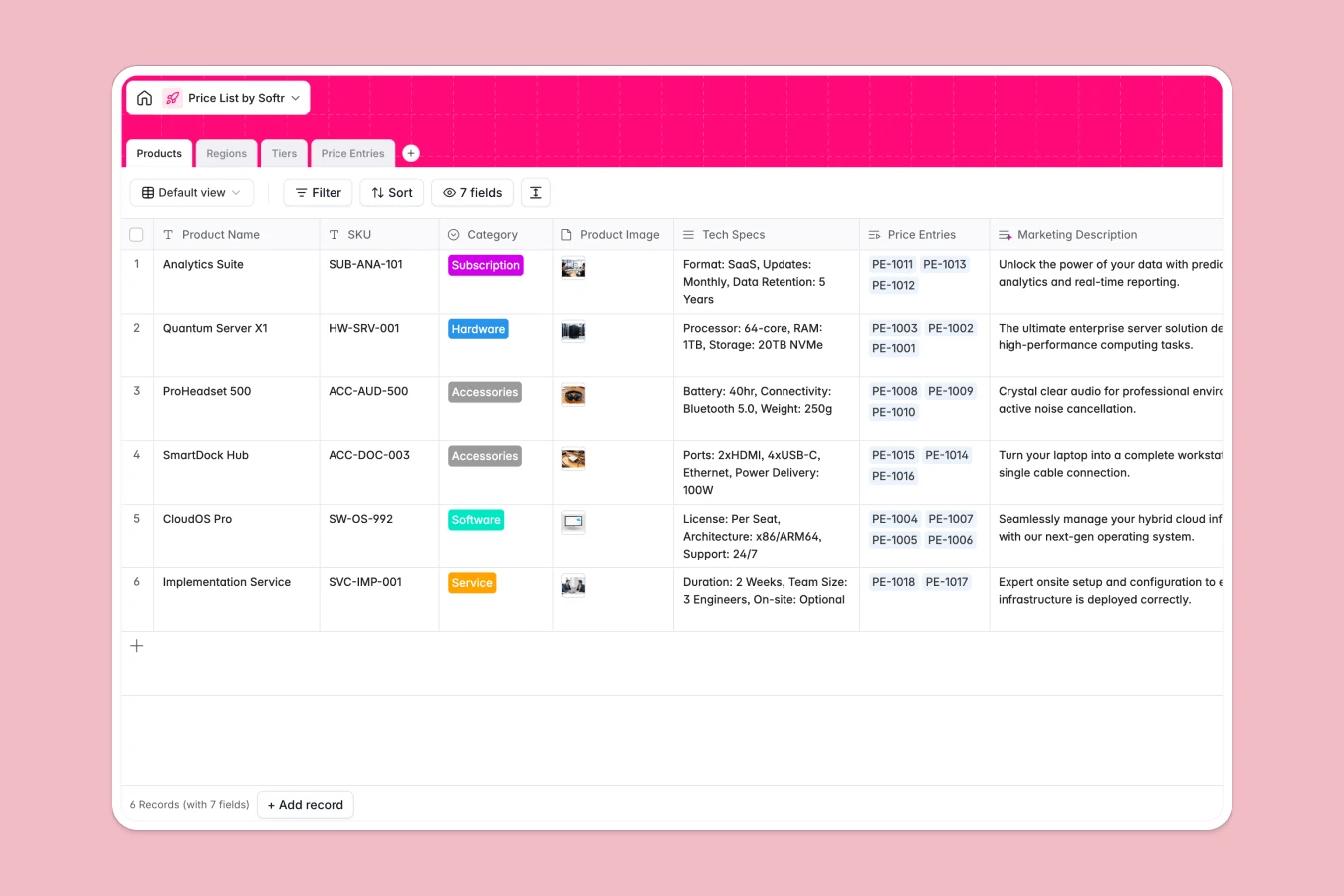
Your Price List database at a glance
This template lets you manage product pricing structures across different regions, currencies, and volume-based customer tiers. It ensures your sales team always works with accurate pricing and eliminates manual validation calculations.
The system uses four connected tables—Products, Regions, Tiers, and Price Entries—to dynamically link items to specific regional currencies and volume discounts. By separating products from individual price points, you can update a single price tier and have it automatically apply across your entire catalog.
Where price list management outgrows Airtable
Using Airtable to manage regional price sheets and distributing them to external reps or distributors often starts getting difficult when you scale access.
What changes with a database built for apps
First, sharing raw databases with external distribution partners or large sales teams quickly leads to high per-seat software costs. This is exactly why Softr Databases are built differently: they give you native database powers while allowing unlimited collaborators on all plans.
Because the database is natively integrated with an interface builder, you do not need to stitch multiple external tools together to share customized pricing sheets. You can build secure, partner-specific views directly on top of this structured schema without sharing your entire vendor or product catalog.
What you can do with this template
With this database, you can immediately manage hardware, software, subscriptions, or services alongside their technical specs and marketing details. You can assign precise dates to price entries to schedule future promotional or seasonal price changes automatically.
To automate your market research, you can configure Database AI agents to automatically research competitor regional pricing or generate localized marketing descriptions directly inside your fields. This turns your pricing catalog from a static reference list into an automated system.
-
Products
Maintain a master catalog of products, specs, and marketing details
-
Regions
Manage geographical regions with associated currency options
-
Tiers
Define customer billing tiers, discount levels, and volume baselines
-
Price Entries
Track active price points by product, region, tier, and schedule
Who is this Price List database for
- Product Managers: Streamline product catalog updates, pricing changes, and localized market specification details across regions.
- Sales & Commercial Operations: Ensure representatives quickly find valid regional price points, correct currencies, and discount thresholds.
- Wholesale Distributors: Securely view tier-specific prices and minimum quantity requirements without exposing other margin structures.
How to take it further
1. Customize the database
You can customize this template within seconds to match your exact portfolio. Add custom fields to tract profit margins, adjust your geographic region choices, or define new tiered discounts for high-volume customer categories.
2. Import your existing data
Instead of starting from scratch, import your current inventory catalog and pricing spreadsheets directly. You can use a standard CSV upload or connect via API to sync your inventory list automatically.
3. Build a full app around it
When your team is ready, you can use the Softr AI app generator to turn this database into a secure client pricing portal or internal sales enablement tool. In just one prompt, generate a tailored interface that lets your sales team calculate volume pricing on their mobile phones while on the road.
By leveraging granular users and permissions, you can ensure partners only see the pricing tier they qualify for, keeping your wholesale margins and strategic contracts completely confidential.
-
1
-
2
-
3
-
4
Frequently asked questions
-
What is a price list database?
-
Why use a no-code database to build a price list system?
-
How can AI help managing data for price lists?
-
Can I build an app with this price list database?
-
Is this Price List database free?
-
How is this price list template different from an Airtable template?
Start building today. It's free!
Build and launch your first app in under 30 minutes.