


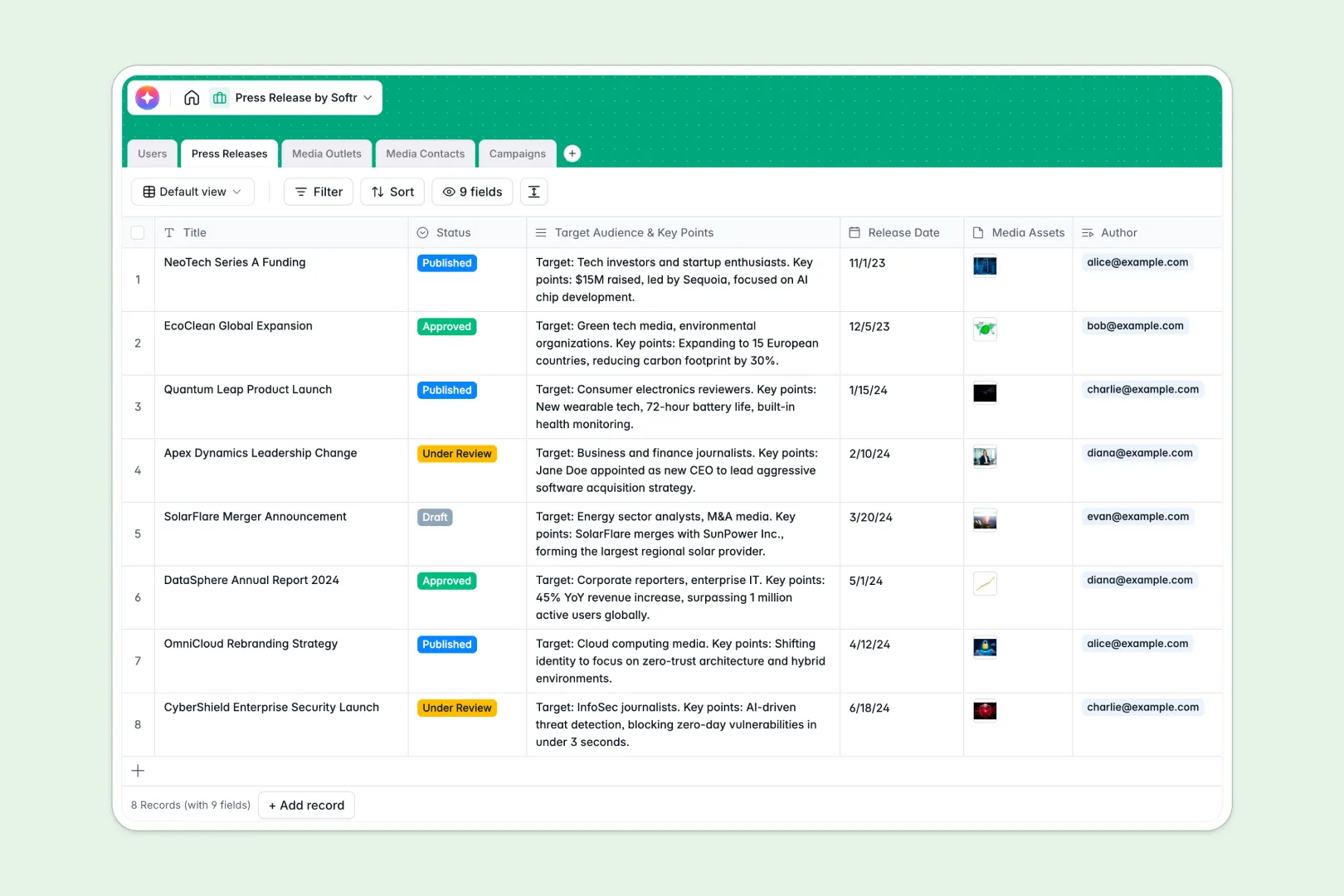
Your Press Release database at a glance
This template is a complete powerhouse for planning public relations campaigns in one central hub. It allows you to organize media publications, manage direct pitch contacts, and run structured outreach campaigns seamlessly.
Because the tables are fully relational, you can automatically link a specific press release to writing assignments, targeted media outlets, and key campaign managers. Everything connects back to a single source of truth without copy-pasting data across disconnected spreadsheets.
With built-in Database AI agents, this database can outline entire draft layouts, summarize content for quick pitches, and draft tailored subject lines directly inside your tables.
What to check before building your press release base in Airtable
If you want a relational system for managing media contacts, choosing a database is completely the right call. However, before committing to a platform, it is worth looking at where teams often run into friction.
What changes with a database built for apps
In many structured systems like Airtable, sharing your database with multiple stakeholders or external freelancers gets expensive fast due to per-collaborator pricing models. Moving to Softr Databases means you enjoy unlimited collaborators with complete workflow freedom.
Additionally, you can scale your data management safely with built-in record ceilings that easily outpace typical limits. You also get an integrated environment where interfaces and automated processes are built-in native features, keeping your workflows completely in one clean platform.
What you can do with this template
With this pre-built layout, you can instantly oversee your media outlets alongside corresponding journalists and pitching personas. This makes identifying the right target for specific campaign updates incredibly fast and accurate.
Furthermore, the built-in AI fields help you speed up outreach by immediately generating personalized email pitches based on standard PR summaries. This moves your campaign team from initial approval to active distribution within minutes.
-
Users
Track PR team members with roles, emails, and linked campaigns
-
Press Releases
Draft press releases with automated AI generation and key summaries
-
Media Outlets
Manage publications using AI to summarize the focus of websites
-
Media Contacts
Organize journalists and influencers using AI to build pitch personas
-
Campaigns
Manage outreach tracks utilizing AI to generate subjects and email pitches
Who is this Press Release database for
This template is designed specifically to help media teams, communication leads, and campaign managers scale their PR distribution without manual overhead.
- PR Agencies: Track client contacts, media targets, and client updates across multiple parallel campaigns.
- In-House Marketing Teams: Align internal writers, approve key drafts, and coordinate press announcements consistently.
- Founders and Operators: Kickstart media outreach strategies independently without needing complex tools.
How to take it further
Customize the database
You can modify this template in seconds by adding custom fields to match your workflow. Customize options in your status fields from "Draft" and "Under Review" to your own operational stages, or add tailored select options for your unique media outlet types.
Import your existing data
Instead of starting from zero, you can quickly import your current contacts and communication channels. Easily upload your list via CSV to populate your media logs immediately, or run an API synchronization to connect with other live services.
Build a full app around it
When you are ready to expand your workflow, you can easily build an app on top of this structure. Softr's AI app builder lets you turn your data into custom editorial portals where freelancers can submit copy, of which you can manage editing permissions safely.
By leveraging users and permissions, you can ensure that journalists see only relevant client materials while internal writers maintain access to complete editorial logs. This guarantees your core database stays organized as your company grows.
-
1
-
2
-
3
-
4
Frequently asked questions
-
What is a press release database?
-
Why use a no-code database to build a press release system?
-
How can AI help managing data for your press releases?
-
Can I build a stakeholder portal with this press release database?
-
Is this template free?
-
How is this different from an Airtable press release template?
Start building today. It's free!
Build and launch your first app in under 30 minutes.