


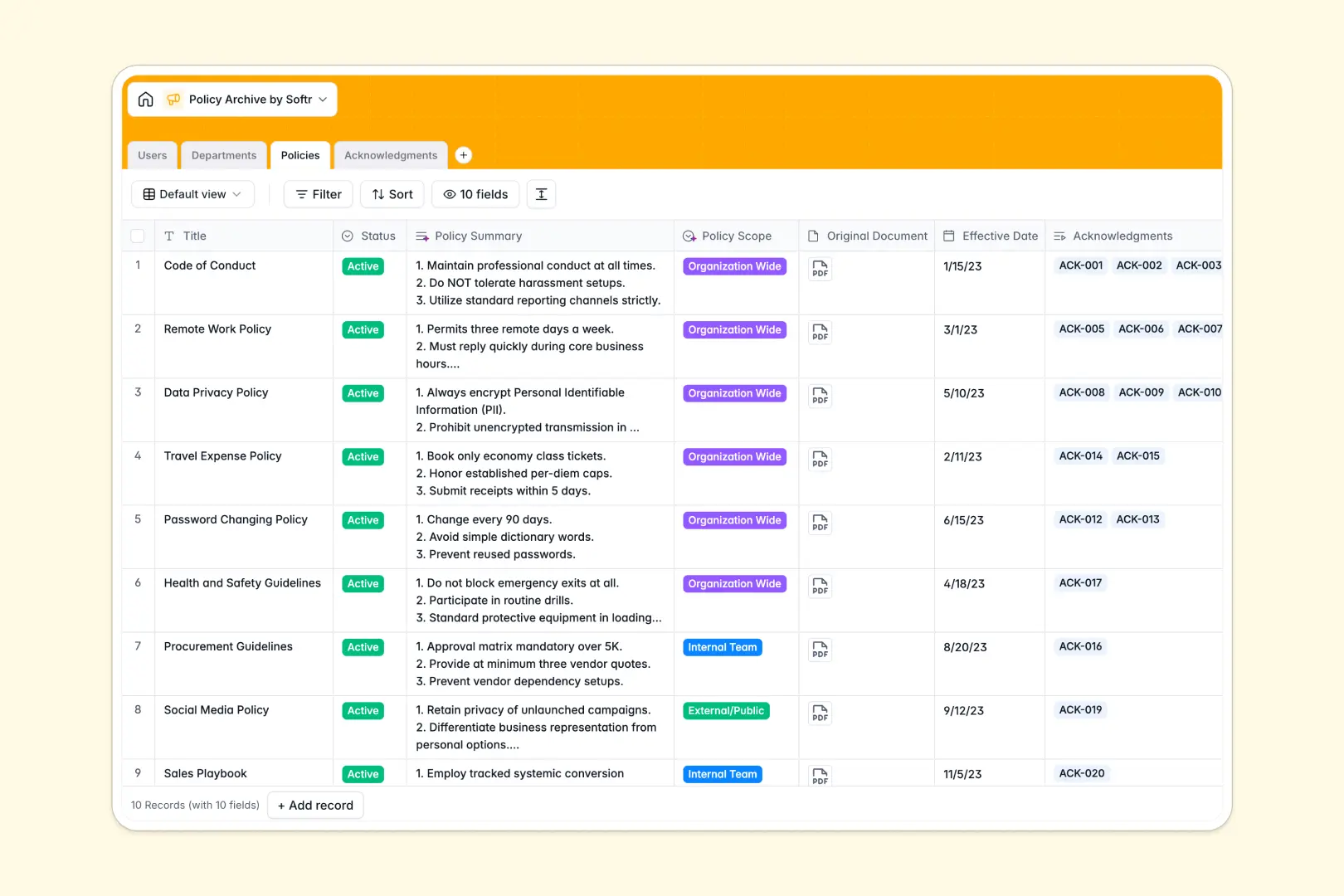
Your Policy Archive database at a glance
This Policy Archive template lets you consolidate vital company handbooks, compliance guidelines, and operational procedures in one structured, secure place. Your team can quickly access what they need while you maintain full control over version history and document statuses.
The database connects your guidelines directly to departments and staff. It tracks which employees need to read which documents, making it easy to see who has logged their acknowledgment and who is still pending.
With built-in AI capabilities, this template summarizes lengthy documents into concise takeaways and even draft compliance reminders automatically, saving HR and operations teams hours of manual writing.
What to check before building your policy archive base in Airtable
While setting up a policy directory requires a robust database structure rather than a loose spreadsheet, utilizing Airtable for sharing company-wide documents can quickly run into scaling and financial roadblocks.
What changes with a database built for apps
Airtable is a fine relational tool, but it charges expensive per-seat fees as soon as employees need to interact with the data directly to sign off on policies. A growing team means a rapidly growing monthly software bill just for basic access.
Choosing Softr Databases gives you the same advanced relational structures—such as linking users to their signed acknowledgments—without the per-seat penalty. You gain massive record capacities and faster API performance to power your operations at scale.
Instead of stitching together form builders, portal tools, and third-party dashboard extensions, you have a native system. Your structured database works hand-in-hand with custom interfaces and automated workflows inside one single, unified ecosystem.
What you can do with this template
You can keep compliance clean by monitoring signature statuses like "Pending", "Signed", or "Overdue" without cross-referencing separate files. Each policy sits in a central table linked to the exact department and author responsible for updates.
This template also leverages Database AI agents right in your fields. These agents run on precise rules to classify the scope of new documents and instantly draft personalized status reminders for overdue sign-offs.
-
Users
Track team members, roles, departments, and policy compliance records
-
Departments
Manage organizational units, department heads, members, and relevant policies
-
Policies
Centralize company guidelines, detailing statuses and AI-generated summaries
-
Acknowledgments
Track compliance signatures with AI-powered notification message generation
Who is this Policy Archive database for
- HR & Compliance Officers: Centralize official guidelines, track mandatory employee compliance, and automate policy rollouts.
- Department Heads: Keep localized process documents easily accessible and ensure team members recognize new operational standards.
- Operations Teams: Maintain a single source of truth for company handbooks, training requirements, and safety protocols.
How to take it further
Customize the database
Adjust this database in seconds. You can easily add lookup columns, insert custom tags like "HR" or "Engineering" to department structures, or introduce new signature stages that perfectly fit your organization’s review pipeline.
Import your existing data
Move from spreadsheets or legacy directories instantly. Bulk upload your documents and personnel directories via CSV, or connect your existing internal tools using the API to sync department structures automatically.
Build a full app around it
When you are ready to expand, you do not need to look for third-party portal tools. You can easily build an app on top of this exact database, creating a secure employee portal where staff can view documents, sign agreements, and log achievements.
By building an interactive interface, you can enforce secure access control so that specific teams only see relevant documents, while admins manage approvals. Softr’s AI Co-Builder can generate this entire interface, permissions system, and notifications workflow from a single prompt.
-
1
-
2
-
3
-
4
Frequently asked questions
-
What is a policy archive database?
-
Why use a no-code database to build a policy archive system?
-
How can AI help managing data for policy archives?
-
Can I build an app with this policy archive database?
-
Is this policy archive template free?
-
How is this template different from a policy archive in Airtable?
Start building today. It's free!
Build and launch your first app in under 30 minutes.