


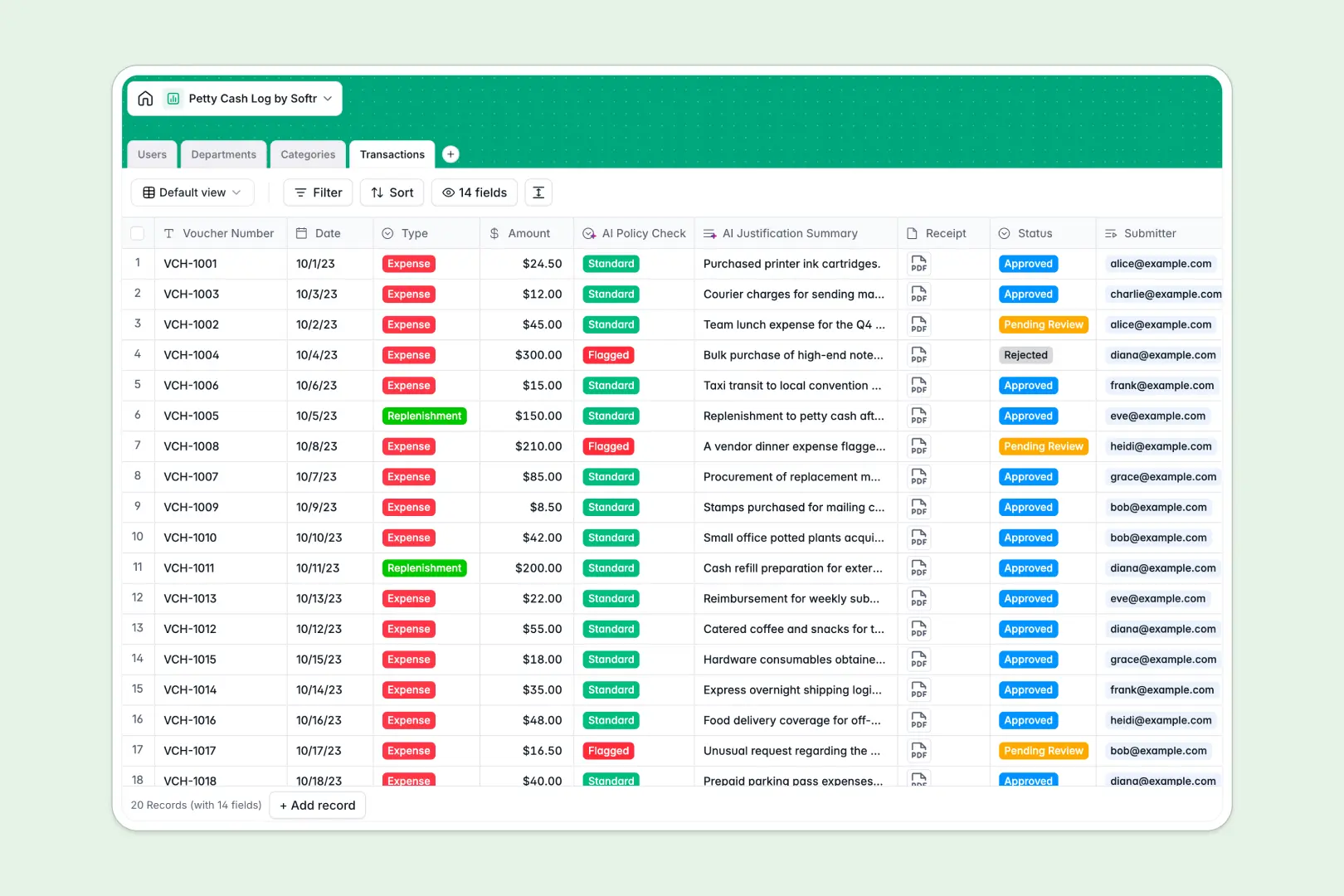
Your Petty Cash Log database at a glance
This template provides a reliable way to digitalize and track your company's physical cash reserves. It eliminates manual ledger sheets, lost receipts, and unapproved spending by establishing a secure audit trail for every single voucher.
The database includes interconnected tables for users, departments, and expense categories. A central transaction log instantly links every withdrawal or replenishment directly to the responsible employee, preventing math errors and missing documentation.
Two built-in AI fields automatically classify transactions by risk level and generate concise summaries, allowing your finance team to review approvals in seconds.
What to check before building your petty cash log in Airtable
While Airtable is a powerful database option, teams looking to manage cash logs often encounter friction when rolling it out across the entire company.
To give employees access to log their own transactions, Airtable requires per-seat pricing. This means your monthly software costs scale quickly when sharing the system with everyone who needs to submit a simple cash voucher.
What changes with a database built for apps
If you want team-wide access without skyrocketing bills, Softr Databases are specifically engineered for this. Softr includes unlimited collaborators on all plans, allowing your entire workforce to log expenses, request replenishments, and submit receipt attachments without extra fees.
Additionally, you can scale your records up to 200,000 per database without worrying about Airtable's strict plan-based ceilings. Instead of stitching together external portals, forms, and tools to handle secure employee access, you get a clean system where your database, workflow Automations, and user logins are bundled together natively.
What you can do with this template
With this template, you can define standardized department budgets, enforce spending categories, and log receipts automatically. This ensures no cash leaves the box without a linked voucher and an assigned manager.
You can leverage built-in Database AI agents to automatically run risk checks on submitted values and write short transaction justifications for speedier bookkeeping.
-
Users
Track team members with roles, contact info, and transaction connections
-
Departments
Manage business departments with budget limits and tracked expenditure totals
-
Categories
Organize petty cash expenses with standard accounting transaction labels
-
Transactions
Track cash details with AI risk screening and AI summary justifications
Who is this Petty Cash Log database for
- Finance Admins: Keep an error-free audit log, track department budget caps, and reconcile physical cash boxes instantly.
- Department Managers: Approve or reject team expense requests directly and stay informed on monthly budget usage.
- General Employees: Log cash transactions on the go, submit receipt photos, and track the status of requests without sending emails.
- Operations Leads: Manage cash box replenishments securely across multiple office locations from a central system.
How to take it further
1. Customize the database
You can easily adapt this template by editing the category list or adding new single-select values for transaction statuses. Modify fields, customize currency formats, or set up new validation rules inside the Softr Database with a few clicks.
2. Import your existing data
If you are currently tracking transactions in a legacy system, upload them instantly via a CSV file. You can also use our API integrations to sync records from external accounting programs and keep your ledger balanced.
3. Build a full app around it
When you are ready, you can easily build an app on top of this database. Generate a custom web portal with Softr's AI app builder so employees can submit cash logs through a secure mobile interface.
You can set up granular access control so workers only see their own submissions, managers only approve their department's expenses, and financial administrators maintain global editing rights. Connecting this structured database to an app interface ensures your logs stay secure and clean.
-
1
-
2
-
3
-
4
Frequently asked questions
-
What is a petty cash log database?
-
Why use a no-code database to build a petty cash system?
-
How can AI help managing data for petty cash?
-
Can I build an app with this petty cash log database?
-
Is this petty cash log database different from an Airtable template?
-
Is this petty cash log template free?
Start building today. It's free!
Build and launch your first app in under 30 minutes.