


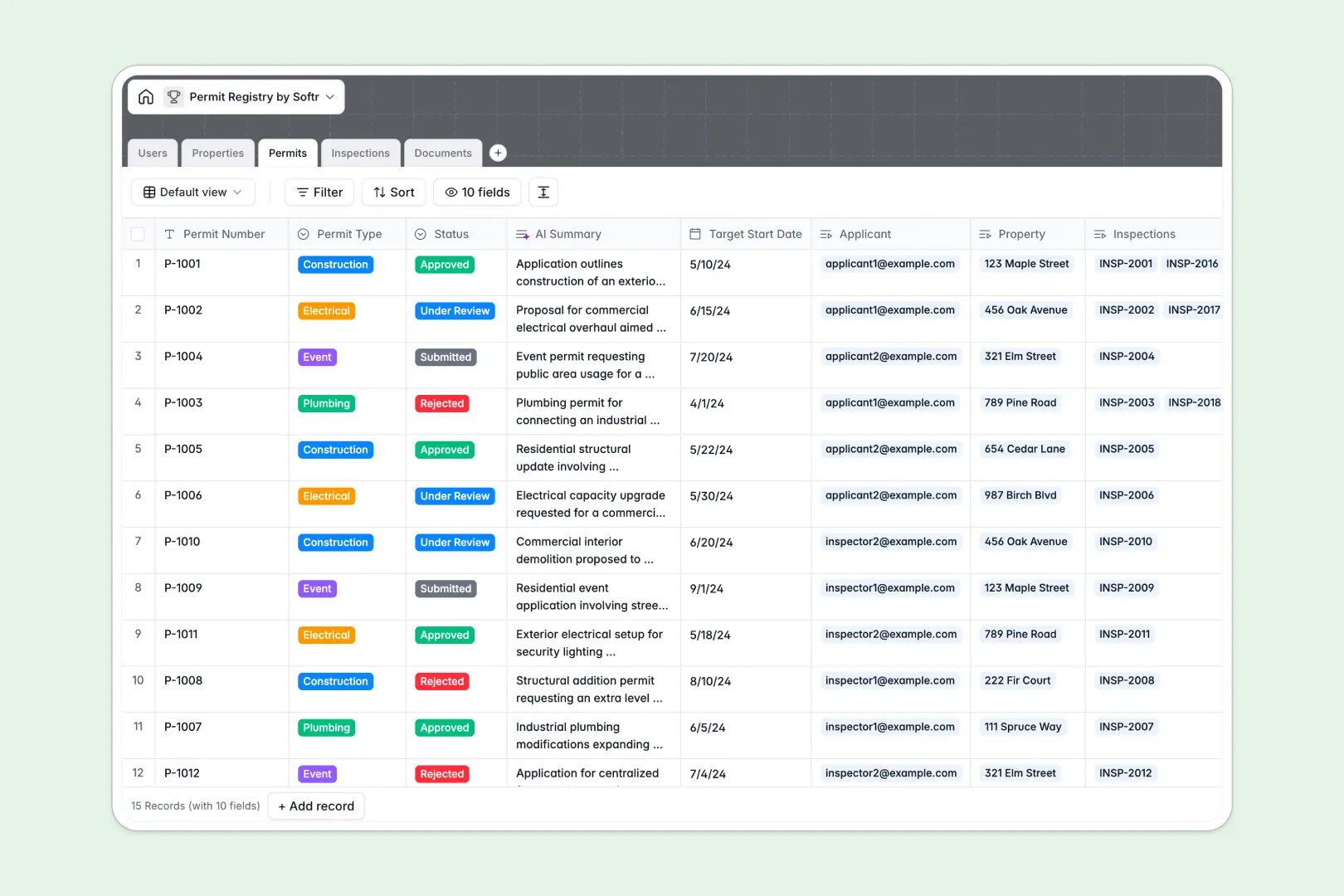
Your Permit Registry database at a glance
This template provides a clear, central way to manage permit applications, track property inspections, and keep stakeholders organized. It eliminates paper trails and scattered spreadsheets by standardizing how cities and operators register development requests.
The system works by cleanly connecting five key tables. Permits link directly to Properties and Users (applicants, admins, and inspectors), while Inspections and Documents keep field notes and vital blueprints linked directly to the right application files without confusion.
Built-in AI features help automate the busywork. The database automatically extracts safety findings from inspector notes and drafts quick permit summaries so your team can make faster, safer decisions.
What to check before building your permit registry base in Airtable
Many teams naturally think of Airtable to coordinate zoning, property tracking, and inspections. While Airtable provides a great relational foundation, sharing that data with a broad network of external applicants, guest inspectors, and city stakeholders can quickly become a pricing and management bottleneck.
What changes with a database built for apps
With Airtable, adding citizens or third-party inspectors to your base requires paying for expensive collaborator seats. A structured database should serve as the foundation for secure external access, not a budget penalty.
This is exactly what Softr Databases are designed for. You get the same relational power—such as linking properties directly to zoning applications—but with unlimited collaborators on all plans. This means you can give hundreds of applicants and field inspectors restricted database access without paying a cent more.
Additionally, you escape Airtable's record-limit ceilings. Enjoy higher scale limits and a far faster API with 50 requests per second to handle heavy inspection volumes.
What you can do with this template
With this permit registry, you can maintain single source of truth for all land use approvals, contractor credentials, and open compliance actions. It handles residential, commercial, industrial, and public property designations natively in one view.
Database AI agents run directly inside your fields. They can browse the live web based on a property address to pull zoning rules or neighborhood details, and instantly flag critical safety concerns from field inspection logs automatically.
-
Users
Track details, contact information, and roles of system stakeholders
-
Properties
Register project locations with AI-powered zoning and neighborhood summaries
-
Permits
Manage application files and statuses with AI scope summaries
-
Inspections
Log site inspections with AI extractors that find main safety issues
-
Documents
Store blueprints, certificates, and forms supporting the permit requests
Who is this Permit Registry database for
- Municipalities & Local Government: Coordinate zoning, structure reviews, and inspector assignments in a single shared, auditable registry.
- Commercial Developers: Maintain real-time compliance tracking across dozens of job sites and property portfolios concurrently.
- Independent Inspection Teams: Access assigned inspections, log findings swiftly, and upload site photos directly from the field.
- General Contractors: Monitor the exact approval status of electrical, plumbing, and construction permit requests in real time.
How to take it further
Customize the database
You can modify this template in seconds to match your local ordinances. Rename permit types, adjust status columns (such as adding "Under Revision"), and define custom select fields for different neighborhood zones without writing code.
Import your existing data
Avoid manual data entry by importing your list of properties, active contractor licenses, or historical inspection logs via CSV. You can also sync live data from existing municipal legacy systems using the robust native developer API.
Build a full app around it
When your team is ready, you can easily build an app on top of this database. Use the Softr AI app generator to turn this template into a secure inspection portal or public permit filing system in seconds.
By adding robust users and permissions, you can ensure that applicants only see their own permits and documents, while city inspectors can log in to update only their assigned inspection checklists in the field. Starting from a clean database makes building this secure app layer incredibly fast.
-
1
-
2
-
3
-
4
Frequently asked questions
-
What is a permit registry database?
-
Why use a no-code database to build a permit registry system?
-
How can AI help managing data for permit registries?
-
Can I build an app with this permit registry database?
-
Is this Permit Registry database free to use?
-
How is this template different from a permit registry in Airtable?
Start building today. It's free!
Build and launch your first app in under 30 minutes.