


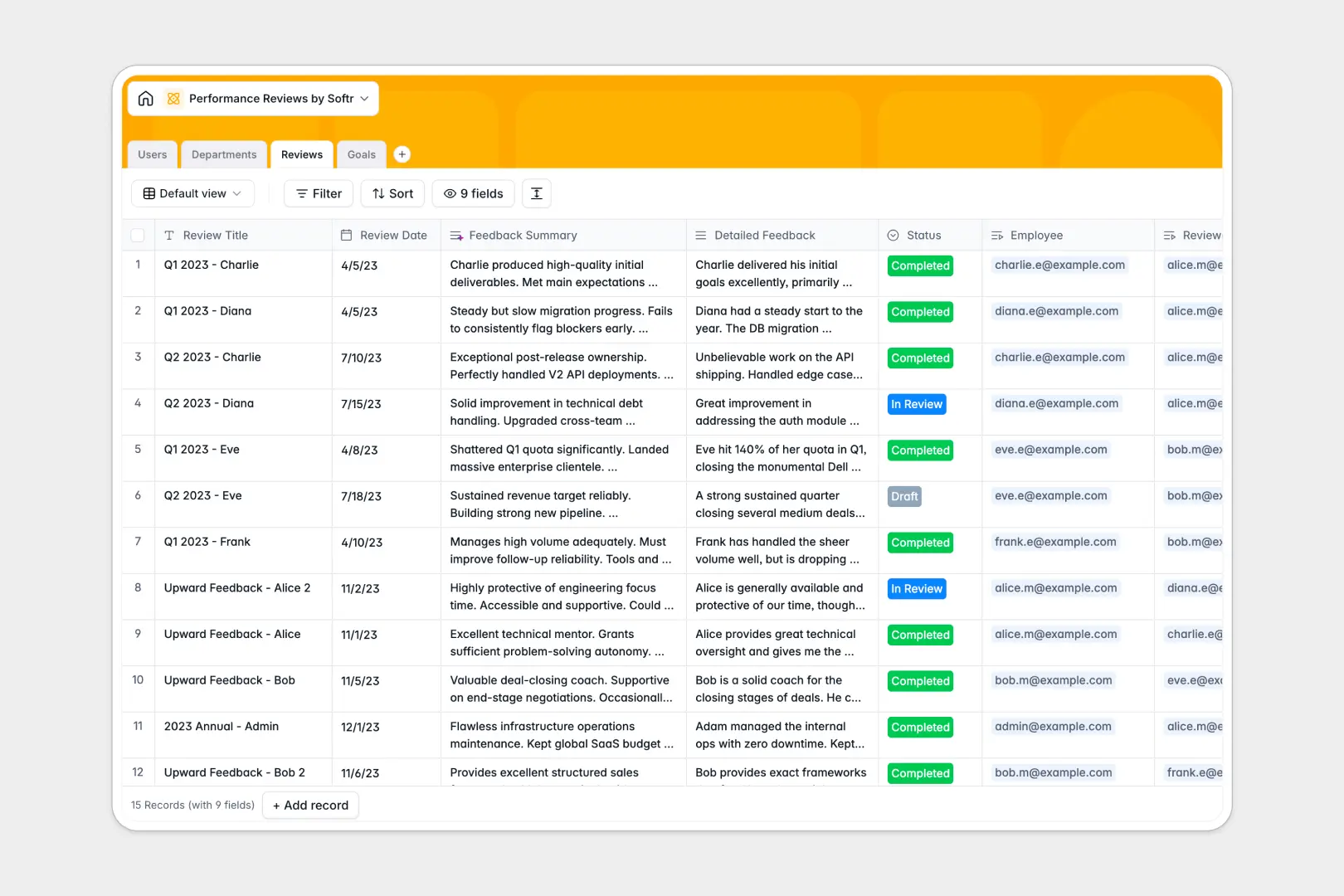
Your Performance Reviews database at a glance
Streamline your talent development by organizing employee growth, evaluation scores, and actionable targets in one structured workspace. This template connects organizational tables—Users, Departments, Reviews, and Goals—to give leadership and employees a transparent view of progress and achievements.
Reviews are linked directly to specific employees and reviewers, making it easy to track historical evaluations over time. Plus, native AI capabilities write quick feedback summaries and dynamically classify your goal complexity levels as soon as details are added.
What to check before building your performance reviews base in Airtable
When choosing a platform to manage sensitive evaluation records, the foundation of your system matters. While Airtable provides a strong relational setup, its per-seat pricing model can quickly become expensive as you invite more managers, HR staff, and general employees to view or edit their goals.
What changes with a database built for apps
If you want to open up your dashboard to the entire company without a skyrocketing software bill, you need a different approach. Softr Databases give you the exact same relational integrity and structured field types as Airtable—complete with links, rollups, and lookups—but with one major difference: unlimited collaborators on all plans.
This means you can easily store up to 200,000 corporate records in a single database without reaching record limits or being penalized for team sizing. You get a production-ready system that scales with your headcount, not your budget.
What you can do with this template
Use this ready-to-go structure to connect user roles (such as Admins, Managers, and Employees) to their departments and designated goals. Managers can write detailed evaluations while built-in Database AI agents automatically output bulleted performance summaries in real time.
Because the structure is predefined, you have complete control over rating scores, status tracking, and promotion eligibility checkbox fields. You can immediately use the template out of the box or add your own custom select fields in seconds.
-
Users
Track organizational users, their assigned roles, departments, and reviews
-
Departments
Manage organizational units, departmental descriptions, and employee counts
-
Reviews
Evaluate performance with metrics, scores, and AI-generated feedback summaries
-
Goals
Track performance targets with timeline dates and AI-classified complexity
Who is this Performance Reviews database for
- HR & People Ops Managers: Keep all evaluations secure, track department headcount automatically, and audit individual progress over time.
- Team Directors & Managers: Easily assign goals, grade rating scores, and keep historical feedback organized in dedicated tables.
- Growing Organizations: Centralize employee growth plans in a single workspace with unlimited collaborator seats for everyone.
-
1
-
2
-
3
-
4
Frequently asked questions
-
What is a performance reviews database?
-
Why use a no-code database to build a performance reviews system?
-
How can AI help managing data for performance reviews?
-
Can I build an app with a performance reviews database?
-
Is this Performance Reviews template free?
-
How is this different from an Airtable template?
Start building today. It's free!
Build and launch your first app in under 30 minutes.