


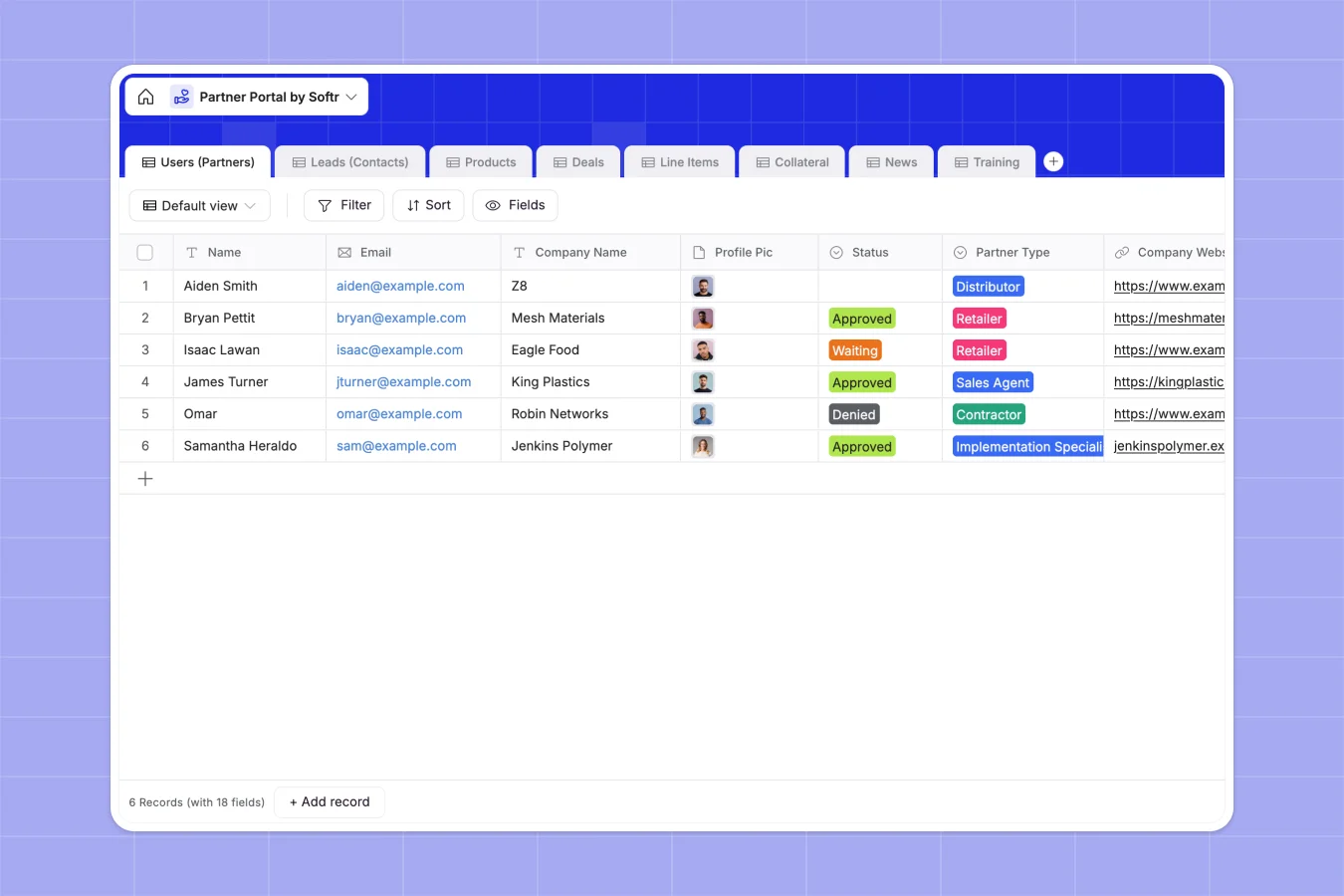
# Your Partner Portal database at a glance
This Partner Portal database keeps your channel sales organized in one place. It lets you track physical or digital product sales, calculate commissions, and distribute collateral directly to approved partners.
Everything connects seamlessly: your partners are linked directly to their leads, deals, and calculated totals. You no longer have to copy and paste names or risk exposing sensitive rows to other partners.
# What to check before building your partner portal in Airtable
When managing independent distributors and retailers, your portal needs to share and receive data constantly from external contacts. While Airtable offers strong relational structure, building this system there poses immediate operational challenges.
First, Airtable's per-seat pricing means your costs jump significantly the moment you allow partners to input leads or update deal statuses themselves. If your network grows to dozens of distributors, user costs scale unsustainably.
In contrast, Softr Databases allow you to invite unlimited collaborators to view or manage your data for free. Your core structure remains protected, while you gain high API rate limits and a massive capacity ceiling.
Where your portal outgrows Airtable
Second, to actually let partners add deal line-items, read announcements, or watch custom training videos, you have to build an interface. Doing this within Airtable requires buying their higher-tier plans or stitching third-party portal tools together.
By staying inside Softr, you have both the relational database and the means to generate highly customized views. There's no lock-in, and you can easily import your existing partner lists at any time.
-
Users (Partners)
Manage registered partners with approval status, profile details and sales tracking
-
Leads (Contacts)
Track prospective leads and client contact details associated with partners
-
Products
Maintain catalog details including material types and standard unit costs
-
Deals
Monitor sales pipelines, partner assignments, transaction statuses and total values
-
Line Items
Calculate individual product quantities and cost sub-totals for each active deal
-
Collateral
Organize marketing assets and downloadable materials by classification tags
Who is this Partner Portal database for
- Channel Managers: Wanting a centralized place to monitor distributor pipelines and approve new applications.
- Sales Directors: Needing to track product unit costs, sub-totals, and total partner value accurately.
- Enablement Leads: Looking to share onboarding videos, articles, and product catalogs with field reps.
- Independent Partners: Seeking an effortless way to register new leads without dealing with complex CRM forms.
How to take it further
1. Customize the database
To fit the template to your specific inventory, open the Products table to modify the unit list and cost formulas. You can update the selection choices in the Partner Type list or write new formulas to track custom discount tiers.
2. Import your existing data
Instead of starting from zero, import your contractor lists, deals history, or PDF catalogs by uploading a CSV. In seconds, your existing files map and populate the structured table fields.
3. Generate an app with AI
When you are ready to let partners view and submit data on their own, use the AI app generator to turn your new database into a secure portal. The AI builder generates custom dashboards, registration forms, and users and permissions directly on top of this exact schema.
-
1
-
2
-
3
-
4
Frequently asked questions
-
What is a partner portal database?
-
Why use a no-code database to build a partner portal?
-
How can AI help managing data for your partner portal?
-
Can I build an app with this partner portal database?
-
Is this partner portal database template free?
-
How is this different from an Airtable template?
Start building today. It's free!
Build and launch your first app in under 30 minutes.