


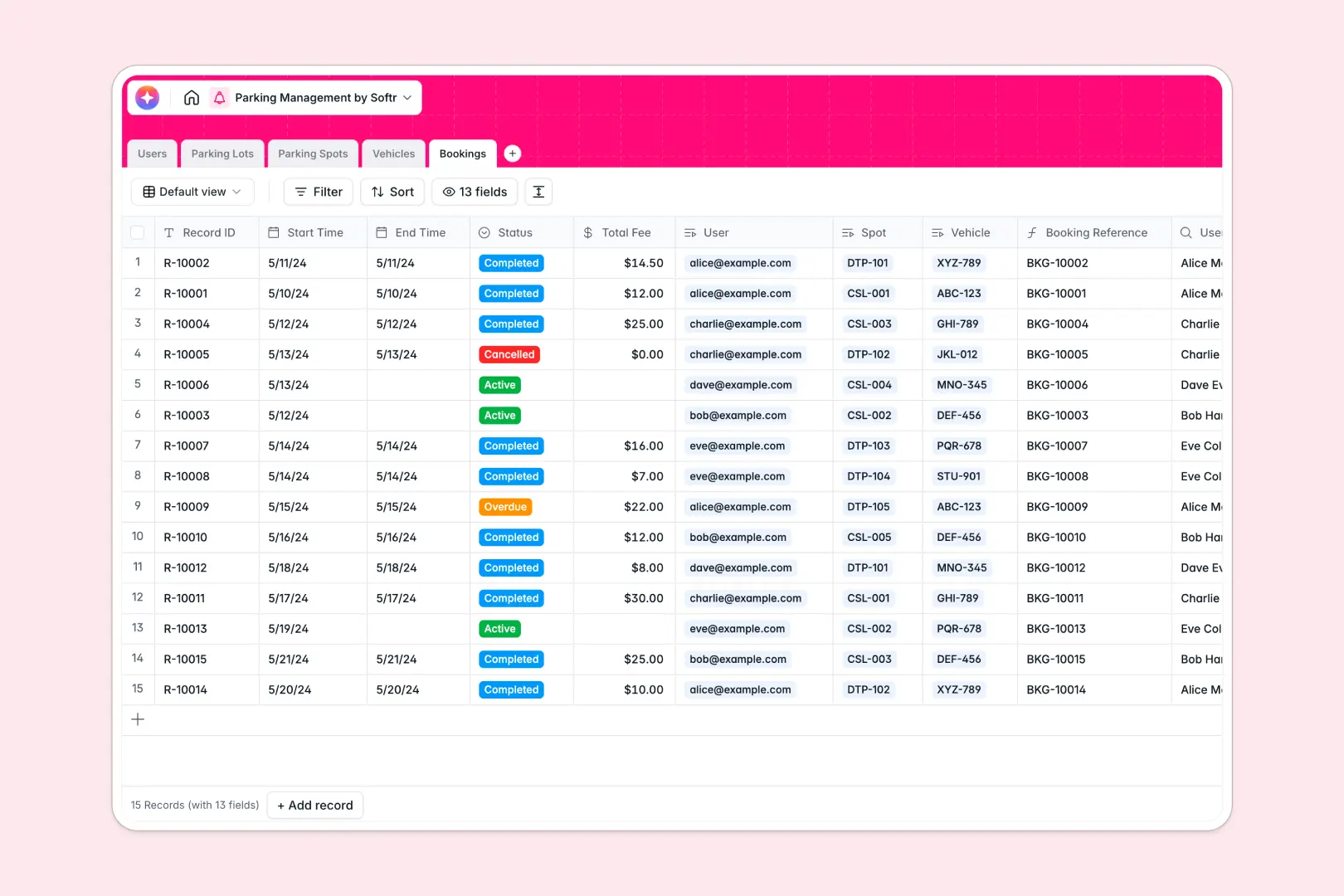
Your Parking Management database at a glance
This template organizes parking lots, individual bays, customer vehicles, and active reservations in a single operational backend. It gives facility managers and parking attendants clear visibility over spot availability and booking logs.
Key tables link together so that every reservation connects directly to a specific spot, vehicle, and customer profile. Rollups automatically tally active capacity across your facilities without manual updates.
Built-in AI fields classify vehicle body types automatically from the make and model, and generate instant receipt summaries for customer bookings.
Running parking operations without per-seat bottlenecks
Managing busy facilities requires coordinating attendants, administrators, and parkers across multiple locations. While relational tables are ideal for tracking bays and license plates, traditional database platforms charge per user seat, making it prohibitively expensive to invite every attendant or driver into the workspace.
What changes with a database built for apps
Instead of paying per user or stitching together separate tools for forms and portals, Softr Databases provide full relational power with unlimited collaborators included on all plans. You can track thousands of reservations across multiple parking facilities with higher record limits and faster API speeds.
Every column maintains strict data integrity, linking parking spots directly to bookings, lots, and vehicle records without breaking under high operational volume.
What you can do with this template
Track spot statuses from available to occupied across standard, EV charging, and disabled bays with zero guesswork. Database AI agents automatically categorize vehicle types upon entry and compile clear reservation notes from raw event data.
Because your data structure is already linked and configured, you can use this database immediately or connect front-end interfaces for on-site staff and customers.
-
Users
Manage staff, parking attendants, and registered customer profiles
-
Parking Lots
Track facility structures, total capacities, and active parking spots
-
Parking Spots
Monitor specific bays, spot types, and real-time availability states
-
Vehicles
Store vehicle records with AI classification for vehicle body types
-
Bookings
Log parking reservations and generate automated AI receipt summaries
Who is this Parking Management database for
This template is built for teams that need clear, real-time oversight of parking spaces, access permissions, and vehicle reservations.
- Parking Facility Managers: Oversee multi-lot capacities, manage bay allocations, and maintain accurate real-time spot availability.
- Commercial Property Operators: Manage allocated parking bays for corporate tenants, visitors, and on-site staff seamlessly.
- Event Operations Teams: Coordinate high-volume vehicle ingress, reserved spaces, and attendee spot assignments smoothly.
- Hospitality & Valet Teams: Track incoming guest vehicles, assign designated bays, and log check-in timestamps accurately.
How to take it further
Customize this database by adding custom spot types, adjusting hourly fee formulas, or creating custom status options like seasonal closures.
Import your existing facility directories and vehicle registrations quickly using CSV uploads, or connect external hardware systems directly via API.
When you need dedicated portals for drivers and attendants, you can build an app on top of this data in seconds. Softr's AI Co-Builder generates complete user interfaces, booking workflows, and role-based permissions directly from this database structure, allowing attendants to update spot statuses on mobile while customers book spaces independently.
-
1
-
2
-
3
-
4
Frequently asked questions
-
What is a parking management database?
-
Why use a no-code database to build a parking management tool?
-
How can AI help managing data for parking management?
-
Can I build an app with this parking management database?
-
Is this Parking Management database free?
-
How is this template different from an Airtable template?
Start building today. It's free!
Build and launch your first app in under 30 minutes.