


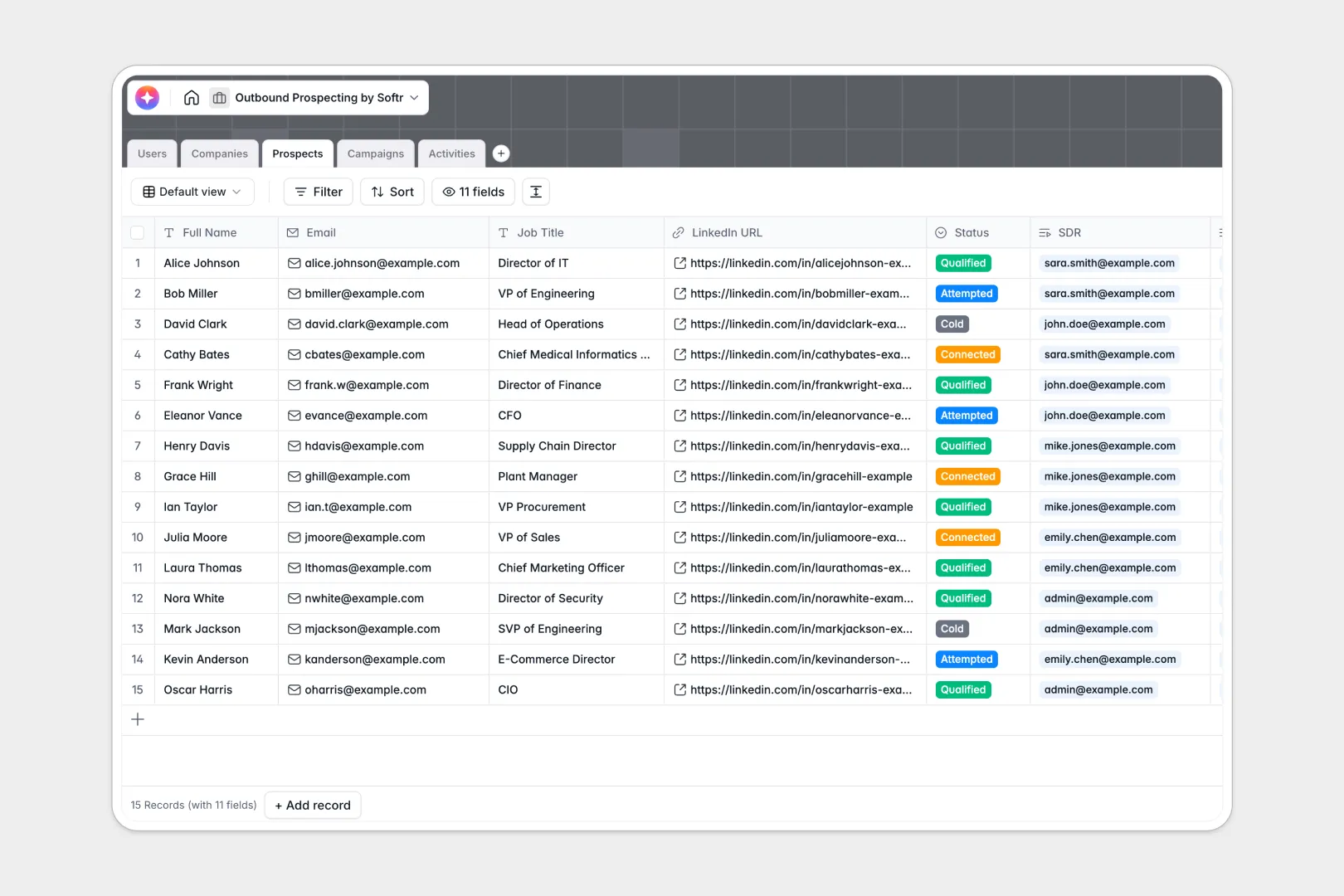
Your Outbound Prospecting database at a glance
This template provides a central command center for sales teams to track target accounts, organize prospective contacts, log daily sales activities, and manage active outreach sequences. Keep your sales pipeline organized and ensure no lead slips through the cracks.
It connects five essential tables—Users, Companies, Prospects, Campaigns, and Activities—so every interaction is linked back to the correct account and representative instantly. No manual matching needed.
Built-in AI fields help you automate tedious tasks by performing live web searches to summarize target companies and drafting personalized outreach hooks based on job titles and profiles.
What to check before building your prospecting base in Airtable
If you are considering managing your outbound sales pipeline, you know that keeping team data organized is essential. While databases are a massive upgrade over flat spreadsheets, there are critical limitations to consider before committing your entire database structure to Airtable.
What changes with a database built for apps
Outbound prospecting is a team sport that requires continuous updates from multiple sales development representatives (SDRs) and managers. Airtable’s pricing model charges you per collaborator for full edit access, meaning your subscription costs escalate quickly as you add team members.
With Softr Databases, your data structure stays robust without high costs because every plan includes unlimited database collaborators. Your whole sales team can edit records, log activities, and update pipeline statuses without adding seats.
Furthermore, when you need to turn this outbound tracker into a functional portal for partners or external staff, you don't need to purchase and link secondary tools. The database layer and interface components live natively on the same platform.
Maximize outbound efficiency with custom automation
This template optimizes your outreach speed by automating prospect research inside your tables. Rather than manually copying information across different tabs, records relate directly to each other to maintain complete historical context.
Through native Database AI agents, you can trigger background actions such as auto-summarizing company websites or drafting tailored email icebreakers as soon as a new prospect's record is added.
-
Users
Manage sales reps and managers with assigned target accounts and leads
-
Companies
Track target accounts enriched with AI-powered web-searched summaries
-
Prospects
Manage individual leads using AI to generate personalized outreach hooks
-
Campaigns
Organize active outreach sequences and monitor enrolled prospect volumes
-
Activities
Log prospect touchpoints and compile action items using AI summaries
Who is this Outbound Prospecting database for
- Sales Development Teams (SDRs/BDRs): Keep track of cold leads, ongoing call or email sequences, and individual progress goals.
- Sales Directors & Managers: Monitor active campaigns, review activity notes of your reps, and evaluate target account distribution.
- Growth & Marketing Ops: Coordinate target lists with outbound sequences and maintain accurate account segmentation data.
- B2B Startups: Build a structured, lightweight prospecting hub to scale outbound sales workflows without heavy CRM costs.
How to take it further
Customize the database
You can modify this template to match your specific sales playbook. Easily add custom select options to your pipeline statuses, append new fields for phone numbers and social media URLs, or create customized views for active campaigns.
Import your existing data
Transitioning to your new workflow is seamless. Upload your existing lead lists, CSV files, or lead databases directly into the Companies and Prospects tables to launch your first outbound campaign in minutes.
Build a full app around it
When your team is ready to scale up operations, you can easily build an app on top of this database. Generate custom portals or dashboards where SDRs can view only their assigned leads while managers can monitor high-level pipeline progress.
With Softr, you can configure granular users and permissions to control exactly who can view, edit, or log actions, ensuring your target customer data remains secure.
-
1
-
2
-
3
-
4
Frequently asked questions
-
What is an outbound prospecting database?
-
Why use a no-code database to build an outbound prospecting tool?
-
How can AI help managing data for outbound prospecting?
-
Can I build an app with this outbound prospecting database?
-
Is this outbound prospecting template free?
-
How is this outbound prospecting database different from Airtable?
Start building today. It's free!
Build and launch your first app in under 30 minutes.