


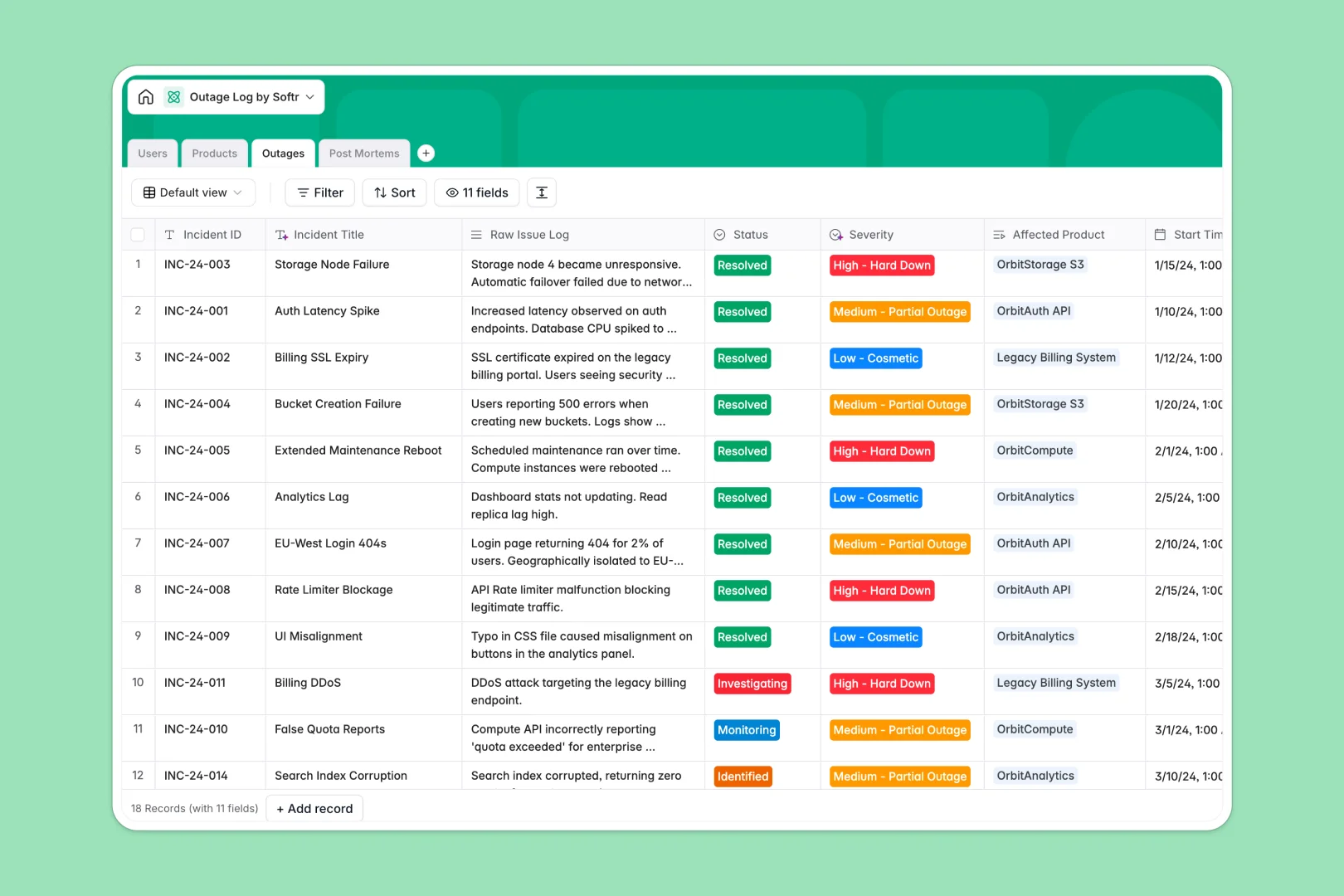
Your Outage Log database at a glance
This template is a ready-to-use database designed to log service interruptions, track resolution times, and document post-mortems. It connects your monitored products, assigned engineers, and active incidents together so you can calculate uptime and keep status updates coordinated.
Built-in AI fields automatically classify incident severity from raw issue logs and write executive summaries of your root cause analyses, saving valuable time during high-pressure events.
Where incident and outage logging outgrow Airtable
Airtable is a capable database, but licensing every engineer, product manager, and administrator who needs to log or edit an emergency incident gets expensive face-to-face with per-seat pricing.
What changes with a database built for apps
A structured database enforces field types so that timestamps, severity selections, and engineering ownership remain consistent across every incident.
With Softr Databases, you get identical relational power—like linking records and calculating incident rollups—without paying per collaborator who updates the system.
What you can do with this template
Classify technical issues automatically and generate clean incident summaries using built-in Database AI agents that read raw crash logs.
Track SLA uptime targets against actual durations and link resolution steps directly to product owners to prevent recurring system failures.
-
Users
Track team members, roles, and contacts responsible for maintaining services
-
Products
Manage monitored software services and APIs with AI-powered web descriptions
-
Outages
Log service interruptions and classify severity using AI analysis on raw logs
-
Post Mortems
Review incident causes and generate AI summaries for executive stakeholders
Who is this Outage Log database for
- Site Reliability Engineers: Log active incidents, track status changes, and link resolution reports to specific services.
- Product Owners: Monitor real-time downtime, SLA targets, and incident histories for product lines.
- Engineering Leaders: Access automated executive summaries of post-mortems to understand root causes quickly.
How to take it further
Modify tables, add custom integration IDs, or adjust severity levels to fit your team's specific incident management workflow.
Upload history quickly from existing tools using CSV import or leverage the database API to automate log ingestion from monitoring systems.
When your team is ready, describe the interface you need in one prompt to build full-stack web applications on top of this data.
Our interface builder lets you design secure client status pages or private engineer dashboards, utilizing granular permissions to control who can update high-priority reports.
-
1
-
2
-
3
-
4
Frequently asked questions
-
What is an outage log database?
-
Why use a no-code database to build an outage log system?
-
How can AI help managing data for outage logs?
-
Can I build an app with this outage log database?
-
Is this Outage Log template free?
-
How is this outage log database different from Airtable?
Start building today. It's free!
Build and launch your first app in under 30 minutes.