


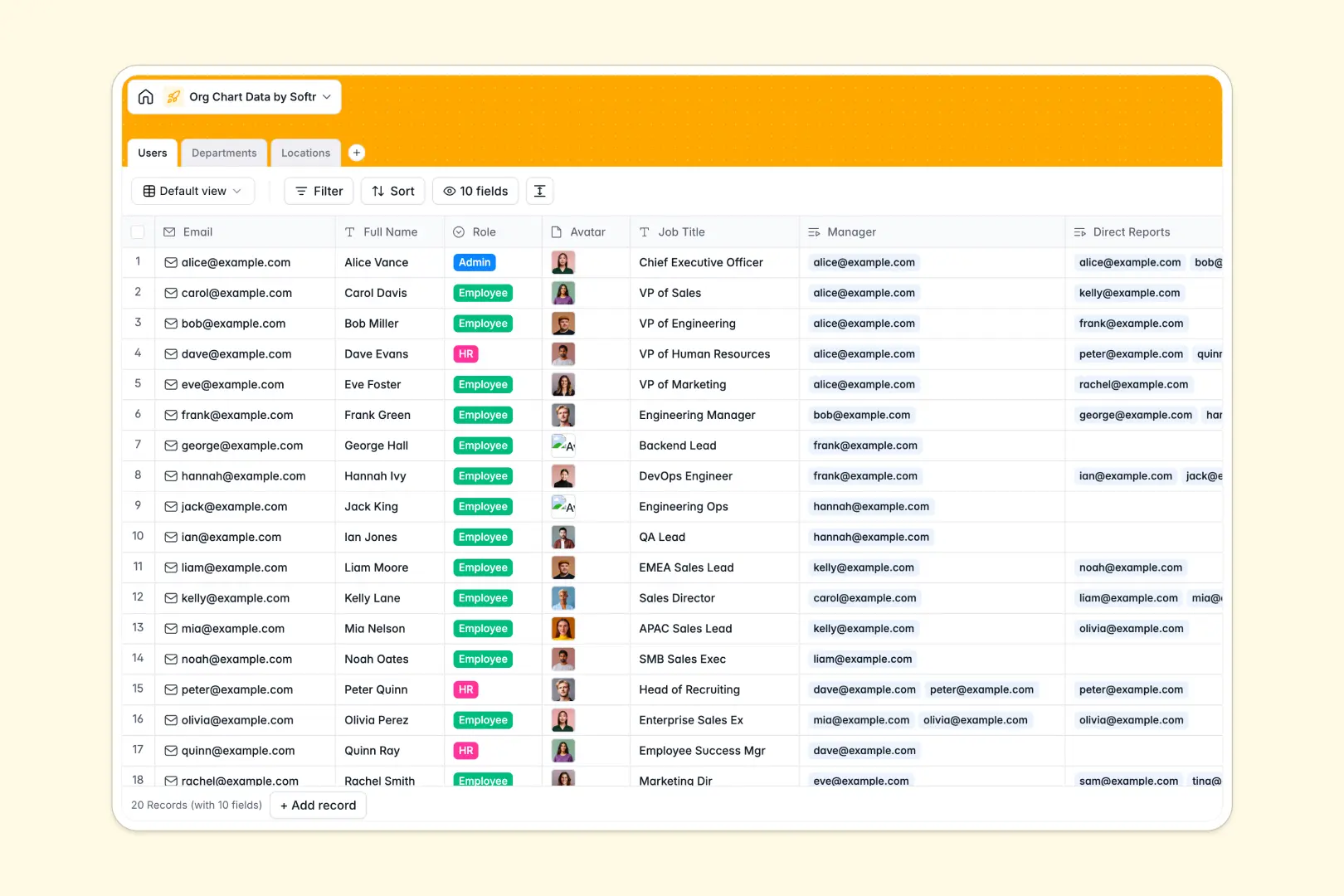
Your Org Chart Data database at a glance
This template makes it simple to manage your entire company's reporting structure, department assignments, and office locations.
The structure links employees directly to their managers, departments, and geographic offices, keeping your visual chart accurate as you scale.
Built-in AI features automatically generate professional employee bios, draft standard department descriptions, and summarize local area info for your offices.
What to check before building your org chart database in Airtable
While Airtable is a capable relational database, organizing your organization chart data inside it can quickly hit practical operational limits.
What changes with a database built for apps
Org charts are meant to be shared across the entire company, but Airtable’s per-seat pricing makes providing edit or view permissions to everyone highly expensive.
With Softr Databases, you get unlimited collaborators on all plans, meaning your entire HR team and staff can access and update their information freely.
Plus, you don't have to stitch external portal builders together; you can instantly construct clean, role-based directories without hitting strict Airtable scale ceilings.
What you can do with this template
Keep employee records clean with strict fields for direct reports and managers, avoiding manual copy-pasting across isolated tables.
Leverage Database AI agents to automate administrative tasks, like searching the live web to summarize local office details for remote locations.
-
Users
Store employee profiles, reporting hierarchy, and AI-generated bios
-
Departments
Manage business units with member lists and AI-generated functional briefs
-
Locations
Track corporate offices globally with AI-summarized local area logistics
Who is this Org Chart Data database for
This template provides structure for scaling operations and leadership teams:
- HR Managers: Easily track employee progression, organize cross-department relationships, and manage global locations.
- Operations Leaders: Maintain accurate data on team sizes and regional offices to plan resource allocation.
- Team Leaders: Understand functional reporting lines and quickly find contact data or career backgrounds.
How to take it further
1. Customize the database
Easily adjust this directory setup to your needs. You can add fields for hardware allocation, update select values for organizational roles, or modify relationships between office locations.
2. Import your existing data
Bring your existing employee roster over in seconds by uploading a simple CSV file or utilizing the database API to sync with external HR platforms.
3. Build a full app around it
Once your data is structured, you can generate an app with AI in seconds. Just tell the co-builder what you need, and it builds a secure employee portal on top of this exact database.
You can customize users and permissions so that employees can edit only their own bios, while managers and HR admins maintain complete administrative control.
-
1
-
2
-
3
-
4
Frequently asked questions
-
What is an org chart data database?
-
Why use a no-code database to build an org chart system?
-
How can AI help managing data for org charts?
-
Can I build an app with an org chart data database?
-
Is this Org Chart Data template free?
-
How is this template different from an Airtable template?
Start building today. It's free!
Build and launch your first app in under 30 minutes.