


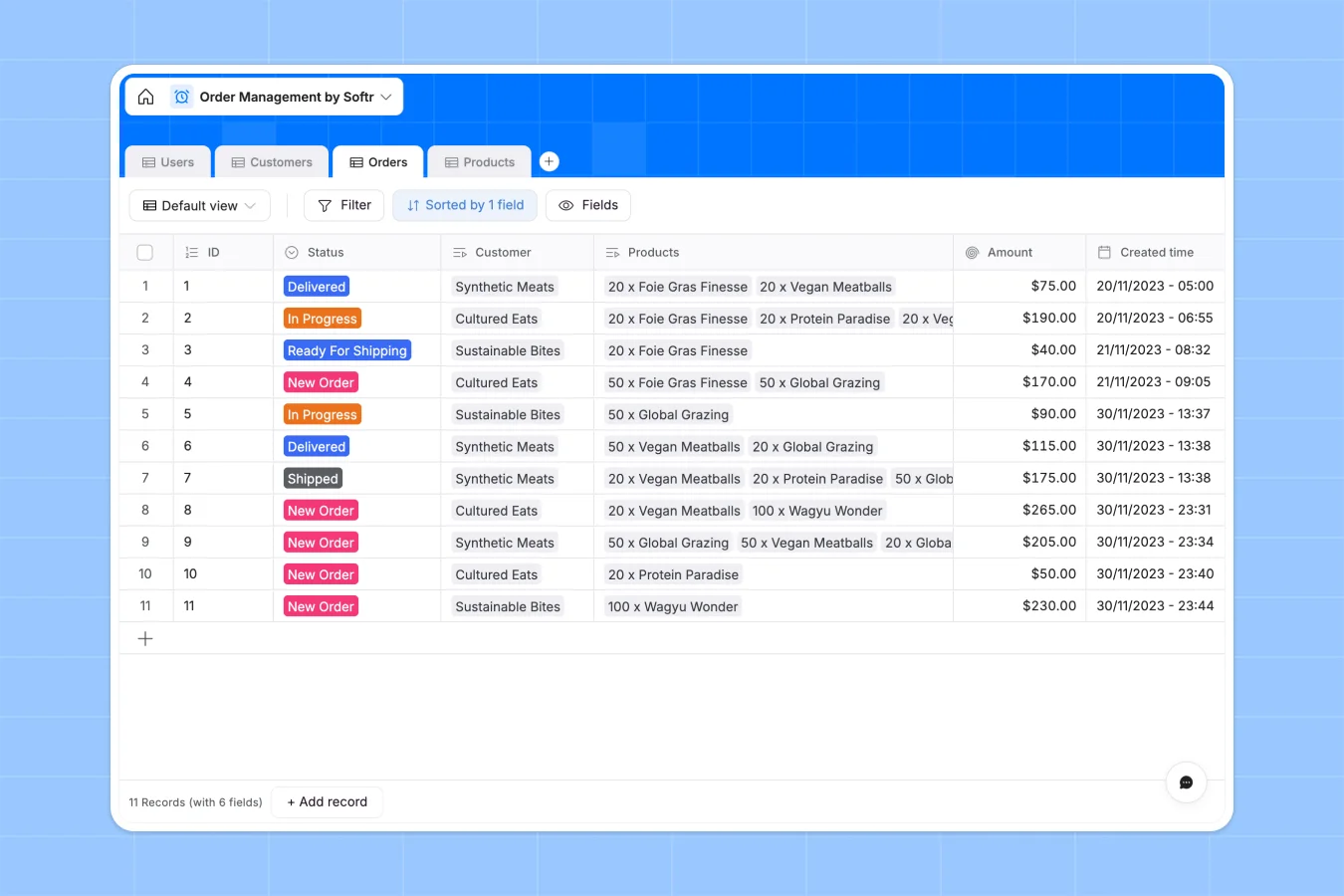
Your Order Management Database at a glance
This template helps sales representatives, warehouse managers, and operations leads coordinate incoming requests and tracking seamlessly.
Native relational connections link every order to specific customers, products, and contact records, automatically calculating total amounts and inventory counts as items ship.
What to check before building your order management base in Airtable
While specialized relational tools organize transaction records well, growing teams often run into unexpected barriers trying to run operations through raw tables.
What changes with a database built for apps
Airtable excels at structuring complex tables, but charging per collaborator can restrict client access or push up subscription bills as your team expands.
Softr Databases are designed to solve this by providing native relational systems with unlimited collaborators on all plans so users can work together freely.
Instead of stitching extra tools together to construct external dashboards, this database serves as a direct foundation for unified shipping portals and interfaces.
Optimize shipping and fulfillment natively
Update statuses from "New Order" to "Ready For Shipping" and see live inventory adjustments occur across connected product tables instantly.
Take complete control of data cleanups by deploying Database AI agents to automatically standardize delivery addresses or summarize packaging weights as records update.
-
Users
Manage user profiles, contact registration, and organizational roles
-
Customers
Track client organizations with contact linking and order history
-
Orders
Monitor sales transactions, processing statuses, and final amounts
-
Products
Manage item pricing, stock levels, and total demand metrics
Who is this Order Management database for
This template aligns multiple workspace participants to manage operations cleanly.
- Warehouse Managers: Track product inventory levels and coordinate shipping processes in real time.
- Sales Representatives: Log order entries, check client purchase history, and verify amounts.
- Operations Leads: Manage customer accounts, review business contact lists, and oversee team performance.
How to take it further
Customize the database
Adjust fields to match your workflow by adding packaging sizes or editing status categories inside the visual editor to capture custom operational requirements.
Import your existing data
Import your spreadsheets using CSV uploads, connect other tools through our APIs, or migrate your existing structure directly to start working.
Build a full app around it
When you are ready, use the AI app generator to generate a fully tailored shipping portal. Control access by configuring custom users and permissions to ensure customers only view their own delivery details while warehouse workers handle order fulfillments.
-
1
-
2
-
3
-
4
Frequently asked questions
-
What is an order management database?
-
Why use a no-code database to build an order management system?
-
How can AI help managing data for order management?
-
Can I build an app with this order management database?
-
Is this order management template free?
-
How is this template different from an Airtable template?
Start building today. It's free!
Build and launch your first app in under 30 minutes.