


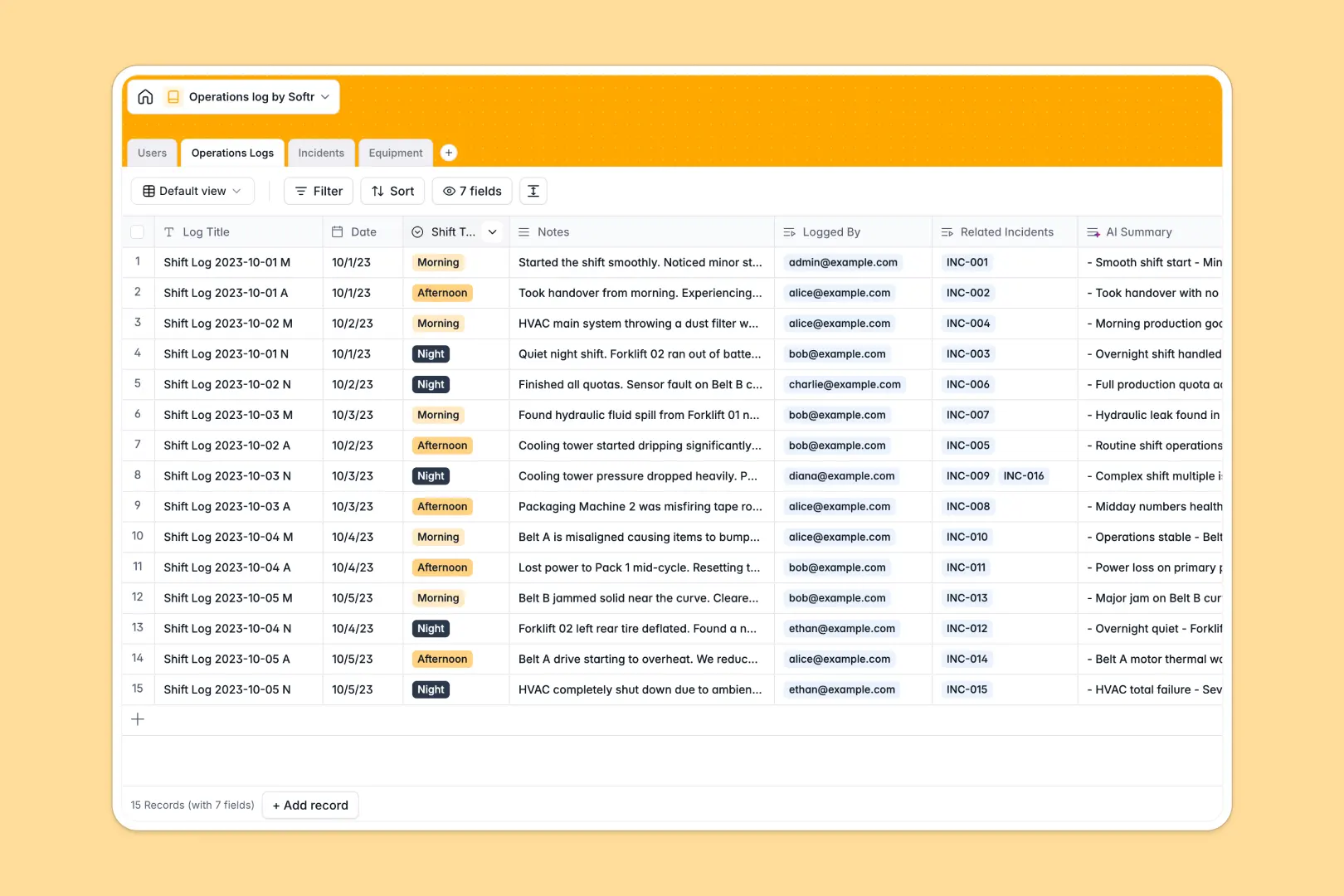
Your Operations Log Database at a glance
This template allows operations managers and operators to track daily handovers, equipment status, and incident reports in one organized system.
By linking Users, Operations Logs, Incidents, and Equipment, everyone stays aligned across morning, afternoon, and night shifts. Built-in AI fields automatically summarize shift notes, analyze incident severity, and extract technical details from manufacturer websites for faster handovers.
What to check before building your operations log base in Airtable
While planning an operations log in Airtable makes sense structurally, team-wide adoption often hits operational and financial hurdles as your shift teams scale.
What changes with a database built for apps
Airtable charges per team member as soon as they need editing rights, which quickly becomes expensive when routing access to shift supervisors, field operators, and off-site managers.
With Softr Databases, you get unlimited collaborators right out of the box, meaning you can share logs and collect incident reports from your entire frontline without climbing costs. Standardizing columns like severity levels, equipment linkings, and shift types is straightforward, ensuring complete structural integrity with higher record caps and faster API limits.
What you can do with this template
Deploying this template keeps your operation compliant and completely transparent. Operators can record logs and flag equipment statuses, which immediately updates linked records and calculates overall maintenance metrics.
Directly inside your tables, Database AI agents streamline your workflows by automatically converting unstructured shift notes into concise summary bullet points and classifying the severity of newly reported incidents.
-
Users
Track system users handling shifts, roles, operations, and incidents
-
Operations Logs
Log routine shifts with AI generating concise bulleted handover summaries
-
Incidents
Manage disruptions featuring automated AI severity classification
-
Equipment
Track asset health with AI-generated manufacturer manual insights
Who is this Operations Log database for
- Operations Managers: Track high-level metrics, analyze recurring equipment incidents, and monitor shift handover compliance.
- Shift Supervisors: Log daily activities, review handover summaries, and assign incident tasks to operators seamlessly.
- Safety & Compliance Officers: Investigate flagged incidents, review mitigation statuses, and maintain audit-ready records.
- Maintenance Teams: Monitor equipment statuses and get automatic contextual information from manufacturer web links.
How to take it further
1. Customize the database
Tailor the tables to match your specific industry compliance demands. You can easily adjust the severity labels, add custom shift timings, or add custom fields to track specific facility locations without writing code.
2. Import your existing data
Avoid manual typing by uploading your historical log files. Simply import a CSV file directly into your tables, or link tools using the developer API to import active equipment listings instantly.
3. Build a full app around it
When your team is ready to scale, you can easily build an app on top of this structured data. By using the Softr AI Co-Builder, you can turn your database into a custom operator portal or a secure safety reporting interface.
Having your portal in the same platform means you can define strict users and permissions to determine exactly who can view, submit, or edit operational logs based on their shift role.
-
1
-
2
-
3
-
4
Frequently asked questions
-
What is an operations log database?
-
Why use a no-code database to build an operations log?
-
How can AI help managing data for operations logs?
-
Can I build an app with an operations log database?
-
Is this Operations Log template free?
-
How is this template different from an Airtable template?
Start building today. It's free!
Build and launch your first app in under 30 minutes.