


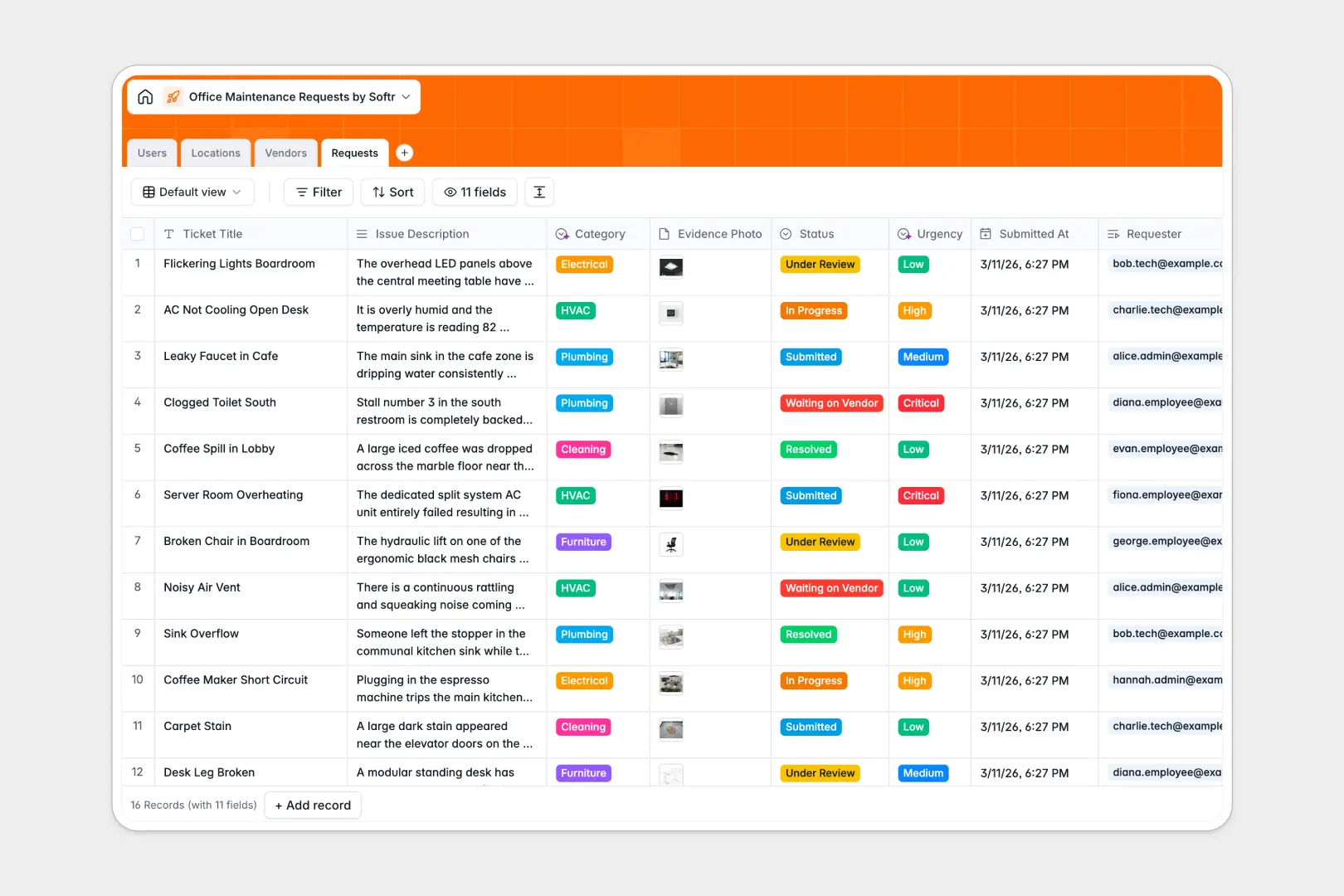
Your Office Maintenance Requests database at a glance
Seamlessly capture and track every office issue from submission to final resolution. Keep employees informed and technicians assigned without manual coordination.
This template connects four distinct tables: Requests, Users, Locations, and Vendors to keep team members and location details linked clearly.
Native AI features automatically classify task types and prioritize ticket urgency as soon as employees report issues.
What to check before building your office maintenance requests base in Airtable
When managing tickets across your entire office, charging per team member to log or update requests makes collaboration incredibly expensive. While relational databases are the right starting software choice, you should evaluate scaling limitations and seat licenses before committing to Airtable.
What changes with a database built for apps
Unlike standalone bases, Softr Databases let you share data with unlimited internal staff and external technicians without per-seat licensing penalties.
Everything is designed to live where your workflows happen, giving you much higher scale capability to support real-time ticket logs across physical facilities.
Work faster with database intelligence
With integrated Database AI agents, this structure automates repetitive manual categorization and priority sorting natively as data changes.
This template also uses web-powered research fields to automatically draft background profiles for external vendors you work with.
-
Users
Track staff members, including requesters and tasked technicians
-
Locations
Manage office rooms, floors, and specific zones needing repairs
-
Vendors
Manage specialized contractors with AI-powered company summaries
-
Requests
Track maintenance tickets utilizing AI for category and urgency discovery
Who is this Office Maintenance Requests database for
This database helps operations teams keep workplaces safe and functional.
- Facilities Managers: Track system issues, floor spaces, and external vendor assignments centrally.
- Office Admins: Simplify ticket routing and streamline maintenance coordination without getting lost in back-and-forth emails.
- IT & Maintenance Teams: Access assigned tasks instantly, update ticket progress, and upload resolution proof directly.
How to take it further
1. Customize the database
Modify room choices, add facility custom fields, or create new tags to fit your specific building layout. Softr’s visual structure makes editing field types or adding new tables quick.
2. Import your existing data
Import existing technician rosters or regular maintenance vendors from your spreadsheet files in a single click using CSV upload. You can also hook up external APIs to sync live request records safely.
3. Build a full app around it
As your operations grow, you can easily build an app on top of this database. Use the AI Co-Builder to generate a dedicated ticketing portal where employees submit requests and technicians view tasks. Setup custom permissions so workers only see their own tickets, while managers control vendor assignments.
-
1
-
2
-
3
-
4
Frequently asked questions
-
What is an office maintenance requests database?
-
Why use a no-code database to build an office maintenance requests system?
-
How can AI help managing data for office maintenance requests?
-
Can I build an app with this office maintenance requests database?
-
Is this office maintenance requests template free?
-
How is this template different from an Airtable template?
Start building today. It's free!
Build and launch your first app in under 30 minutes.