


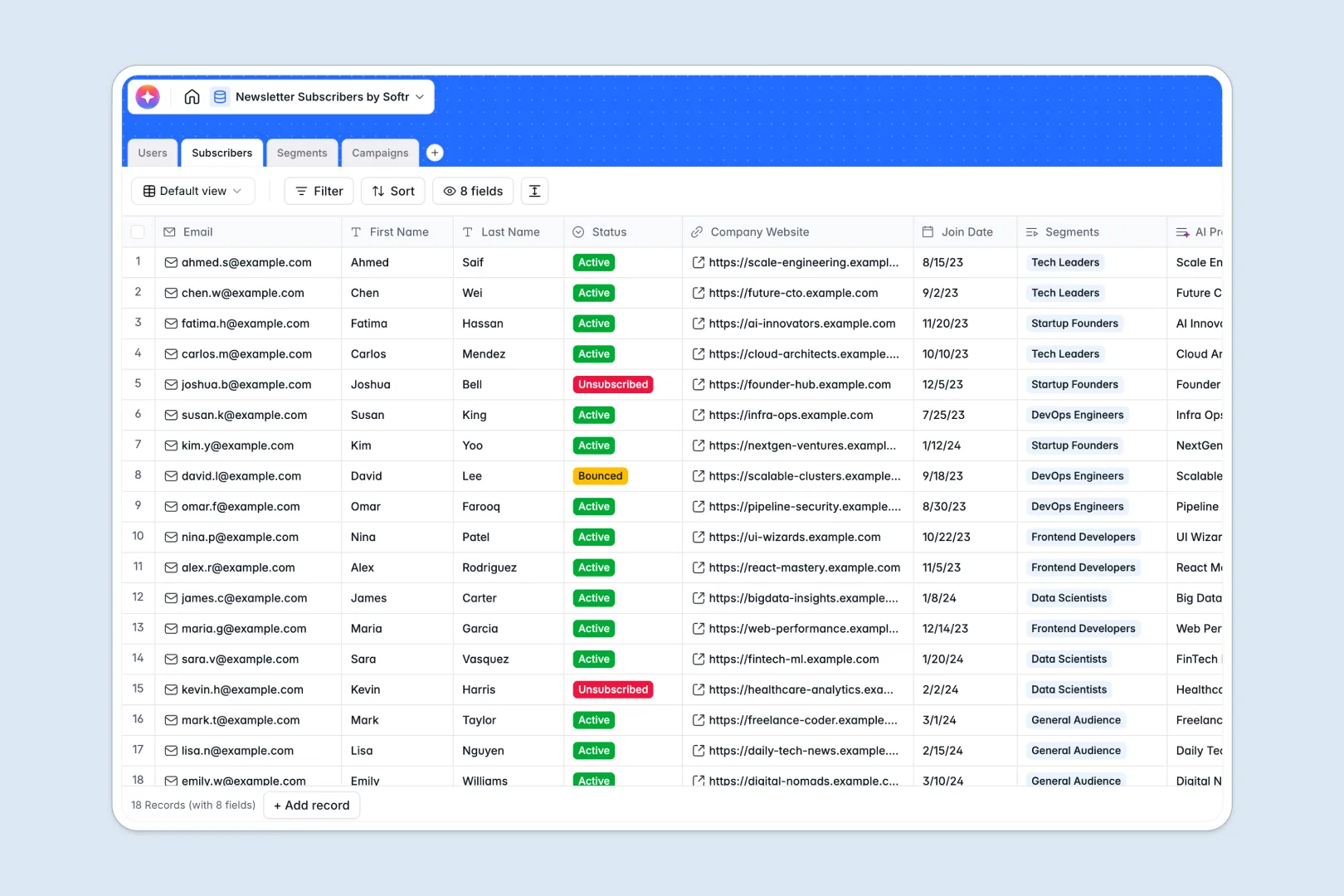
Your Newsletter Subscribers database at a glance
This database makes it easy to track subscriber growth, organize target segments, and draft email campaigns in one aligned system.
The architecture connects four tables: your internal team (`Users`), subscriber profiles (`Subscribers`), segmented groups (`Segments`), and email metrics (`Campaigns`).
Built-in AI fields automatically research subscriber company websites and generate catchy subject lines directly inside your database records.
What to check before building your newsletter subscriber base in Airtable
While Airtable provides a strong relational database foundation, storing your newsletter growth and team data there can quickly surface a few platform-level limitations.
What changes with a database built for apps
Managing subscriber directories and coordinating author teams demands simple collaboration without compounding costs. Softr allows unlimited workspace collaborators, avoiding Airtable's strict per-seat fees that punish growing teams.
Additionally, you gain access to 10x faster API limits and higher record caps, ensuring your lists scale without technical roadblocks. This is the exact flexibility offered when you start with Softr Databases.
What you can do with this template
Organize and filter active, unsubscribed, or bounced contacts to track audience health at any point.
Leverage built-in Database AI agents to automatically research company websites and compose optimized campaign subject lines instantly.
-
Users
Manage internal team members with system access levels and roles
-
Subscribers
Track newsletter readers and automatically generate AI profile summaries
-
Segments
Group subscribers into targeted lists for customized communications
-
Campaigns
Plan issues, track delivery states, and drafts
Who is this Newsletter Subscribers database for
This pre-structured database is optimized for teams ready to run highly segmented email operations.
- Newsletter Editors: Manage upcoming campaign drafts, assign authors, and keep track of scheduled send dates easily.
- Growth Marketers: Organize subscribers by specific interest segments and monitor subscriber acquisition over time.
- Operations Managers: Research incoming company leads automatically and ensure accurate subscriber statuses.
How to take it further
1. Customize the database
Adapt select fields like Subscriber Status or add bespoke custom columns to match your exact email marketing taxonomy. Since it is a native Softr Database, structural edits take seconds.
2. Import your existing data
Bring in your current subscriber lists using a simple CSV import or leverage the fast API to build an automated sync from your active email marketing platforms.
3. Build a full app around it
When your team is ready, use the AI app generator to turn this schema into a modern portal. You can restrict page access by setting up granular users and permissions so editors can only draft content while admins publish.
-
1
-
2
-
3
-
4
Frequently asked questions
-
What is a newsletter subscribers database?
-
Why use a no-code database to build a newsletter subscriber system?
-
How can AI help managing data for your newsletter?
-
Can I build an app with this newsletter database?
-
Is this Newsletter Subscribers database free?
-
How is this different from an Airtable template?
Start building today. It's free!
Build and launch your first app in under 30 minutes.