


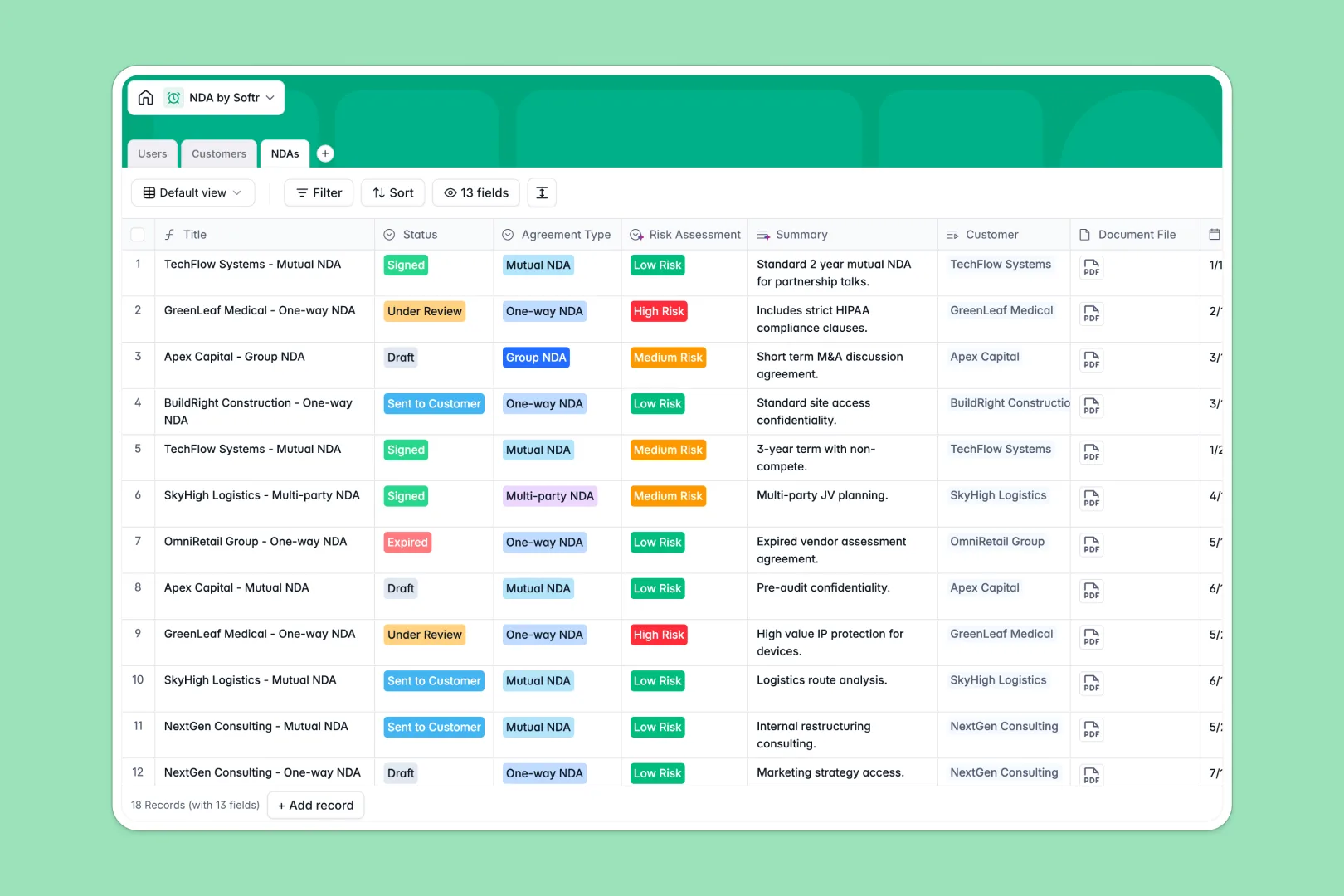
Your NDA Database at a glance
This template provides a secure, streamlined system to monitor your active and draft non-disclosure agreements. It makes managing agreements simple by tracking documents, renewal dates, and status changes in real time.
Everything is connected across three clean tables: Users (internal staff), Customers (the parties signing), and NDAs (the agreements themselves). This structure keeps your operational data perfectly aligned and prevents contracts from falling through the cracks.
With built-in AI capabilities, this database automatically researches client websites to generate industry profiles and runs risk assessments on contract terms without manual lookup.
What to check before building your NDA base in Airtable
Many legal and operations teams naturally consider Airtable when organizing complex legal data because it provides structured, relational records instead of plain spreadsheet rows.
While Airtable is a solid relational tool, managing sensitive information like NDAs often requires more than just a place to store data. Teams frequently encounter cost and usage limits when trying to share their contract trackers company-wide.
What changes with a database built for apps
Instead of paying per-seat fees that make sharing contract details with your entire sales team expensive, Softr Databases allow unlimited collaborators on all plans. This means everyone from sales reps to executives has access without driving up your monthly bill.
Additionally, you get higher record and API limits right out of the box, ensuring that your document tracking scales effortlessly as your customer base grows.
Most importantly, the database isn't a isolated tool—it is built into the same platform as your user interface and custom workflows, so you can control exactly who sees which document without stitching different softwares together.
What you can do with this template
- Automate Research: Use built-in Database AI agents to auto-fill company descriptions and industries straight from customer websites, saving hours of manual data entry.
- Assess Legal Risk: Let AI scan custom clauses and flag documents as high, medium, or low risk based on potential legal exposure.
- Coordinate Ownership: Assign internal owners from your legal or sales team to specific contracts so follow-ups and renewals always have clear accountability.
-
Users
Manage internal staff members, assign roles, departments, and NDAs
-
Customers
Track clients with AI-powered industry tagging and company profiling
-
NDAs
Store agreements with AI risk assessments and automatic contract summaries
Who is this NDA database for
- Legal Operations: Track agreements, review risks, and ensure templates stay standardized in one central repository.
- Sales Teams: Monitor pending customer signatures to prevent deals from stalling during the onboarding process.
- HR & Recruiting: Coordinate external candidate NDAs and secure sensitive company information during hiring rounds.
- Business Operators: Maintain audit-ready compliance records with a clean history of active and expired agreements.
How to take it further
Customize the database
You can modify this database to fit your team's specific legal processes. Adjust select field options for agreement types, add custom risk rating categories, or create custom date fields to track multiple signing stages.
Import your existing data
Moving your existing tracking lists into this template is quick. You can import your data from CSV files or use the API to sync active contract pipelines directly from your CRM or signature platform.
Build a full app around it
When you are ready to expand, you can easily build an app on top of this tracker. Describe your workflow in one prompt and Softr's AI app generator will set up an interactive web application complete with secure login and custom portals.
You can configure precise users and permissions to control document access, giving sales reps visibility only to their accounts while granting full editing capabilities exclusively to the legal team. Fully-connected database, layout, and automations work together natively to protect your sensitive agreement data.
-
1
-
2
-
3
-
4
Frequently asked questions
-
What is an NDA database?
-
Why use a no-code database to build an NDA tracking system?
-
How can AI help managing data for NDAs?
-
Can I build an app with this NDA database?
-
Is this NDA template free?
-
How is this different from an Airtable template?
Start building today. It's free!
Build and launch your first app in under 30 minutes.