


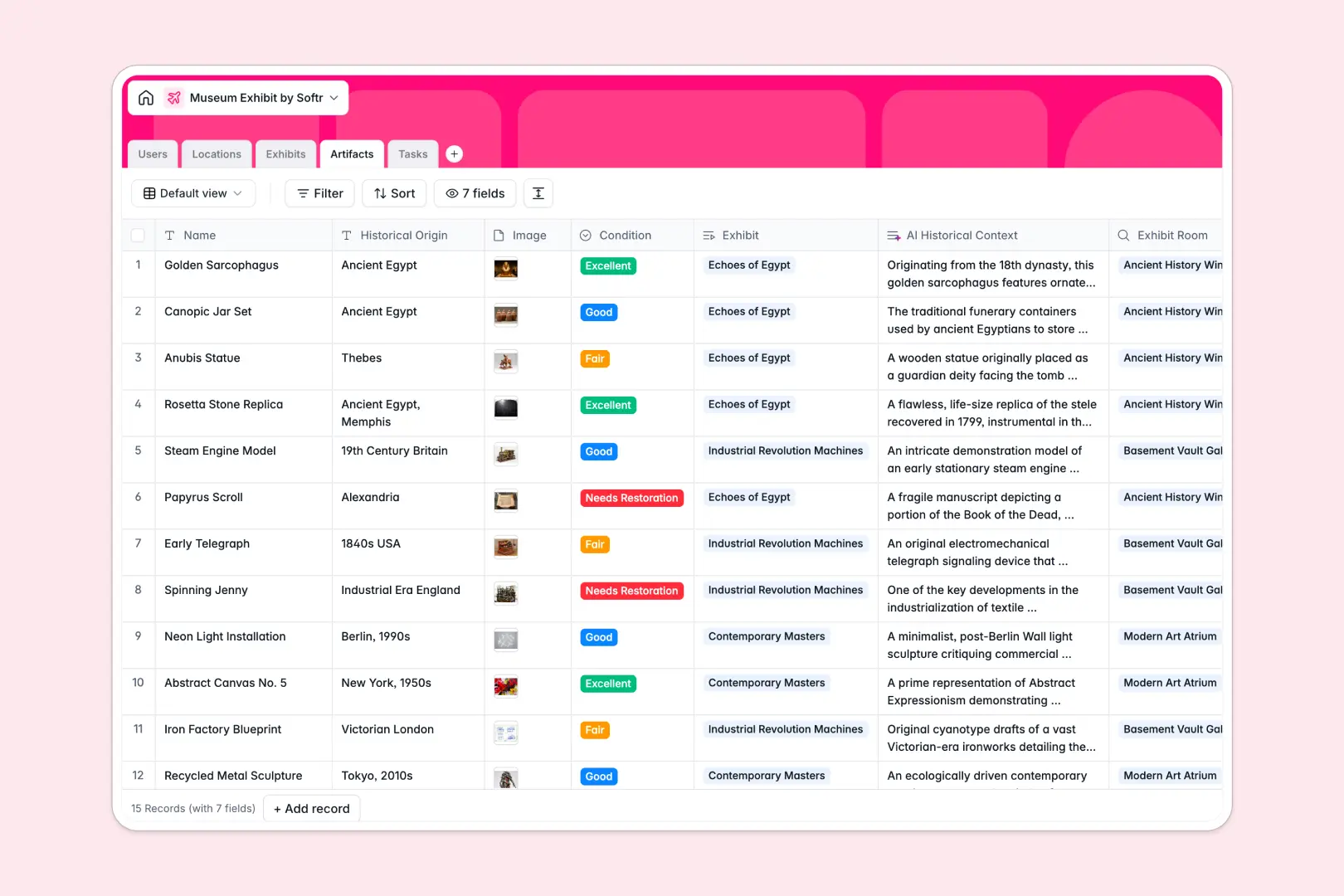
Your Museum Exhibit Database at a glance
This template provides curators and collection managers a complete workspace to plan upcoming exhibitions and track historical artifacts.
It connects your core datasets instantly. Your Exhibits automatically link to specific museum Locations, registered Artifacts, and Tasks assigned to curators.
Built-in computational columns automatically draft engaging promotional copy and research historical context, keeping your administrative workload light.
What to check before building your museum exhibit base in Airtable
When organizing exhibitions, multiple departments—including curators, security, registrar, and education teams—need access to the schedule.
While Airtable is a powerful relational engine, sharing your base with your entire museum staff quickly introduces high per-seat software costs.
What changes with a database built for apps
With Softr Databases, you retain identical relational power—such as linking artifacts to specific exhibition rooms—without the restrictive pricing.
You can invite your entire staff to update records and coordinate tasks because all plans support unlimited collaborators.
This structures your data cleanly without record limits ever halting operations as your historical collection grows.
Work natively with built-in AI agents
Instead of managing complex external automation integrations, this template coordinates data directly inside your fields.
Our native Database AI agents research and summarize background information about objects instantly as you log them into your tables.
This ensures your database functions as an active member of your curatorial workspace from day one.
-
Users
Track museum staff members, roles, contact info, and assigned duties
-
Locations
Manage museum galleries, halls, and capacity details for displays
-
Exhibits
Manage museum collections, locations, and AI promotional summaries
-
Artifacts
Track valuable items with condition reports and AI historical context
-
Tasks
Coordinate exhibit setup tasks with deadlines and AI categorizations
Who is this Museum Exhibit database for
This template keeps multi-department cultural operations accurate and on schedule.
- Curators and Conservators: Plan exhibition spaces, log artifact condition metrics, and write educational descriptions.
- Operations and Gallery Teams: Coordinate setup deadlines, monitor gallery capacities, and log compliance checklists.
- Museum Directors: Monitor structural workflows and manage exhibition lifecycles from planning phases to active displays.
How to take it further
Customize your database structures
Tailor the tables to mirror your exact gallery workflow. You can easily adjust room selections, add preservation flags, and create custom categories for multi-media collections in minutes.
Import your current registrar rosters
Skip manual data entry when launching your workspace. Upload spreadsheet backup records directly into your tables via bulk CSV import, instantly maintaining pre-existing historical records.
Build a full app around your schedules
When your team is ready, you can seamlessly construct a portal on top of your tables. Utilize our AI app generator to turn your structured tables into a localized interface.
You can easily implement granular users and permissions to control who edits delicate records and who can view exhibition schedules.
-
1
-
2
-
3
-
4
Frequently asked questions
-
What is a museum exhibit database?
-
Why use a no-code database to build a museum exhibit system?
-
How can AI help managing data for museum exhibits?
-
Can I build an app with this museum exhibit database?
-
Is this museum exhibit template free?
-
How is this template different from an Airtable template?
Start building today. It's free!
Build and launch your first app in under 30 minutes.