


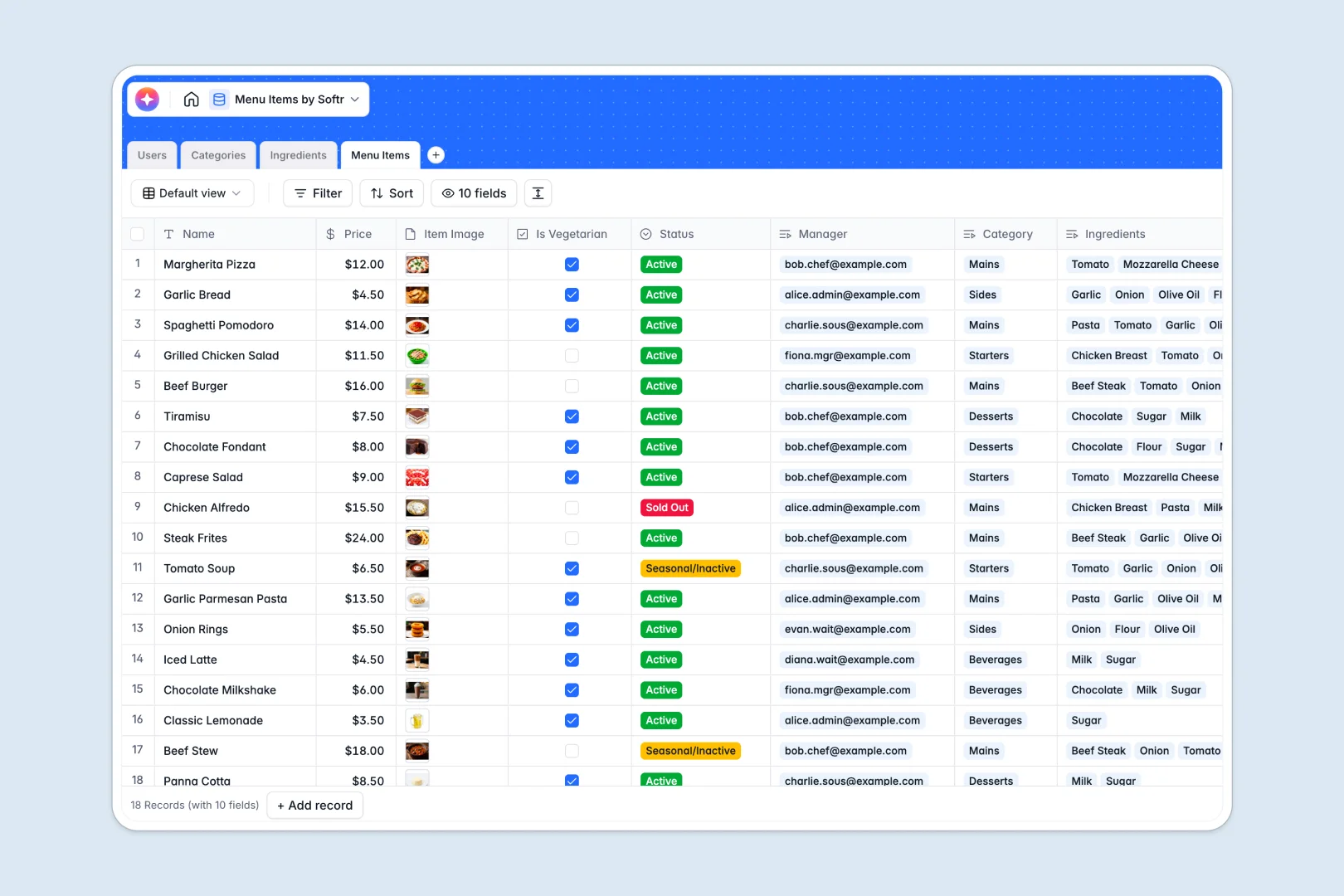
Your Menu Items database at a glance
Manage your dishes, drinks, and ingredients seamlessly in one unified view. Keep your kitchen synchronized with front-of-house staff by centralizing everything from costs to dietary markers like vegetarian status.
This template naturally connects multiple tables including Menu Items, Categories, Ingredients, and Users. This relational setup ensures that updating an ingredient's cost or allergy warning instantly updates every linked recipe.
Built-in intelligent fields automatically generate appetizing marketing descriptions for your dishes and research potential allergen warnings on the live web, saving your culinary team valuable administrative hours.
What to check before building your menu items base in Airtable
While planning restaurant menus in dynamic environments requires a structured data tracker, managing this data in a complex tool can bring unexpected friction.
Your whole team—from head chefs to kitchen staff and waitstaff—needs access to update inventory levels or review recipe ingredients. Airtable's strict per-seat pricing means your monthly costs climb instantly as you add more collaborators with edit access.
What changes with a database built for apps
Starting with a database designed to easily connect to user-facing interfaces gives you total freedom. You can bring on unlimited collaborators to update stock and ingredients without paying for a single extra seat.
This is exactly what Softr Databases are built for. You get the same powerful relational foundations, linked tables, and web-ready fields, but inside a platform planned for real-world business collaboration.
With higher record limits and a generous API ceiling, you will never hit a scalability wall as your restaurant grows, your seasonal offerings change, or your location count expands.
What you can do with this template
Quickly track the live status of every item—whether it is currently Active, Sold Out, or Seasonal. Calculate precise recipe dependencies automatically by connecting your ingredients directly to each menu section.
Use built-in Database AI agents to automatically research allergen information on the web for your raw stock, and write mouth-watering descriptions for your online ordering portal or physical menus.
-
Users
Manage restaurant staff profiles, contact info, and system permission roles
-
Categories
Organize menu sections with cover media and track active item counts
-
Ingredients
Track stock levels, unit costs, and AI-researched allergen warnings
-
Menu Items
Manage individual dishes, pricing, and AI-generated appetizing descriptions
Who is this Menu Items database for
- Independent Restaurants: Keep your changing seasonal dishes, ingredients, and allergen safety details organized in a single source of truth.
- Heads of Culinary & Chefs: Link ingredient costs directly to menu items to track batch pricing and food waste metrics easily.
- Multi-Location Food Brands: Speed up the rollout of menu updates, ensuring all locations align on active items and ingredients instantly.
How to take it further
Customize the database
Tailor the database to your brand’s culinary style in seconds. Easily add custom select fields for spice levels, update the categories to reflect your exact layout, or create a rating column to track crowd popularity. Because it is a native Softr Database, all layout modifications take effect instantly.
Import your existing data
Move on from static documents by uploading your current spreadsheet list via CSV in a single step. You can also connect external kitchen management systems directly to your database with API access to keep your physical inventory counts and ingredient pricing accurate.
Build a full app around it
When you are ready to put this data to work, you can easily build an app on top of this database. Use the AI Co-Builder to generate a staff portal where waitstaff can mark items as 'sold out' on a tablet right from the dining floor.
With granular users and permissions, you can ensure that head chefs only edit recipes, while front-of-house staff see status updates. This keeps your records secure while providing your team with an interface that works perfectly on any device.
-
1
-
2
-
3
-
4
Frequently asked questions
-
What is a menu items database?
-
Why use a no-code database to build a menu items system?
-
How can AI help managing data for your menu items?
-
Can I build an app with this menu items database?
-
Is this menu items database different from an Airtable template?
-
Is this menu items template free?
Start building today. It's free!
Build and launch your first app in under 30 minutes.