


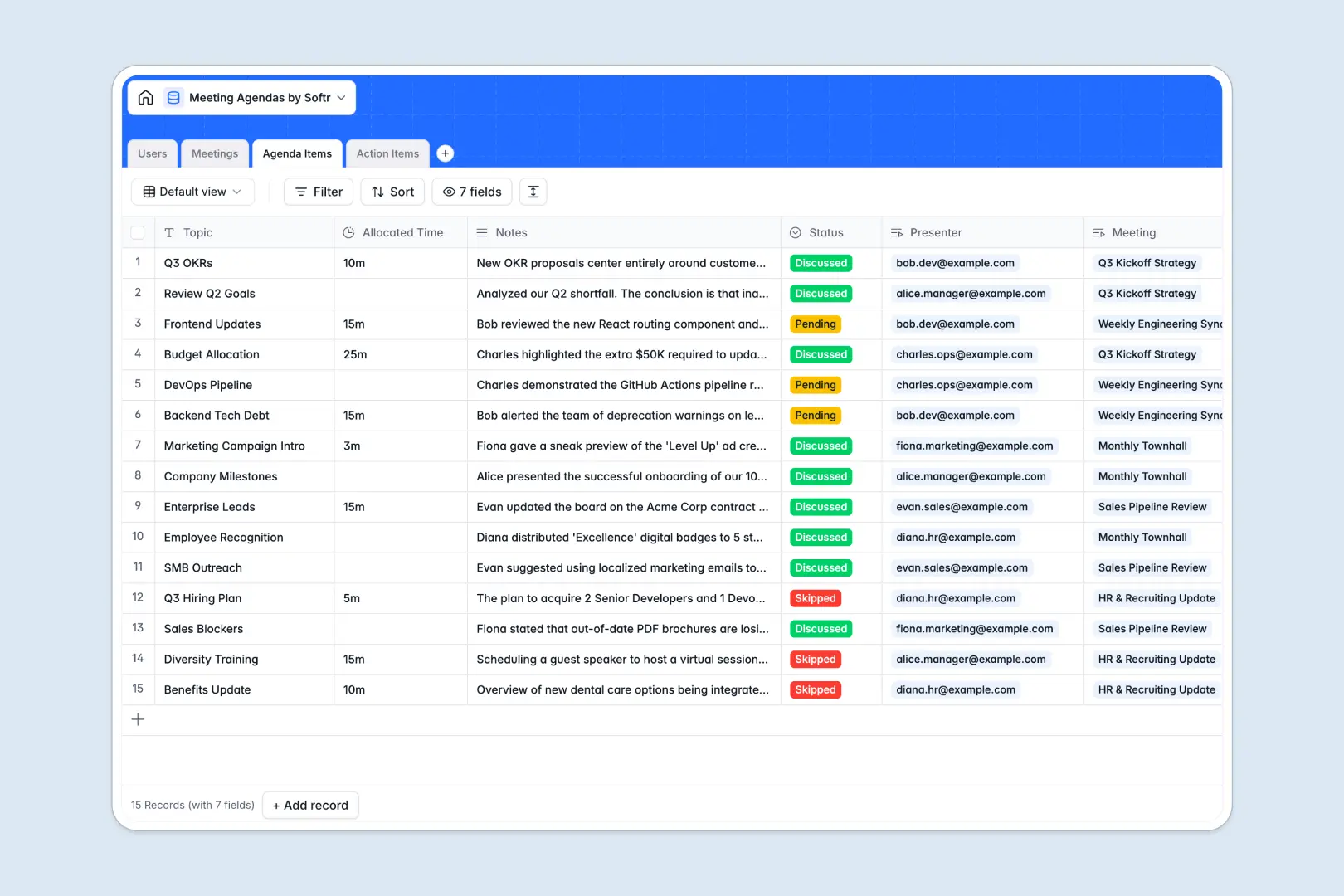
Your Meeting Agendas database at a glance
Keep track of upcoming discussions, assign responsibilities, and organize meeting outcomes in one centralized hub. Connect your meeting schedule seamlessly with defined topics, action items, and actual attendees.
This template links meetings directly to individual agenda items and action tasks, ensuring no context is lost. It also uses AI to automatically synthesize combined notes into clean, structured minutes.
Where meeting agendas outgrow Airtable
When coordinating team meetings, Airtable's collaborative database structure looks great initially. However, as more team members log in to update their agenda topics or review actions, per-seat licensing costs add up fast.
What changes with a database built for apps
A database shouldn't lock you out with per-seat billing just because your team wants to add topics or check dates. Softr Databases let you share data securely with unlimited collaborators on all plans.
You also get native AI agents operating straight inside your database columns. This means you do not need third-party automation tools just to format your meeting minutes.
What you can do with this template
Map out clear discussion tracks, assign presenters, and define target durations for each topic. Keep everyone focused during live sessions with real-time status updates from pending to discussed.
Rely on built-in Database AI agents to auto-generate summarized minutes and auto-classify task priorities based on their descriptions. Everyone walks away with a clear record of who is doing what by when.
-
Users
Track meeting participants, assigned roles, and linked action items
-
Meetings
Schedule events and generate AI meeting minutes from discussion notes
-
Agenda Items
Manage scheduled discussion topics with AI-powered outcome summaries
-
Action Items
Track follow-up tasks with priority ratings and assigned owners
Who is this Meeting Agendas database for
Organize team collaborative slots and keep project tracks aligned across your organization.
- Team Leaders: Run highly structured weekly syncs and ensure clear accountability.
- Project Managers: Map task status directly back to the decision-making meetings.
- Department Heads: Maintain an easily searchable record of past administrative alignments.
How to take it further
Customize the database
Tailor the select options to match your organization's specific department tags or meeting styles. You can easily add lookup columns or attach external files directly inside the database builder.
Import your existing data
If you have active meeting histories stored elsewhere, use the clean CSV import tool to upload your records in seconds. Your past team agendas can align immediately with the new structured tables.
Build a full app around it
Take compliance and accessibility to the next level by turning this database into a custom team portal. Use the AI app generator to generate a secure interface where team members only see and edit their assigned tasks.
With native users and permissions, you decide which managers can edit overall agendas and who can only mark their individual action items as complete. This keeps your central meeting database safe while empowering everyone to collaborate.
-
1
-
2
-
3
-
4
Frequently asked questions
-
What is a meeting agendas database?
-
Why use a no-code database to build a meeting agenda system?
-
How can AI help managing data for meeting agendas?
-
Can I build an app with this meeting agendas database?
-
Is this Meeting Agendas database template free?
-
How is this template different from a meeting agendas Airtable template?
Start building today. It's free!
Build and launch your first app in under 30 minutes.