


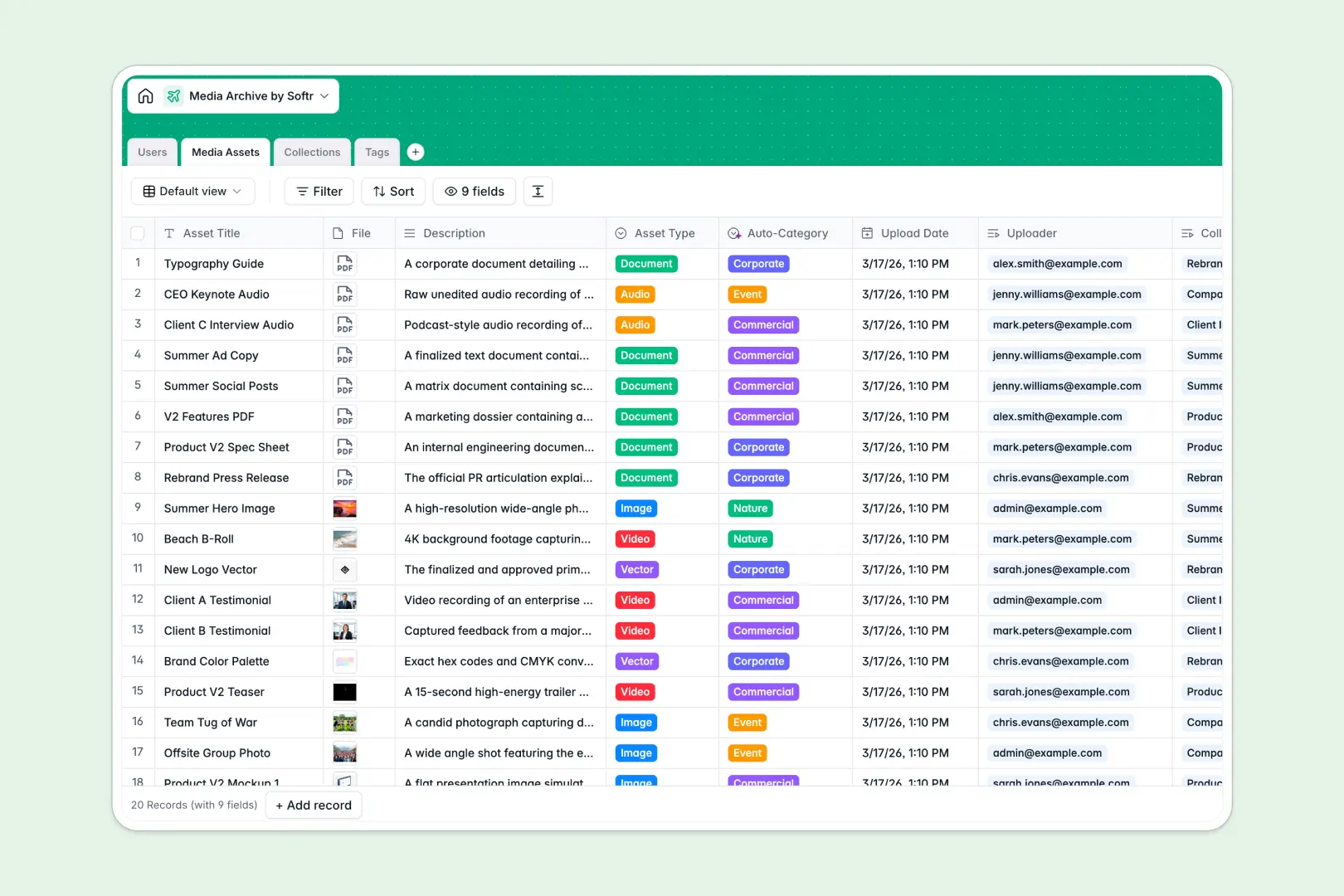
Your Media Archive Database at a glance
Track visual assets, videos, and documents cleanly with automatic classification in one structured database.
This system connects your Media Assets directly to Users, Collections, and Tags, keeping all your file metadata and relationships perfectly organized.
Native AI automatically categorizes asset descriptions and drafts collection summaries, saving hours of manual tagging.
What to check before building your media archive in Airtable
Airtable is an excellent relational database, and wanting a structured home for your brand files is the right move. However, managing high-volume media assets with collaborative teams can introduce friction when it's time to share them.
What changes with a database built for apps
Airtable's per-seat pricing model means giving your writers, external designers, or clients direct access to upload and edit media gets expensive fast. With Softr Databases, you get unlimited collaborators on every plan, avoiding cost penalties as your team scales.
Managing raw creative files can also quickly push you toward Airtable's record and API rate limits. Softr Databases support larger scale requirements comfortably with a highly responsive framework built to handle active traffic.
Additionally, because front-end portals and back-end tables live in the same unified system, you don't need to purchase or stitch together separate tools just to give partners secure upload access.
What you can do with this template
Link visual assets to specific brand campaigns or client collections instantly without duplicating files or creating messy reference rows.
Deploy native Database AI agents to automatically categorize asset listings, define metadata tags, and summarize entire collections as new assets are uploaded.
Ensure that internal uploaders and external viewers only see the exact files, metadata, and folders intended for their roles with native access controls.
-
Users
Manage system users, tracking uploaders and collection managers
-
Media Assets
Catalog digital files with metadata and AI-powered auto-classification
-
Collections
Group related media files with AI-generated collection summaries
-
Tags
Organize media with taxonomies including AI-generated tag definitions
Who is this Media Archive Database for
This database serves teams handling high volumes of digital brand assets who need organization and automation.
- Creative Agencies: Keep client project deliverables structured and share progress assets securely.
- Marketing Teams: Maintain quick access to brand logos, visual collateral, and audio recordings.
- Content Creators: Catalog raw b-roll, graphics, and script files in a searchable system.
- Archivists: Utilize automated tagging and descriptions to catalog legacy media files at scale.
How to take it further
1. Customize the database
Tailor the category fields, adjust file tags, or adapt user roles to fit your brand guidelines. It takes seconds to modify relationships and fields right inside your visual developer environment.
2. Import your existing data
Bring your catalog over seamlessly using our visual CSV import tool. You can also run the built-in API to automate synchronization with external cloud storage files.
3. Build a full app around it
When you need a secure portal for partners or creative staff to browse assets, use the AI app generator to generate a custom system on top of this exact database. Softr instantly designs a secure interface with users and permissions to control download and upload access.
-
1
-
2
-
3
-
4
Frequently asked questions
-
What is a media archive database?
-
Why use a no-code database to build a media archive system?
-
How can AI help managing data for media archives?
-
Can I build an app with this media archive database?
-
Is this media archive template free?
-
How is this template different from an Airtable template?
Start building today. It's free!
Build and launch your first app in under 30 minutes.