


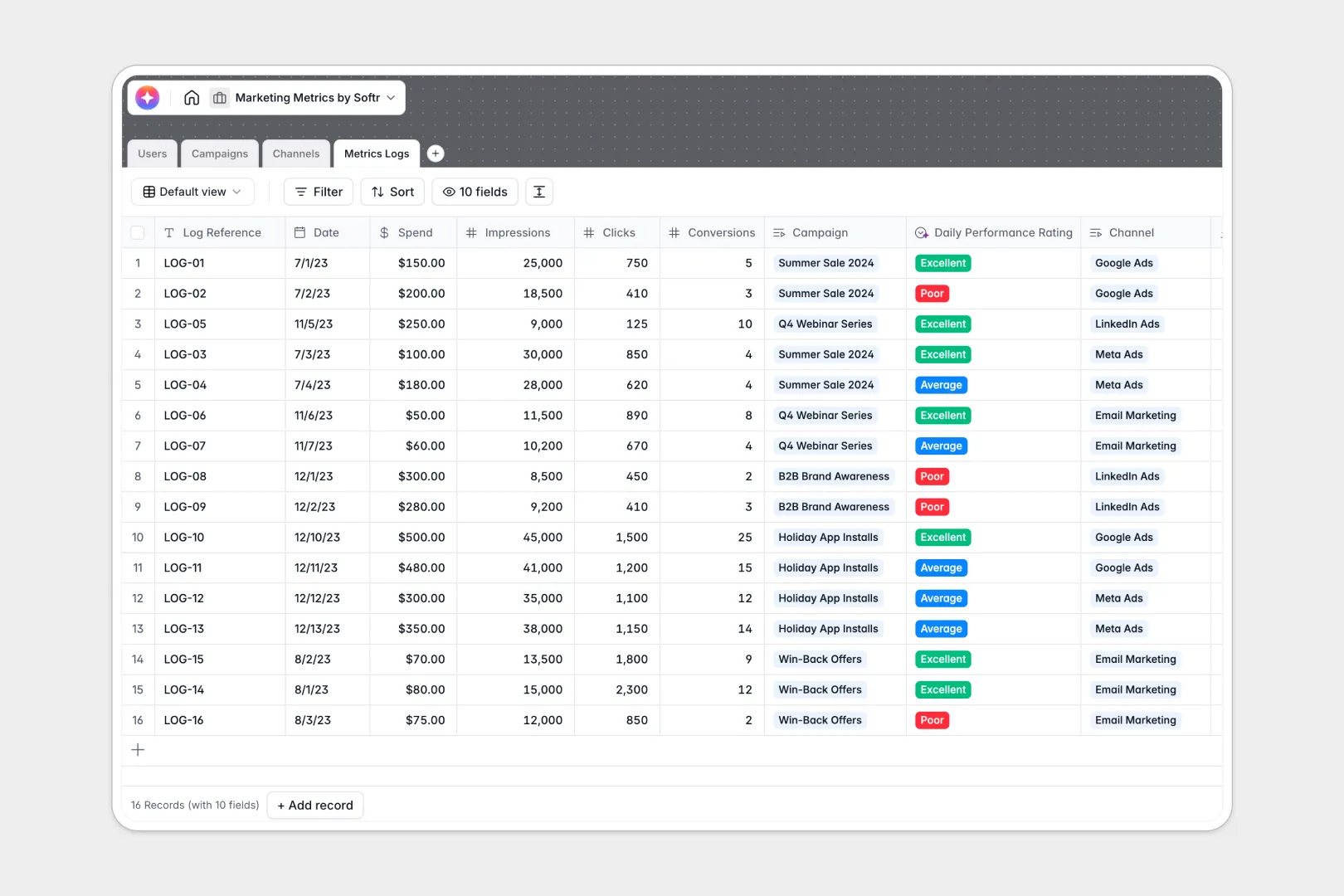
Your Marketing Metrics database at a glance
Simplify how your team monitors marketing performance across multiple active channels. This template aggregates your campaign data and logs daily metrics in one central location.
The database connects your active campaigns, marketing channels, and detailed metrics logs to your team directory. This ensures everyone on your team has clear visibility into who is managing each channel.
Native AI features automatically generate structured campaign briefs, research channel strategies directly from platform URLs, and compile performance ratings based on daily spend. This automates the redundant parts of your marketing analysis.
What to check before building your marketing metrics base in Airtable
While building a performance tracker starts with robust relationships, certain platform constraints can limit how your team operates as your campaign data and collaborator counts grow.
What changes with a database built for apps
Airtable's per-seat pricing can quickly penalize your marketing team when sharing performance dashboards with clients, analysts, and external agency partners.
Moving to Softr Databases means you get unlimited collaborators on all plans, alongside higher record limits to handle thousands of historical metrics logs seamlessly.
Most importantly, you don't need to stitch together external interface or form tools to share customized dashboards; the database and the app layer exist natively in a single platform.
Automating performance logs where your data lives
This template leverages built-in Database AI agents that execute intelligence right inside your metrics tables.
Instead of copy-pasting or relying on external automation zaps, these agents automatically evaluate daily conversion performance, research channel practices, and write weekly campaign summaries as new numbers roll in.
-
Users
Track marketing team members with system roles and assigned campaigns
-
Campaigns
Manage marketing initiatives with performance metrics and AI health analysis
-
Channels
Organize promotional channels with AI-generated strategy recommendations
-
Metrics Logs
Log marketing performance with spend data and AI daily rating evaluations
Who is this Marketing Metrics database for
This template is designed for growing marketing departments and agency teams that need a clean way to track multi-channel ad spend.
- Marketing Managers: Track daily performance metrics and instantly generate comprehensive campaign briefs.
- Media Buyers: Keep detailed records of spend, impressions, clicks, and conversion rates across different platforms.
- Agency Owners: Share professional client dashboards showing live channel ROI without worrying about per-seat license costs.
How to take it further
Customizing your marketing database takes seconds. You can adjust status classifications for active campaigns, define custom channel definitions, or modify the AI prompts that rate daily metrics.
Importing your historic data is seamless. Drop your past metrics directly into the template using standard CSV files or sync your active ad channels using standard API connections.
When you are ready, turn your tables into an interactive, visual client dashboard using Softr's design tools. Use the interface builder to turn your metrics logs into live charts, bar graphs, and campaign performance cards.
You can set up granular users and permissions so clients only see their respective dashboards, while internal media buyers can view, add, and update conversion logs easily.
-
1
-
2
-
3
-
4
Frequently asked questions
-
What is a marketing metrics database?
-
Why use a no-code database to build a marketing metrics system?
-
How can AI help managing data for marketing metrics?
-
Can I build an app with this marketing metrics database?
-
Is this Marketing Metrics database free?
-
How is this marketing metrics database different from Airtable?
Start building today. It's free!
Build and launch your first app in under 30 minutes.