


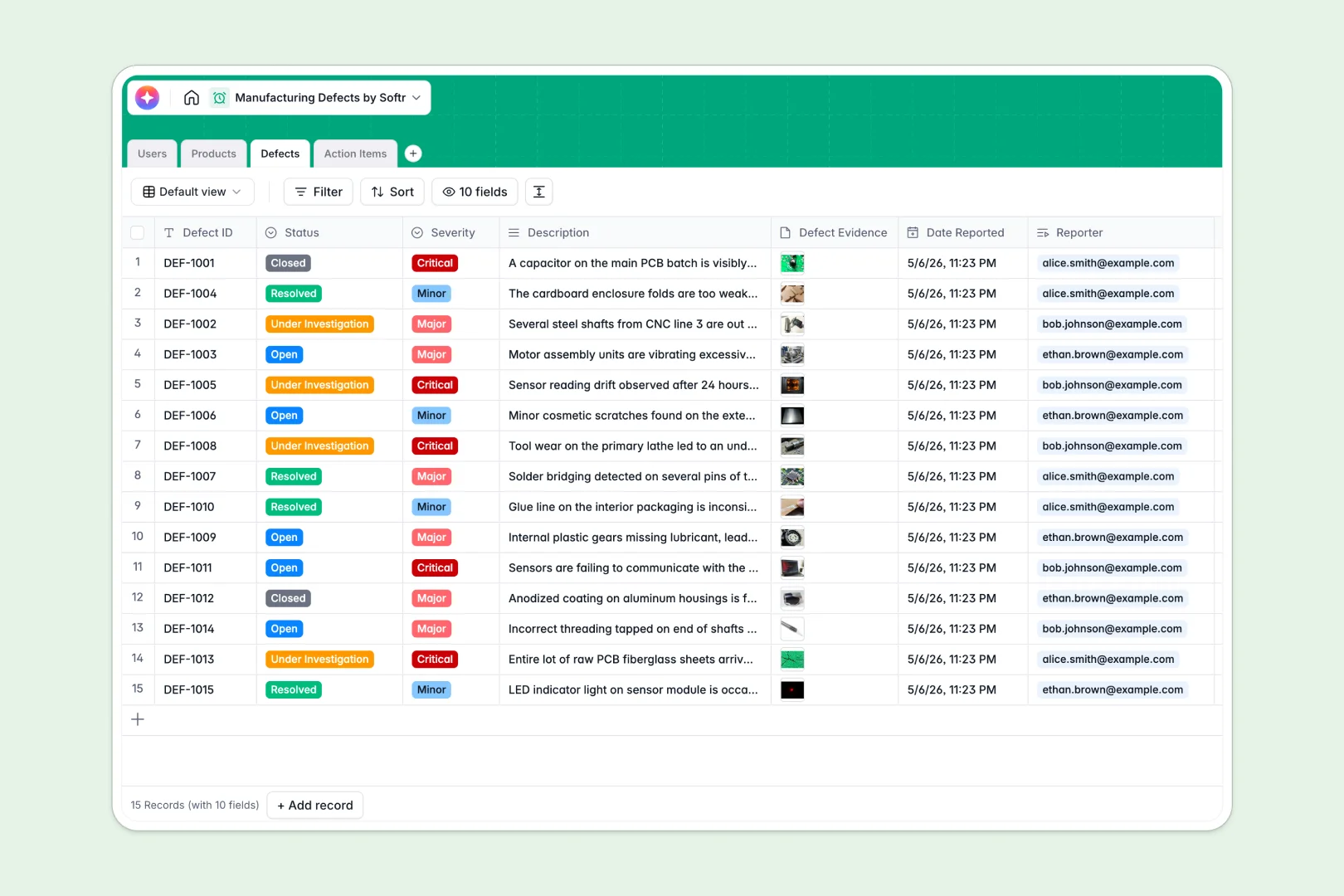
Your Manufacturing Defects Database at a glance
This template is a ready-to-use system to log quality issues on the production floor, assign corrective actions, and track resolutions.
It connects your Products, Defects, and Action Items tables natively, ensuring every issue is linked directly to a specific SKU and team member without manual copy-pasting.
Built-in Database AI agents automatically suggest root-cause analyses and polish resolution logs to speed up continuous improvement and reporting.
What to check before building your manufacturing defects base in Airtable
While Airtable is a powerful tool, managing a production floor issue log there often starts hurting when your operational team scales.
What changes with a database built for apps
With Softr Databases, you have the same relational foundations as Airtable but without the restrictive per-seat pricing that limits inspector access.
Instead of stitching third-party portals together, you can seamlessly grant QC inspectors and production managers custom access to log issues directly.
What you can do with this template
Log defects instantly with evidence, analyze issues automatically with built-in AI root-cause suggestions, and assign steps to the right roles.
Your database isn't just a static grid; it's a launchpad for automated quality assurance workflows.
-
Users
Manage manufacturing personnel with roles, contact details, and tasks
-
Products
Track parts, category, defects, and auto-generate AI product descriptions
-
Defects
Log quality issues with logs, severity, and AI-powered Root Cause Analysis
-
Action Items
Fix issues with owners, due dates, and AI-polished resolution notes
Who is this Manufacturing Defects database for
This template is designed for operations and quality management teams looking to build secure, collaborative tracking systems.
- QC Inspectors: Log defects directly on the floor with photos, status levels, and related SKUs.
- Production Managers: Monitor severity levels, review root cause analyses, and assign action items quickly.
- Operations Executives: Track overall defect rollups per product category to optimize supply chain pipelines.
How to take it further
1. Customize the database
Customize this database in seconds. Modify severity levels, add custom manufacturing stages, or adjust the AI prompts to fit your specific factory floor.
2. Import your existing data
Bring your existing logs over instantly. Use the built-in CSV import to upload your past defect history and transition away from legacy spreadsheets without losing history.
3. Build a full app around it
When your team is ready, build an app on top of this data to give inspectors a clean interface. Softr's AI app generator can turn this database into a secure portal with tailored users and permissions in one click.
-
1
-
2
-
3
-
4
Frequently asked questions
-
What is a manufacturing defects database?
-
Why use a no-code database to build a manufacturing defects system?
-
How can AI help managing data for manufacturing defects?
-
Can I build an app with my manufacturing defects database?
-
Is this manufacturing defects template free?
-
How is this template different from a manufacturing defects Airtable template?
Start building today. It's free!
Build and launch your first app in under 30 minutes.