


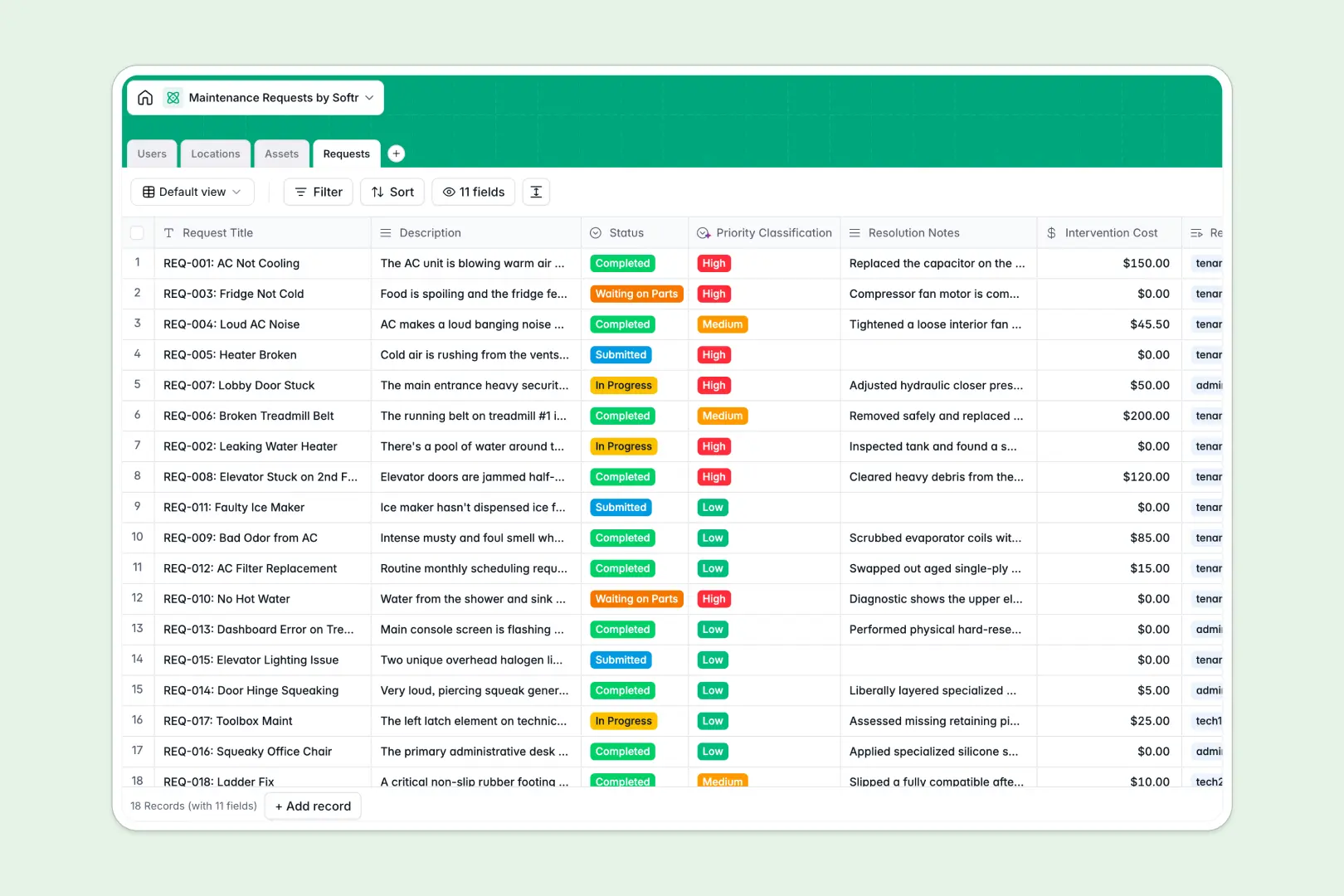
Your Maintenance Requests database at a glance
This template provides a reliable way to organize maintenance requests from submission to resolution. Centralize every work order, tenant report, and equipment repair in a single database to eliminate miscommunication.
The database connects Users (tenants and technicians) directly to specific Locations and Assets needing attention. When a request is open, you instantly see who submitted it, where the issue is, and which specific appliance is broken.
Built-in AI fields help you work faster by automatically classifying request priority based on text descriptions and summarizing the resolution details instantly.
Where maintenance requests outgrow Airtable
Using Airtable to manage tickets and property assets works well early on, but you quickly run into limits when scaling operations across teams.
What changes with a database built for apps
Airtable charges per collaborator, which makes granting property managers, technicians, and tenants access to update tasks incredibly expensive. With Softr Databases, you get unlimited collaborators on all plans so your entire team can collaborate without rising costs.
Additionally, you don’t have to piece together external form structures or portals. The exact same platform that holds your structured data is built to securely control who sees what, running on a fast API with massive record capacities.
What you can do with this template
- Structure locations and machinery: Link assets to physical locations so technicians always arrive with the right manuals and history.
- Automate classification: Use built-in Database AI agents to read issue details and auto-label priorities without manual triage.
- Keep everyone updated: Change statuses dynamically, track repair costs, and document resolution briefs in one place.
-
Users
Track tenants, maintenance technicians, and admins with roles and contacts
-
Locations
Manage units, properties, and common areas where repairs are registered
-
Assets
Track equipment, appliances, user manuals, and historical repair costs
-
Requests
Manage work orders and statuses using AI to classify priority and sum tasks
Who is this Maintenance Requests database for
This system is designed for operational teams looking to keep operations running smoothly without paper trails:
- Property Managers: Keep track of unit repairs, tenant histories, and overall maintenance spending in real time.
- Facility Managers: Control building machinery logs, schedule preventative maintenance, and categorize assets easily.
- Internal Ops Teams: Standardize equipment requests and task assignments across corporate offices seamlessly.
How to take it further
Customize the database
Define your own priorities or add custom property categories to the Locations table in seconds. You can easily adjust status choices to match your team's specific verification stages.
Import your existing data
Import active maintenance logs, tenant directories, and equipment registers instantly using a simple CSV import or link your live operational systems via API.
Build a full app around it
When you are ready to expand, you can easily build an app on top of this structured foundation. Use Softr's AI app builder to generate client portals or technician dashboards where workers update ticket statuses directly from their mobile phones.
By layering granular users and permissions, tenants only view their own cases while technicians only see work orders assigned to them—keeping private details completely secure.
-
1
-
2
-
3
-
4
Frequently asked questions
-
What is a maintenance requests database?
-
Why use a no-code database to build a maintenance requests system?
-
How can AI help managing data for maintenance requests?
-
Can I build a portal with this maintenance requests database?
-
Is this maintenance requests template free?
-
How is this template different from an Airtable template?
Start building today. It's free!
Build and launch your first app in under 30 minutes.