


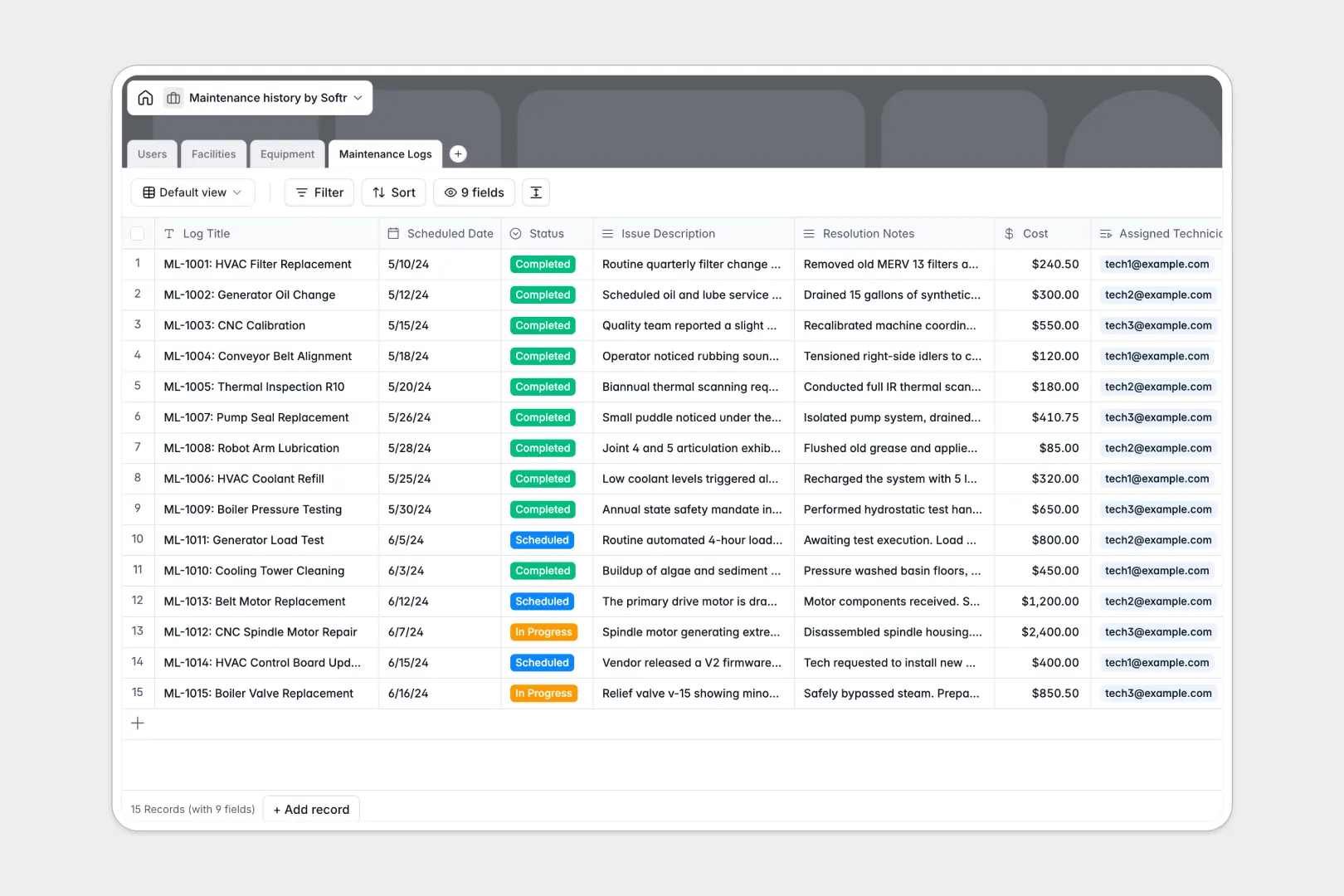
Your Maintenance History database at a glance
This template allows you to track equipment health, manage facilities, and log work orders all in one organized workspace. You can keep critical machinery running by assigning technicians to scheduled maintenance tasks before breakdowns occur.
Your database links multiple facilities and pieces of equipment directly to their historical maintenance logs and the staff members responsible for them. This relational format removes manual double-entry, keeping facility details completely aligned with actual repair records.
With built-in AI-powered fields, the database automatically searches the web for manufacturer manuals and summarizes long issue descriptions into clear bullet points for technicians.
What to check before building your maintenance history base in Airtable
If you want to keep your operations organized, starting with a structured database is definitely the right choice. However, using Airtable for team-wide asset management can quickly become expensive and restrictive as your operations expand.
What changes with a database built for apps
Airtable charges per user for any editing access, which punishes you for adding field technicians and operations managers to your system. With Softr Databases, you get unlimited collaborators on all plans, allowing your entire team to update maintenance logs without escalating costs.
Additionally, Airtable enforces rigid record limits that can cap your historical logs over time. Softr Databases support up to 1M records per workspace, giving you plenty of room to archive years of maintenance history and facility data.
By keeping your database inside the same platform where your portals and workflows live, you can turn this template into a secure internal application with customized portal views for different team roles.
What you can do with this template
- Track repairs and schedules seamlessly: Connect equipment to specific facility locations and technicians, ensuring no repair falls through the cracks.
- Automate research with AI: Leverage integrated Database AI agents to automatically pull equipment specifications and summarize complex maintenance logs instantly.
- Keep audit records complete: Roll up maintenance histories to see totals and log detailed costs per piece of machinery over its lifecycle.
-
Users
Track team staff, technicians, and managers with details and work assignments
-
Facilities
Manage locations, buildings, and sites that house machinery and equipment
-
Equipment
Track machinery assets with status and AI-powered spec summaries
-
Maintenance Logs
Record repairs and costs with AI-generated summaries of fixed issues
Who is this Maintenance History database for
This database is designed to keep technical operations structured and accessible across departments:
- Operations Managers: Track asset downtime, monitor overall material costs, and distribute technician workloads.
- Field Technicians: View assigned work orders, update equipment status in real time, and log clear resolution notes.
- Facility Directors: Oversee machinery conditions across multiple building locations and review safety inspections.
-
1
-
2
-
3
-
4
Frequently asked questions
-
What is a maintenance history database?
-
Why use a no-code database to build a maintenance history system?
-
How can AI help managing data for maintenance history?
-
Can I build an app with this maintenance history database?
-
Is this Maintenance History template free?
-
How is this template different from a maintenance history Airtable template?
Start building today. It's free!
Build and launch your first app in under 30 minutes.