


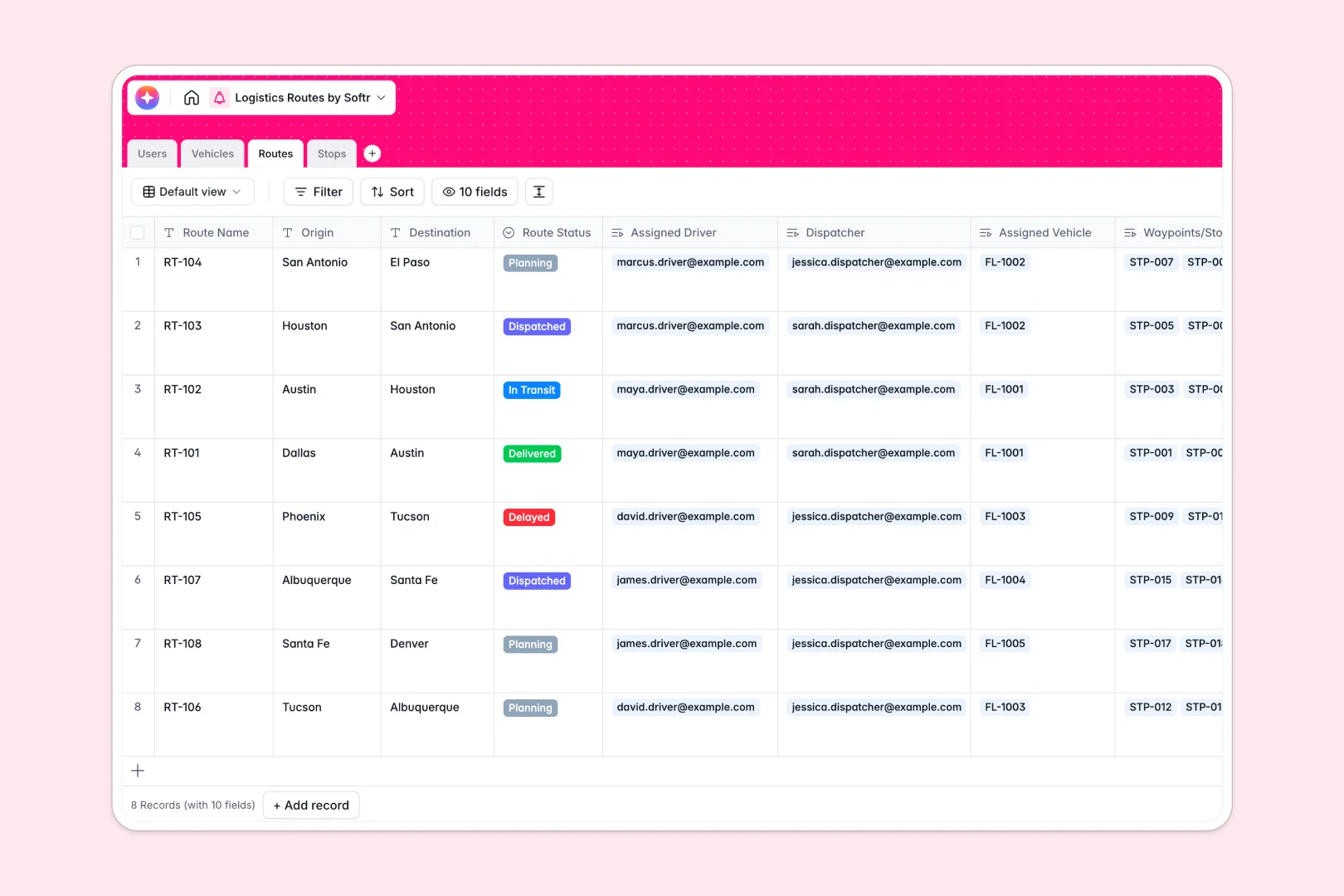
Your Logistics Routes database at a glance
This template centralizes your entire dispatch operation, linking delivery stops, vehicles, and drivers into clear operational journeys. You can track route statuses from planning to delivery while monitoring vehicle maintenance and payload capacities.
Four interconnected tables handle your operational flow: Routes tie directly to Stops, Vehicles, and Users (drivers and dispatchers). This structure ensures dispatchers assign available trucks and drivers without double-booking equipment or losing stop details.
Built-in AI fields draft automated route briefs from stop addresses and categorize delivery zones into urban, suburban, or rural tiers to streamline territory planning.
The seat-tax barrier when dispatchers, drivers, and fleet managers collaborate
Airtable handles relational data well, but running a logistics pipeline requires giving access to many people across roles. Paying a monthly per-user fee just so drivers can update stop statuses or dispatchers can assign routes quickly inflates operating costs.
What changes with a database built for apps
Managing routes requires a database that supports large operational volumes and seamless team access without punishing you for adding field staff. When your fleet grows, you need higher API throughput and generous record limits to handle high-frequency status pings and stop updates.
This is exactly what Softr Databases are designed for. You get unlimited collaborators on every plan, support for up to 200k records per database, and a fast 50 requests-per-second API that handles live field data smoothly.
What you can do with this template
Link individual delivery stops directly to parent routes so dispatchers see the complete journey history, estimated arrivals, and completion rates in one place. Fleets stay safe because vehicle records show live maintenance statuses before assignment.
Native Database AI agents analyze delivery addresses on record creation to automatically classify zones and generate concise route overviews for drivers before they depart.
-
Users
Manage drivers, dispatchers, and staff with roles and route assignments
-
Vehicles
Track fleet assets, maintenance status, weight capacity, and drivers
-
Routes
Coordinate delivery journeys and generate AI-powered route summaries
-
Stops
Manage delivery waypoints and classify zones automatically using AI
Who is this Logistics Routes database for
- Fleet Managers: Track vehicle health, weight limits, and primary driver assignments across the entire fleet.
- Dispatchers: Build routes, sequence stops, and assign available drivers without operational overlaps.
- Delivery Drivers: Access clear stop addresses, estimated arrival targets, and route briefs in real time.
- Operations Leads: Monitor route progress from planning to transit and analyze reschedule rates.
How to take it further
Customizing the database takes seconds. You can adjust delivery outcome statuses, add vehicle types like refrigerated vans, or introduce custom fields for fuel tracking and proof-of-delivery signatures.
If you have existing fleet data or client lists, upload them immediately using CSV import. You can also sync live coordinates and order updates using the REST API.
When you want to give your team custom portals, turn this database into a full tool. With the Softr AI app generator, you can describe the driver or dispatcher app you need in a single prompt to generate front-end views and workflows on top of this exact structure.
Configure granular users and permissions so drivers only see their assigned routes while dispatchers manage the whole board. Starting with a structured database ensures your resulting logistics portal is fast, reliable, and ready for daily operations.
-
1
-
2
-
3
-
4
Frequently asked questions
-
What is a Logistics Routes database?
-
Why use a no-code database to build a logistics routes tool?
-
How can AI help managing data for Logistics Routes?
-
Can I build an app with this Logistics Routes database?
-
Is this Logistics Routes template free?
-
How is this template different from an Airtable template for logistics?
Start building today. It's free!
Build and launch your first app in under 30 minutes.