


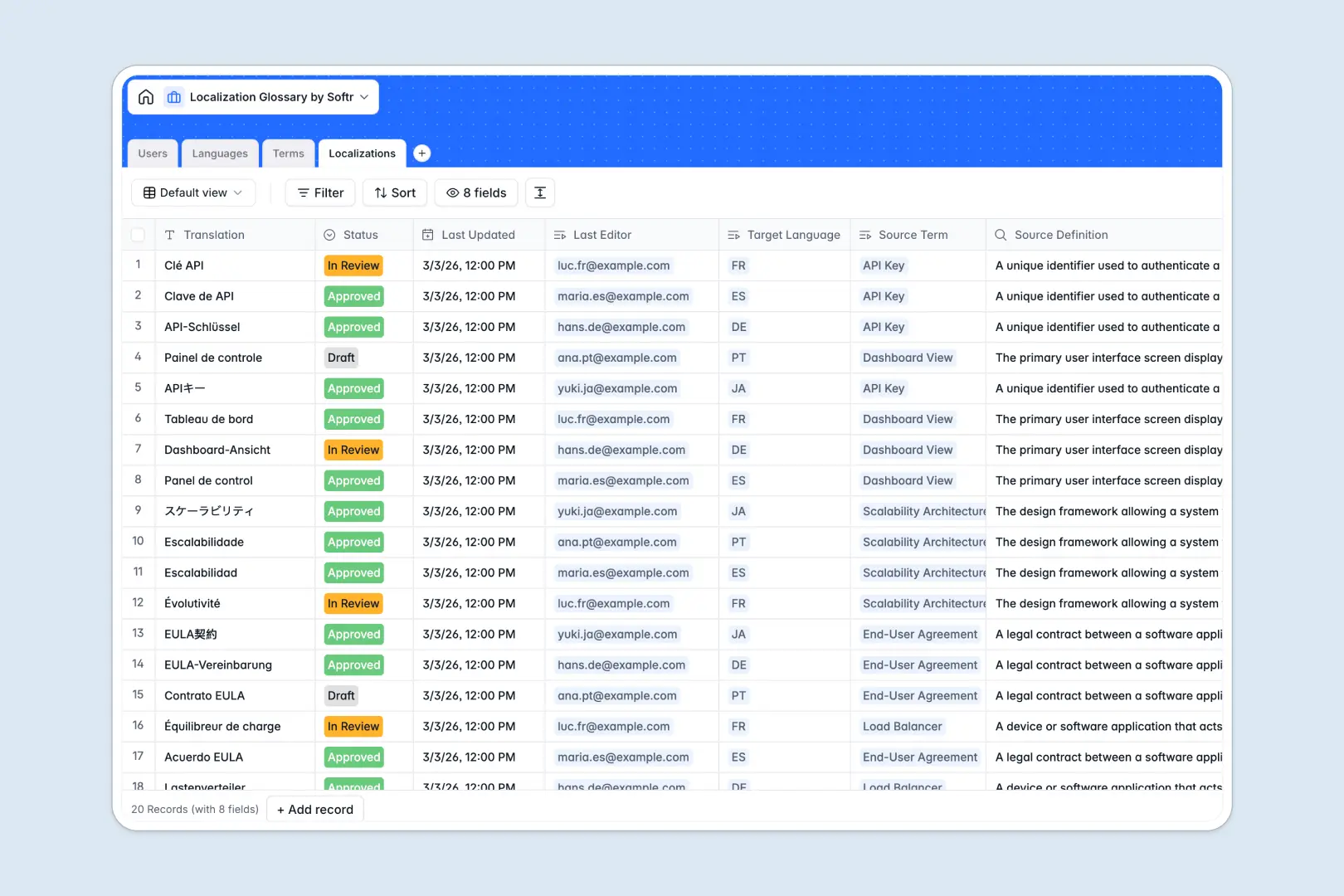
Your Localization Glossary database at a glance
Centralize your multilingual terms, definitions, and product localizations in a single, clean workspace. This template links your core terms directly to target languages, translation drafts, and reviewing team members.
Keep translations precise by connecting terms, definitions, and translators natively. Use the built-in AI fields to generate realistic usage examples and format quality summaries automatically as translations are submitted.
What to check before building your localization glossary base in Airtable
Many teams naturally consider building their translation databases in Airtable. While Airtable offers structured columns and linked tables, it comes with limitations that can quickly hinder cross-border workflows.
What changes with a database built for apps
When managing a localization glossary, you need translators, proofreaders, and product managers updating records simultaneously. Airtable's per-seat pricing penalizes you for every single translator you invite with edit permissions.
This is exactly what Softr Databases are designed to solve. Our native database structure supports up to 200,000 records per database and comes with unlimited collaborators on all plans—meaning your global translation network can edit records without inflating your software bill.
Instead of stitching third-party interfaces together to hide sensitive tables, you can run and secure your database in the exact same platform you use to share content.
What you can do with this template
Structure your terms by category, connect them to target languages, and monitor who reviewed which translated string. Live web publishing, software UI elements, and marketing assets stay updated with clear status flags like Draft, In Review, and Approved.
Make translations smarter with Database AI agents that activate the moment you add a record. These built-in agents automatically generate terms usage examples and evaluate translation quality against the original definition, keeping your tone of voice consistent.
-
Users
Track team members managing localizations alongside roles and activity
-
Languages
Manage the global language pairs supported in translation workflows
-
Terms
Define master terms for localization with AI-generated usage examples
-
Localizations
Translate terms and generate AI summaries to verify translation quality
Who is this Localization Glossary database for
- Translation Agencies & Translators: Organize thousands of target language phrases and source definitions without clutter.
- Product & Product Marketing Teams: Control terminology for software UI elements, legal disclaimers, and campaigns across multiple locales.
- Localization Project Managers: Monitor the progress of translators and reviewers, assigning ownership and approving terms efficiently.
How to take it further
Customize the database
Define your own translation categories, add columns for brand tone rules, or modify user roles to fit your specific agency workflow. Adding or renaming columns takes seconds, and changes reflect instantly across your tables.
Import your existing data
Moving your existing product glossary or term library into this database is simple. You can upload a structured CSV file in minutes or connect directly via API to automatically pull text strings from your main codebase.
Build a full app around it
When you are ready to secure your operations, use these tables as a foundation to build an app. You can create an external portal where external translators only view and submit values assigned specifically to them, while reviewers see a dashboard of pending submissions.
With Softr's native users and permissions, you decide which user roles can read or edit specific records. You can even use the AI Co-Builder to generate this secure interface and automated workflows from a single text prompt.
-
1
-
2
-
3
-
4
Frequently asked questions
-
What is a localization glossary database?
-
Why use a no-code database to build a localization glossary?
-
How can AI help managing data for localization?
-
Can I build an app with this localization glossary database?
-
Is this localization glossary template free?
-
How is this template different from an Airtable template?
Start building today. It's free!
Build and launch your first app in under 30 minutes.