


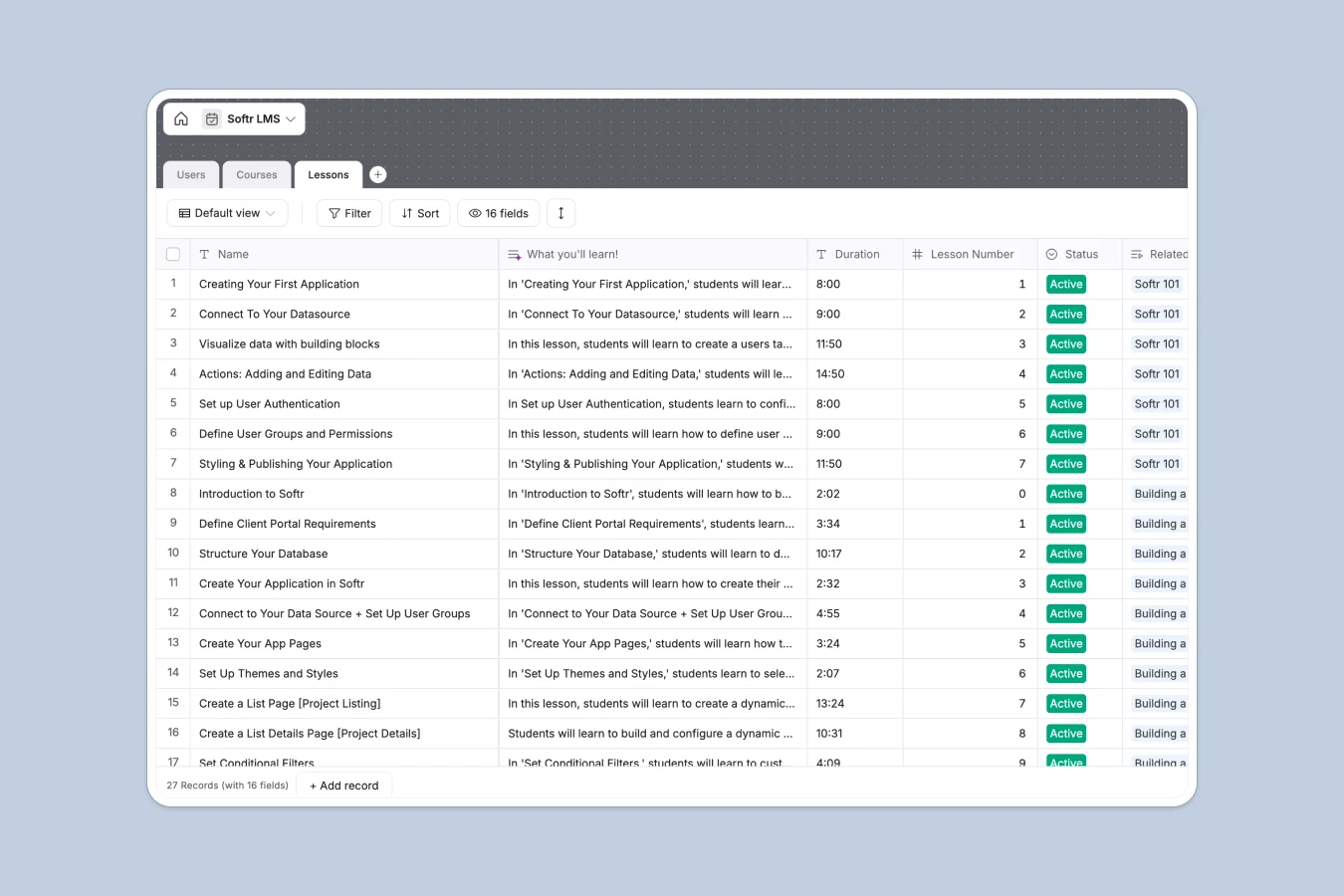
Your LMS Database at a glance
Manage courses, lessons, and student progress in one simple, structured system. This template connects your content directly to student activity tracking without manual spreadsheet entry.
Everything stays organized using three simple tables: Users, Courses, and Lessons. When a student completes a lesson, their profile updates, linking progress directly to your active curriculum.
This template features built-in automation: an integrated field uses OpenAI GPT-4 to automatically summarize what students will learn in each lesson based on the lesson's title and description.
What to check before building your LMS base in Airtable
If you are planning to organize course content and user roles, starting with a structured database is the best decision. However, there are critical factors to consider before committing to Airtable for a learning management system.
What changes with a database built for apps
Airtable is an excellent database, but turning it into a functional portal for students and instructors requires stitching together external form builders, separate portal tools, and visualization plugins. The costs add up quickly because Airtable charges a premium per-seat fee for every team member who needs editing access.
This is exactly what Softr Databases solve. It offers the same relational database structure, but comes with native interface and permission builders on a platform where you can share your database with unlimited collaborators without ballooning costs.
What you can do with this template
With this database, you can log online courses, control difficulty levels (Beginner, Intermediate, Expert), and establish clear learning paths. Native relations ensure lessons are dynamically sequential—the template automatically calculates links to the next lesson via custom formulas.
To save you manual writing time, this layout includes Database AI agents that read your raw lesson text and generate high-impact student summaries automatically. It is ready to use instantly as a backend for your custom classroom.
-
Users
Manage student profiles with learning levels and tracked lesson history
-
Courses
Organize structured learning paths with summaries and lesson relationships
-
Lessons
Detail educational modules with playback links and AI-generated learning outcomes
Who is this LMS database for
- Course Creators: Organize curriculum, sequence video lessons, and automatically summarize learning outcomes.
- Training Leads: Maintain internal training tracks, track course completion, and monitor employee last-seen metrics.
- Bootcamp Founders: Manage cohorts, keep student directories up to date, and display related course paths dynamically.
How to take it further
1. Customize the database
You can easily tailor this database to match your school structure. Change selector choices, add tags for different departments, add columns for homework attachments, or create new fields to hold direct instructor feedback.
2. Import your existing data
Avoid starting from scratch if you already have existing spreadsheets. Cleanly import your student lists, video links, and course data via a simple CSV upload or use our API to automatically sync records.
3. Build a full app around it
When you are ready, you can easily turn this database into a secure student dashboard. Use the AI app generator to generate a functional student portal in seconds, featuring custom student and teacher users and permissions.
This ensures students only see their enrolled courses and track their personal lessons, while instructors log in to manage materials and updates in real time.
-
1
-
2
-
3
-
4
Frequently asked questions
-
What is an LMS database?
-
Why use a no-code database to build an LMS?
-
How can AI help managing data for an LMS?
-
Can I build an app with this LMS database?
-
Is this LMS template free?
-
How is this template different from an Airtable template?
Start building today. It's free!
Build and launch your first app in under 30 minutes.