


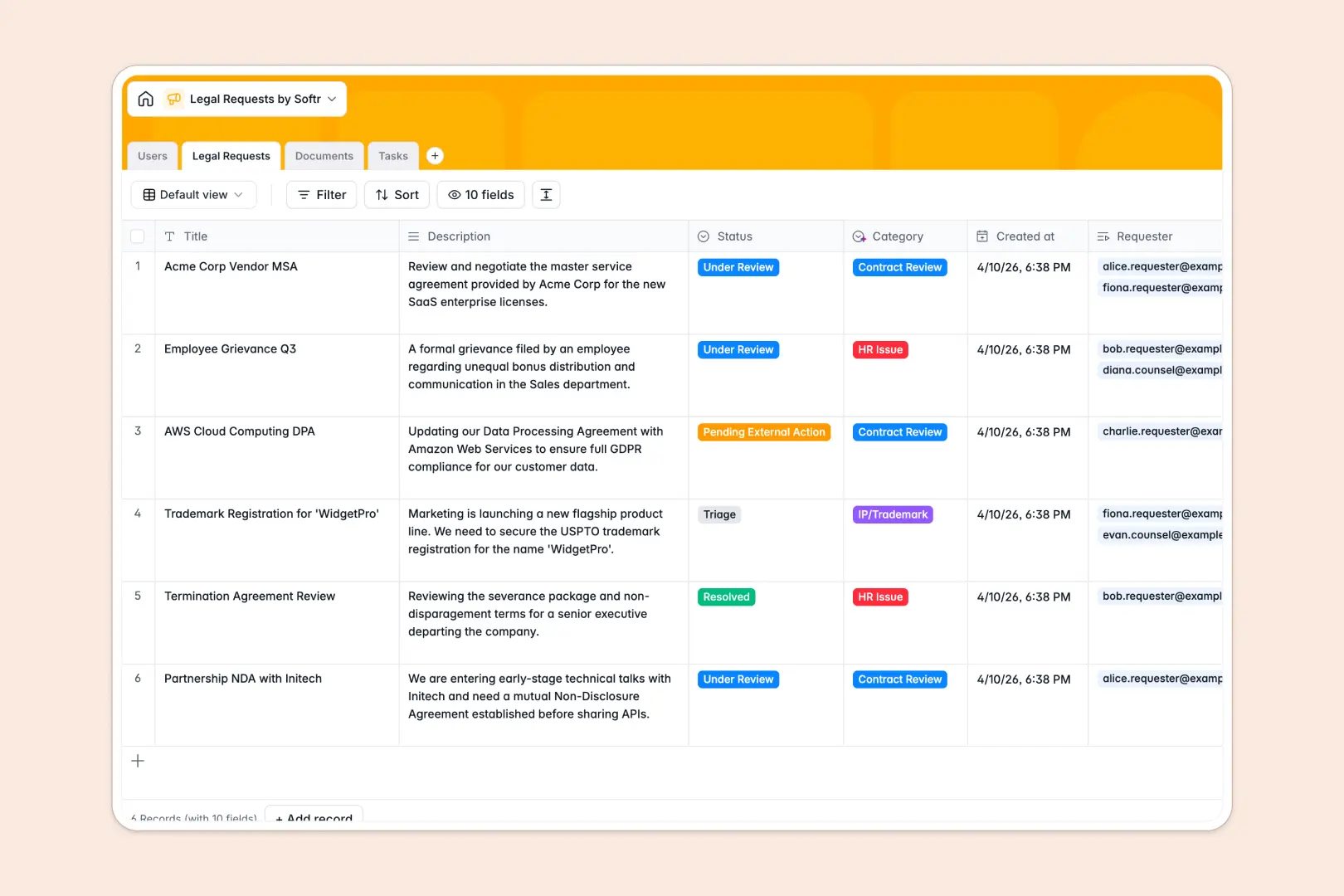
Your Legal Requests database at a glance
This template centralizes corporate legal intake, contract reviews, and tasks in one secure workspace. It helps in-house legal teams manage incoming requests while keeping business stakeholders updated on progress.
Everything is organized across connected tables for Users, Legal Requests, Documents, and Tasks. When a request is submitted, it automatically links to the assignee, related contracts, and subtasks.
Built-in AI agents automatically categorize requests and translate complex legal clauses into plain-language summaries directly in your records.
What to check before building your legal requests base in Airtable
Starting your legal intake workflow in Airtable is a common instinct because relational tables are far better than flat spreadsheets. However, managing legal operations involves specific sharing, security, and scale constraints that present challenges in Airtable.
What changes with a database built for apps
While Airtable is an excellent relational tool, sharing your base with everyone who needs to submit a request gets expensive quickly due to per-seat collaborator pricing. Softr Databases include unlimited collaborators on all plans, allowing your entire company to submit requests without raising software costs.
Additionally, medical, financial, or corporate legal documentation often requires strict access management. Instead of stitching together external portals and forms, Softr lets you build client-facing interfaces with granular record-level security on top of your database.
With higher record limits and a database built for building applications, you can scale operations from a simple tracking base to a complete corporate legal portal.
What you can do with this template
With this pre-built workspace, you can manage the end-to-end lifecycle of contract reviews, litigation inquiries, and policy questions. Team members log clean requests, attach files, and automatically link documents to the active case file.
This system features built-in Database AI agents to streamline your manual intake. The database automatically categorizes new requests, drafts three-bullet-point summaries of long descriptions, and simplifies complex clauses in seconds.
-
Users
Track team members, roles, departments, assignees, and active requesters
-
Legal Requests
Manage intakes with AI categorization and automated document analysis summaries
-
Documents
Organize legal files and access contracts with AI-driven clause summaries
-
Tasks
Track action items, timelines, priorities, and staff assignments for requests
Who is this Legal Requests database for
This system is designed for companies looking to transition away from messy email inbox intake and unstructured legal tracking:
- In-house Legal Teams: Streamline your intake queue, assign counsel, and track contract approvals systematically.
- Operations Managers: Centralize corporate templates, track business compliance tasks, and keep track of contract renewal dates.
- Department Heads: Submit vendor contracts for legal review, monitor status changes, and track outstanding legal deliverables.
-
1
-
2
-
3
-
4
Frequently asked questions
-
What is a legal requests database?
-
Why use a no-code database to build a legal requests system?
-
How can AI help managing data for legal requests?
-
Can I build an app with this legal requests database?
-
Is this legal requests template free?
-
How is this legal requests template different from Airtable?
Start building today. It's free!
Build and launch your first app in under 30 minutes.