


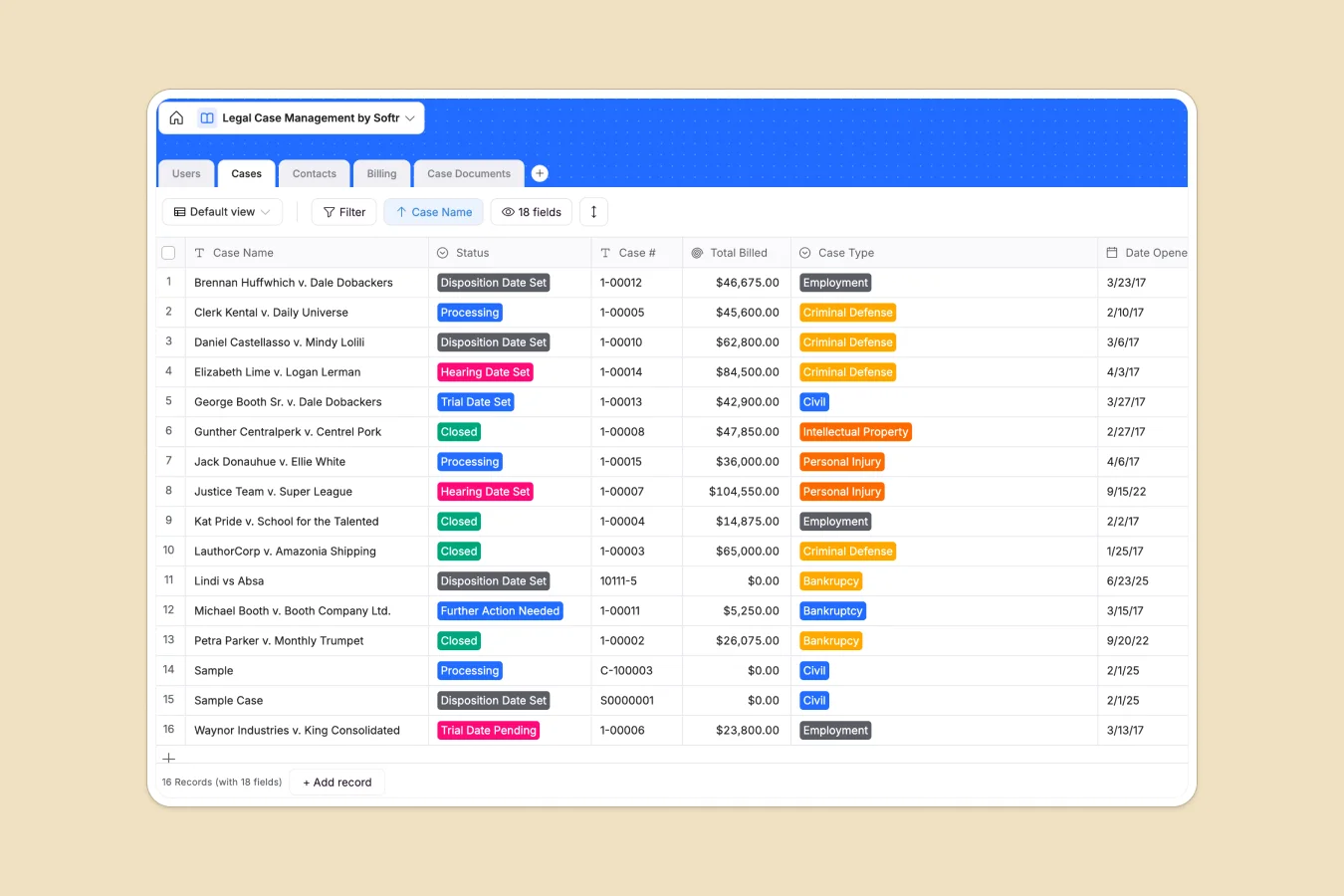
Your Legal Case Management database at a glance
This template gives your legal practice a reliable, secure way to track active litigation, monitor statute of limitations, and log staff billable hours in one place.
It is built on a relational structure that seamlessly connects Cases, Contacts (including judges and opposing counsel), and Billing line items. Every time a lawyer logs hours, the database automatically rolls up the total billed amount for that specific case.
What to check before building your legal case management base in Airtable
Choosing a relational database for legal operations is the right instinct. Legal files, client tables, and billable hours require strict structure and connected relationships to avoid critical tracking errors. However, relying on Airtable to run your law practice comes with strategic compromises.
What changes with a database built for apps
Airtable charges per collaborator, meaning your monthly software costs spike whenever a lawyer, paralegal, or client needs database access. It also forces you to patch together third-party portals just to share case progress with clients securely.
This is exactly what Softr Databases are designed to solve. You get unlimited database collaborators on all plans, higher API throughput limits, and a built-in interface builder that makes sharing client status reports natural and secure.
What you can do with this template
With this database, you can map out every court case, track pending trial dates, and monitor critical compliance timelines. Documents can be uploaded directly to case rows, keeping evidence and filings next to their respective record details.
You can also set up Database AI agents inside your fields to automatically summarize long case files, extract contact information, or classify case documents as they are uploaded.
-
Users
Manage law firm staff members, their specialities, and billing rates
-
Cases
Track active court cases, key dates, legal team members, and status updates
-
Contacts
Centralize communications for clients, judges, opposing counsel, and experts
-
Billing
Calculate legal fees by tracking staff hours and hourly billing rates
-
Case Documents
Store and organize legal briefs, court filings, and case evidence safely
Who is this Legal Case Management database for
- Growing Law Firms: Coordinate dozens of active lawsuits across multiple attorneys without paying bloated license fees.
- Independent Attorneys: Manage court schedules, client communication, and precise billable hours from a single workspace.
- In-House Legal Teams: Organize internal legal documents, track corporate entities, and oversee external counsel performance.
How to take it further
Customize the database
You can easily tailor this template to your firm's specific practice area by editing selection fields, adding Custom Case Types, or adjusting lawyer billing rates directly inside the table.
Import your existing data
Moving your active litigation list into this template takes minutes. You can bulk upload records with a CSV import or sync tools directly using our robust, high-speed API.
Build a full app around it
Once your data is loaded, you can instantly turn this database into a secure workspace. Use the AI app generator to generate a custom practice portal where your team can log hours on the go.
You can set up granular users and permissions so clients can securely log in to view their specific case status and upload documents, while keeping your internal billing metrics completely private.
-
1
-
2
-
3
-
4
Frequently asked questions
-
What is a legal case management database?
-
Why use a no-code database to build a legal case management system?
-
How can AI help managing data for legal case management?
-
Can I build an app with this legal case management database?
-
Is this Legal Case Management template free?
-
How does this template compare to an Airtable legal template?
Start building today. It's free!
Build and launch your first app in under 30 minutes.