


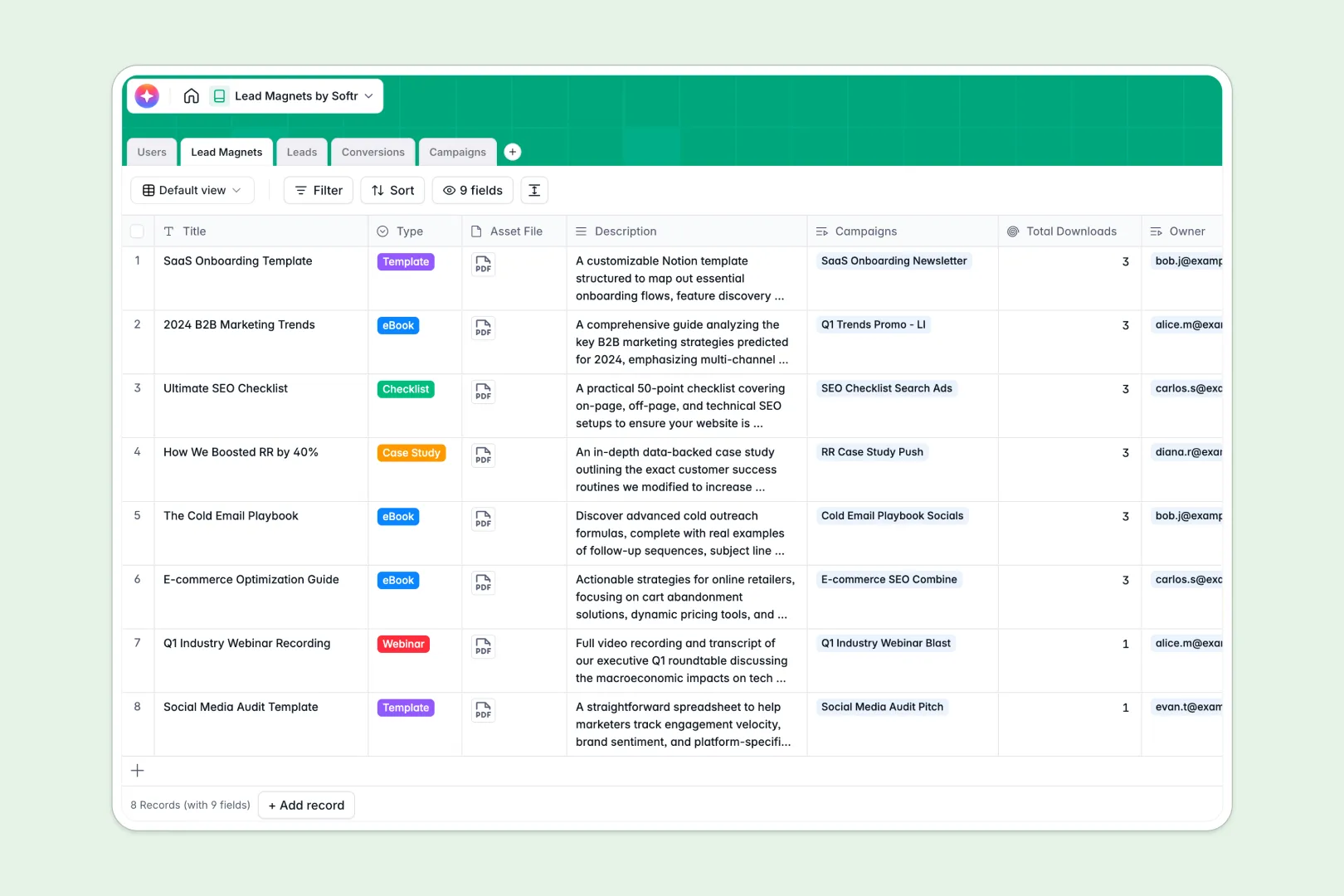
Your Lead Magnets Database at a glance
This template provides a central workspace to organize digital assets like eBooks, webinars, and checklists alongside the marketing campaigns driving traffic to them. By linking assets, campaigns, and conversions together, your marketing and sales teams can easily monitor which initiatives generate the most interest.
Everything in this template is pre-structured to keep individual fields standardized. Track essential marketing details like asset files, lead emails, and campaign platforms without mixing up your data or losing track of digital assets across scattered folders.
Built-in intelligent automation natively enriches your data as records are created. You get instant summaries of your lead magnets, auto-researched insights on target companies, and platform-specific promotional ad copy generated automatically.
What to check before building your lead magnets base in Airtable
When managing marketing collateral and campaign performance, choosing where your data lives is a critical decision. While setting up custom tables for digital assets might make sense initially, complex work environments often outgrow basic database storage options.
This is exactly where teams find boundaries when building a complex system inside Airtable. As your list of collateral, lead emails, and active channels expands, collaboration costs quickly mount.
What changes with a database built for apps
Airtable charges per collaborator as soon as a colleague needs write access, meaning that letting your entire marketing, database, and sales team edit campaigns or view lead details becomes expensive. Transitioning to a platform like Softr Databases means you get unlimited collaborators on all plans so anyone on the team can safely access and update data.
Instead of tying different tools together with fragile external workflows to coordinate downloads or campaign updates, this portal is physically housed where your team collaborates. This unified foundation eliminates data sync delays and preserves structural formatting across lists.
What you can do with this template
With two-way linked tables, your marketing team can view total lead conversions sorted by asset type or campaign channel instantly. There are no complicated formulas to write; everything naturally rolls up behind the scenes.
Using native Database AI agents, the system generates target company background overviews and tailored promotional copy. It uses live fields like current company name and campaign social platform as triggers to run automatically in the background.
-
Users
Track team members with roles, contact info, and assigned assets
-
Lead Magnets
Manage marketing assets and use AI to auto-generate pitches and summaries
-
Leads
Manage contact information and enrich profiles with AI company insights
-
Conversions
Track download history and map specific leads to accessed content assets
-
Campaigns
Manage marketing budgets and use AI to write channel-specific ad copies
Who is this Lead Magnets database for
- Marketing Teams: Organize files, plan platform-specific promotional campaigns, and keep track of assets being used across different active channels.
- Growth Engineers: Track exact lead conversion dates and monitor overall metrics to fine-tune digital funnels accurately.
- Sales Development Representatives: Access pre-compiled, AI-enriched background details on companies downloading your assets to run personalized outreach.
How to take it further
Customize the database
You can modify this template in minutes to match your exact marketing workflow. Add new media formats to selection lists, include custom budget buckets, or format conversion IDs without writing any code.
Import your existing data
Moving existing collateral lists or lead lists into your database is highly efficient. Import raw spreadsheet items instantly using direct CSV upload or leverage API keys to securely sync performance data from external marketing tools.
Build a full app around it
When you are ready to transition this database into a secure application, use the visual builder to extend its functionality. You can quickly generate an app with AI by describing the internal team portal or marketing hub you need.
Once generated, set granular users and permissions so marketers can edit campaign records while sales reps only view enriched leads. Your team gets a complete, full-stack marketing tool where database, interface, and automated steps are fully connected from day one.
-
1
-
2
-
3
-
4
Frequently asked questions
-
What is a lead magnets database?
-
Why use a no-code database to build a lead magnet tracker?
-
How can AI help managing data for lead magnets?
-
Can I build an app with this lead magnets database?
-
Is this lead magnets template free?
-
How is this template different from an Airtable template?
Start building today. It's free!
Build and launch your first app in under 30 minutes.