


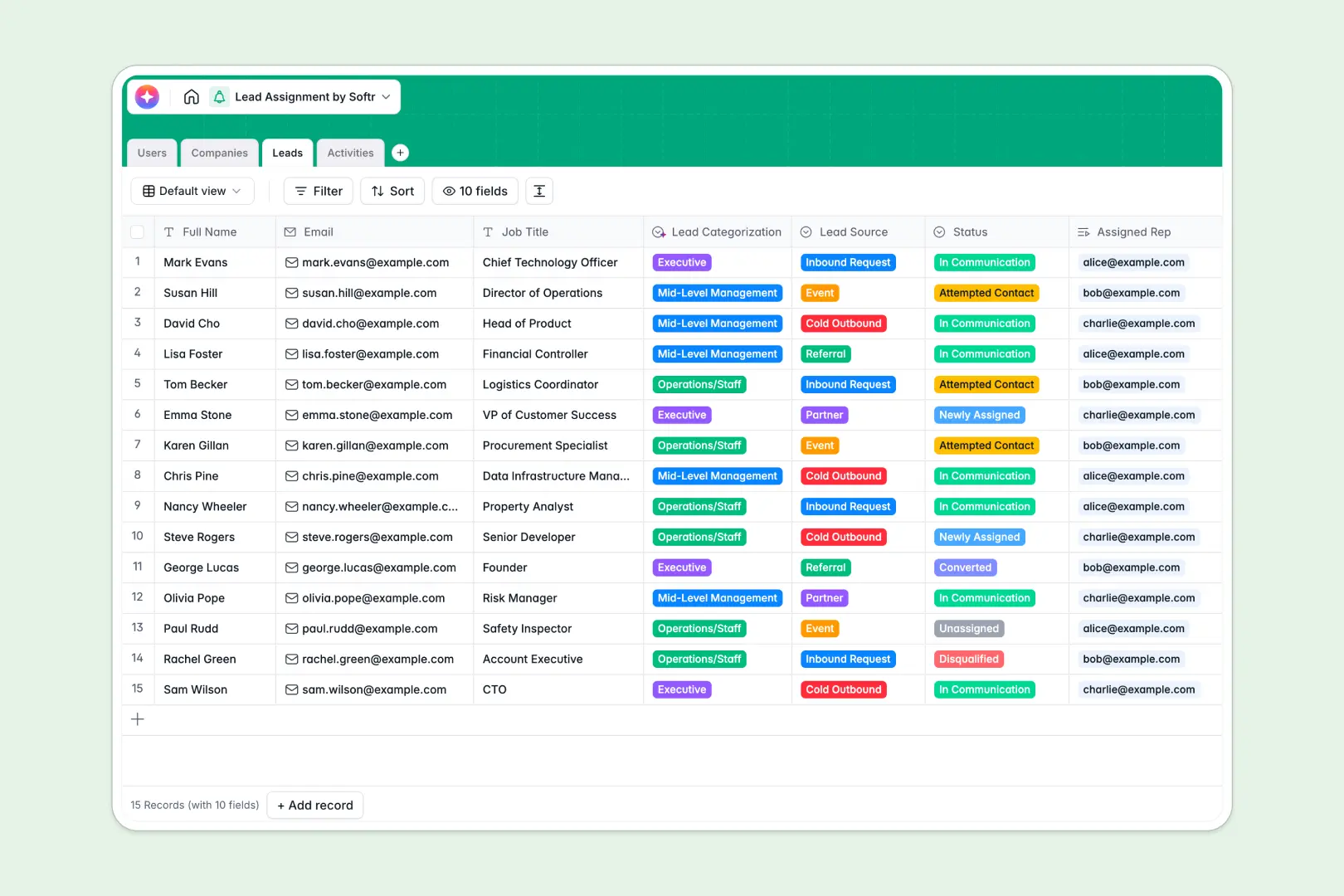
# Your Lead Assignment database at a glance
Route incoming prospects to the right sales reps, track follow-up activities, and structure your pipeline in one clean workspace. This template connects companies, leads, sales reps, and touchpoints automatically so nothing slips through the cracks.
Your Users, Companies, Leads, and Activities live in linked tables. When a new prospect enters the directory, you can assign them to a rep instantly, and their related calls, emails, and meetings will update across the workspace.
With built-in AI fields, this database automatically researches company websites, categorizes job titles, and extracts action items from rep call notes.
What to check before building your lead assignment base in Airtable
Many sales teams search for a lead assignment Airtable template because they want a real relational database rather than a flat spreadsheet. They are right to want structured fields, linked tables, and strict data types.
However, before you build your assignment system in Airtable, it is important to consider how your reps will interact with the data.
What changes with a database built for apps
Airtable charges per collaborator, meaning giving your entire sales team access to view and update their assigned leads gets expensive fast.
This is exactly why Softr Databases are designed differently. You get unlimited collaborators on all plans, along with higher record caps and faster API limits for heavy lead volumes.
Instead of stitching third-party portal tools onto your data, you can build custom interfaces, assign granular permissions, and trigger automated workflows within the same platform.
What you can do with this template
Keep reps focused by displaying only their assigned prospects, avoiding accidental edits to other pipeline records. You can log calls, emails, and notes directly under each lead while automatically calculating total lead counts per rep.
Meanwhile, native Database AI agents analyze company sites automatically to populate directories with rich descriptions and industry tags the second a new domain of a company is added.
-
Users
Track sales representatives and managers with roles and assigned leads
-
Companies
Manage prospective companies with AI industry and behavior enrichment
-
Leads
Manage individual prospects using AI for automated seniority categorization
-
Activities
Track sales outreach using AI to generate instant actionable task summaries
Who is this Lead Assignment database for
- Sales Managers: Assign inbound prospects to reps fairly and track team workloads in real time.
- Sales Representatives: View clean daily pipelines, log touchpoints, and access auto-enriched company profiles.
- Operations Leads: Keep CRM data clean and integrated across users, companies, and historical touchpoint logs.
How to take it further
1. Customize the database
Modify lead sources, update assignment status choices, or add specific fields like lead score and deal size. Because this is a native Softr Database, adding new columns or renaming select options takes just two clicks.
2. Import your existing data
Bring your pipeline over instantly. You can import existing client or contact lists from a CSV file or connect automated lead captures via API to feed new records straight into your assignment table.
3. Build a full app around it
When your team is ready, you can easily build an app directly on top of this database. Use the AI app generator to describe your ideal sales dashboard in one prompt, and Softr will generate a visual portal with secure logins.
You can configure strict users and permissions so that sales reps only see their own assigned deals while managers get a complete team leaderboard view. Creating a clean, high-performing lead assignment workspace starts with a solid data structure.
-
1
-
2
-
3
-
4
Frequently asked questions
-
What is a lead assignment database?
-
Why use a no-code database to build a lead assignment system?
-
How can AI help managing data for lead assignment?
-
Can I build an app with my lead assignment database?
-
Is this Lead Assignment database template free?
-
How is this template different from an Airtable template?
Start building today. It's free!
Build and launch your first app in under 30 minutes.