


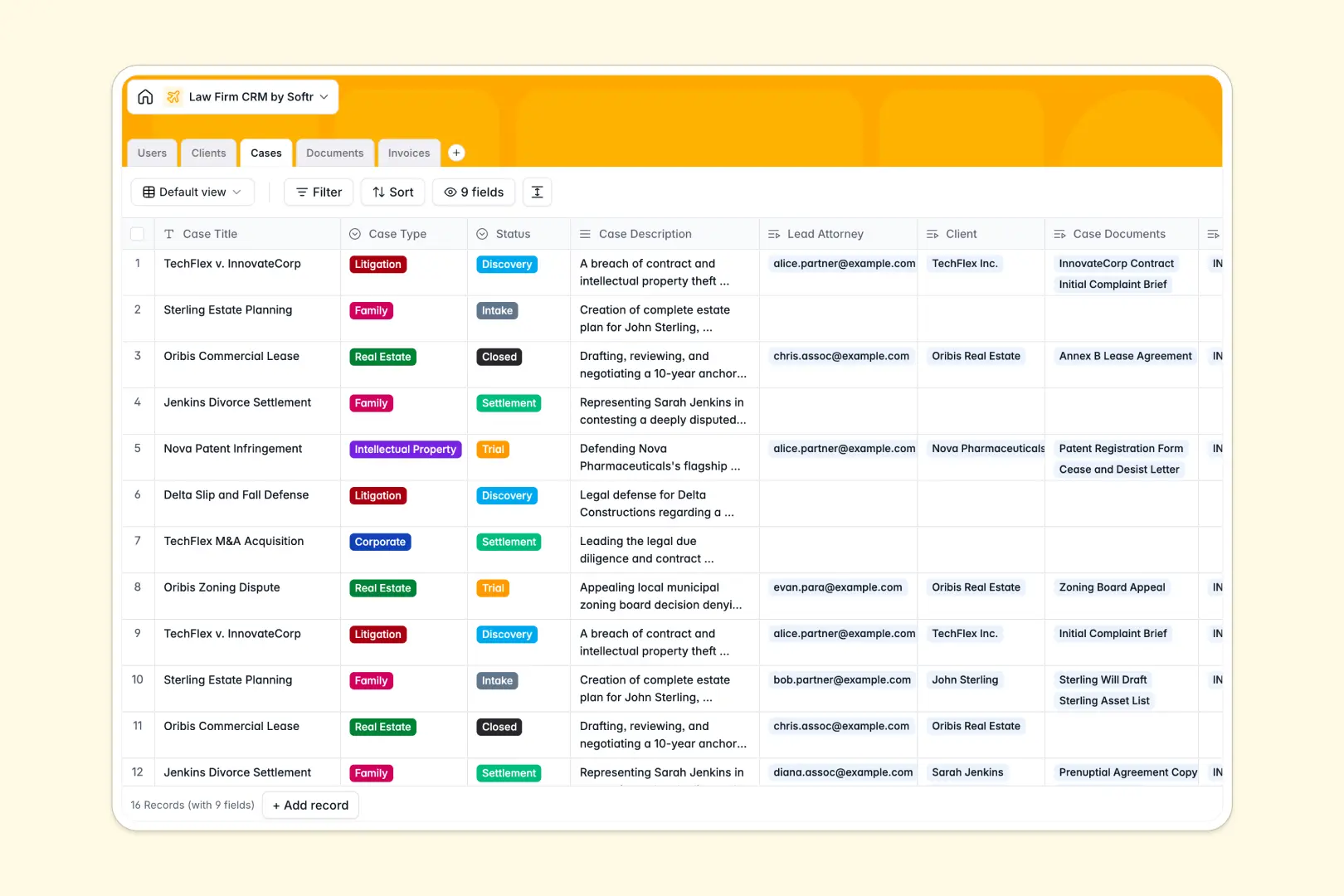
Your Law Firm CRM database at a glance
Streamline your entire legal practice from client intake to case closure. This template delivers an intuitive way to manage cases, associate lead attorneys, track billable invoices, and catalog crucial case evidence in one centralized space.
Keep track of your staff directory, connect clients to active litigation, and watch relationships stay updated contextually. Your team stays aligned on deadlines, invoices, and case details with linked tables that reflect changes instantly.
Built-in intelligence makes organizing information effortless. Database AI agents analyze court filings to tag risk levels automatically, generate quick 3-bullet summaries of long case descriptions, and research public websites to write clear client background profiles instantly.
What to check before building your Law Firm CRM base in Airtable
Many legal teams default to Airtable when building a custom matter management system. While they are right to choose a database over a spreadsheet for complex connections, several limits can put a strain on growing practices.
First, Airtable charges per collaborator, which penalizes sharing case data with partners, associates, and administrative staff. To keep costs down, firms are forced to restrict access, creating information silos.
What changes with a database built for apps
This is exactly what Softr Databases are designed to solve. When you use this template, your whole practice can collaborate without worrying about rising costs, as all plans feature unlimited collaborators.
Additionally, you get built-in tools to transition your structural data into functional portals. Rather than stitching third-party services together to build safe customer-facing spaces, you can easily control access permissions in the same app.
What you can do with this template
- Track interconnected matters: Link clients, legal files, invoices, and lead attorneys under a single case folder without breaking complex relationships.
- Automate background work: Let AI agents extract document information, compile context, and determine case risk indicators to save hours of manual review.
- Run a faster practice: Monitor billing statuses from draft to paid directly alongside active client profiles.
-
Users
Track team members with roles, emails, and assigned legal cases
-
Clients
Manage contacts with contact details and AI-generated background summaries
-
Cases
Organize litigation matters with status tracks and AI-powered case summaries
-
Documents
Centralize case files and evidence with AI-evaluated risk level classifications
-
Invoices
Handle billing workflows with financial records, client links, and payment tracking
Who is this Law Firm CRM database for
- Boutique Law Firms: Keep cases organized, track billable hours, and store trial evidence cleanly without complex software setups.
- Solo Practitioners: Run a professional practice by automating client summaries and managing documentation in a single, scalable view.
- Legal Operations Managers: Centralize staff directories and track invoice statuses from draft to payment to maintain healthy cash flow.
- In-House Legal Counsel: Organize corporate contracts, track open disputes, and quickly summarize external legal briefs using integrated AI tools.
How to take it further
Customize the database
Tailor the template to fit your specific practice areas. You can quickly add new select choices to the Case Type field (like Probate or Employment) or include custom currency tracking for retainer balances directly inside the secure, visual editor.
Import your existing data
Move your historical client rosters and active case notes into the platform in seconds. You can upload files directly via CSV formats or use the API to sync live matter records from other scheduling tools.
Build a full app around it
Once you are comfortable with your structured data, you can easily build an app on top of this database. Turn your backend CRM into an interactive Client Portal where external clients safely view their own invoice records and upload pending court filings.
With granular users and permissions, you decide exactly who views or edits case details. Your associates can view only their assigned files, while managing partners access firm-wide billing summaries, keeping all sensitive legal information safe.
-
1
-
2
-
3
-
4
Frequently asked questions
-
What is a law firm CRM database?
-
Why use a no-code database to build a law firm CRM?
-
How can AI help managing data for a law firm CRM?
-
Can I build an app with this Law Firm CRM database?
-
Is this Law Firm CRM template free?
-
How is this template different from an Airtable template?
Start building today. It's free!
Build and launch your first app in under 30 minutes.