


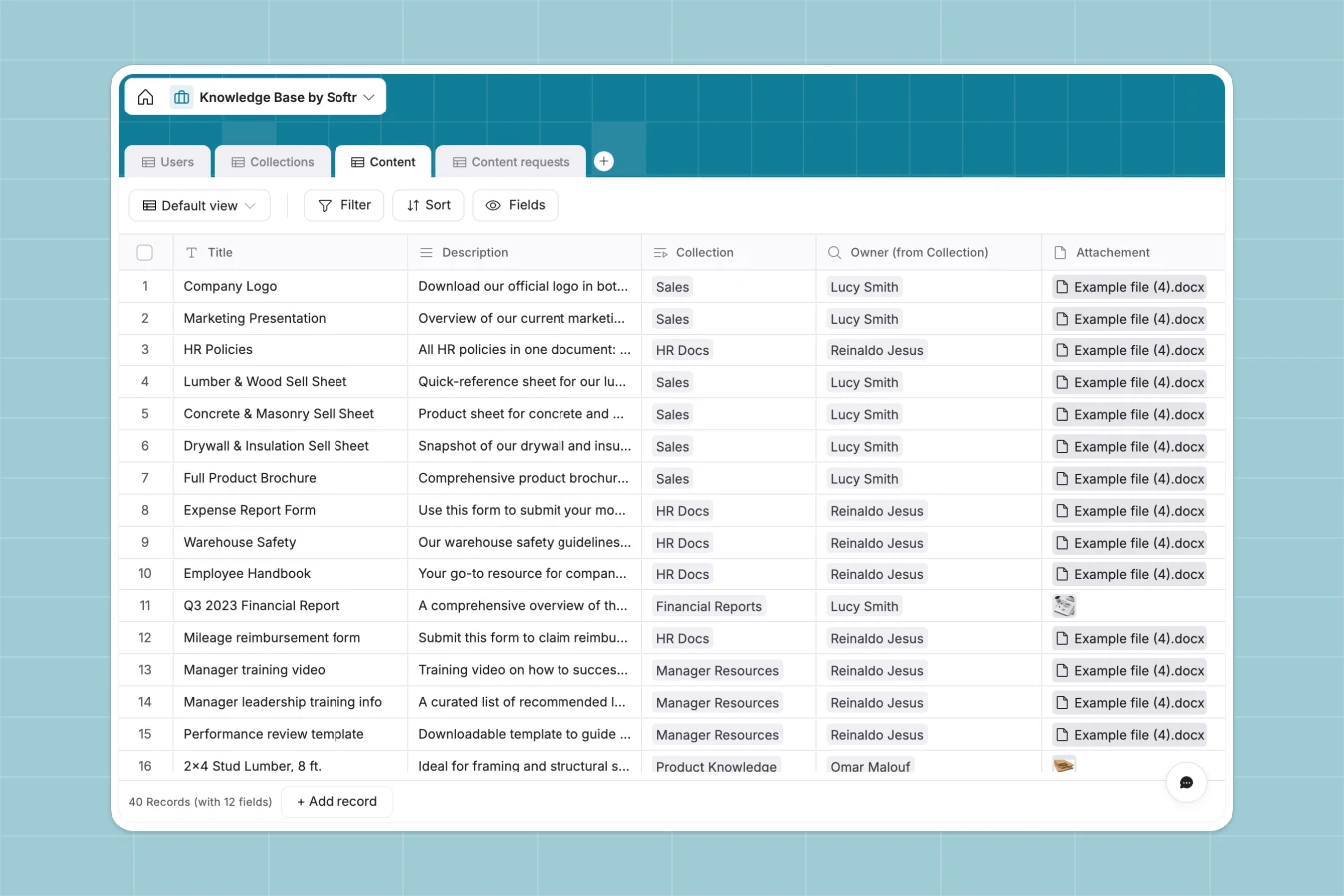
Your Knowledge Base database at a glance
This template helps you centralize internal documentation, company wikis, and reference materials in one organized system. Track draft submissions, link resources to specific collections, and make information easy for your team to find.
Your knowledge base is built on structured tables like Users, Collections, and Content. These tables connect natively so you can see exactly which department owner manages each resource group.
What to check before building your knowledge base in Airtable
While Airtable provides relational tables, setting up a team-wide wiki means navigating some hard trade-offs that don't always align with growing projects.
What changes with a database built for apps
Airtable charges per collaborator, meaning that granting editing or submission access to your entire company becomes expensive very quickly. With Softr Databases, you get unlimited collaborators on all plans so your whole team can contribute freely.
Instead of stitching multiple tools together to build a secure reader portal, you can run your database and build your interfaces natively in one platform. Plus, you avoid Airtable's record limits and restrictive API ceilings as your article library scales.
What you can do with this template
Easily group database records like structural files, product categories, and department assets into clean, searchable collections. You can also monitor incoming content suggestions using the built-in Content Requests table to keep resources up to date.
-
Users
Manage user profiles, team roles, contact info, and contributions
-
Collections
Organize knowledge base articles and files into thematic groups
-
Content
Store documentation, product details, specs, and knowledge assets
-
Content requests
Track requests from team members for new documentation or answers
Who is this Knowledge Base database for
This database template is built for teams that need a reliable, structured way to store and retrieve company documentation.
- Customer Service Teams: Maintain accurate troubleshooting guides and product category details to resolve customer tickets faster.
- HR and Operations Managers: Organize company wikis, policies, and onboarding guides in one central location.
- Product and IT Teams: Keep release notes, technical specs, and software setup resources transparent across departments.
How to take it further
1. Customize the database
Modify the product category selection list or add new custom fields like review cycles directly within the editor. You can easily adapt this template to fit your company's taxonomy.
2. Import your existing data
Upload your existing resources from legacy wikis or spreadsheets in seconds using the direct CSV tool. You can also connect to external data sources using API integrations.
3. Build a full app around it
When you are ready, use our AI app generator to turn this database into a secure search portal with only a simple prompt. Define customized granular users and permissions so employees only edit documents designated for their specific departments.
-
1
-
2
-
3
-
4
Frequently asked questions
-
What is a knowledge base database?
-
Why use a no-code database to build a knowledge base?
-
How can AI help managing data for your knowledge base?
-
Can I build an app with this knowledge base database?
-
Is this Knowledge Base template free?
-
How is this template different from an Airtable template?
Start building today. It's free!
Build and launch your first app in under 30 minutes.