


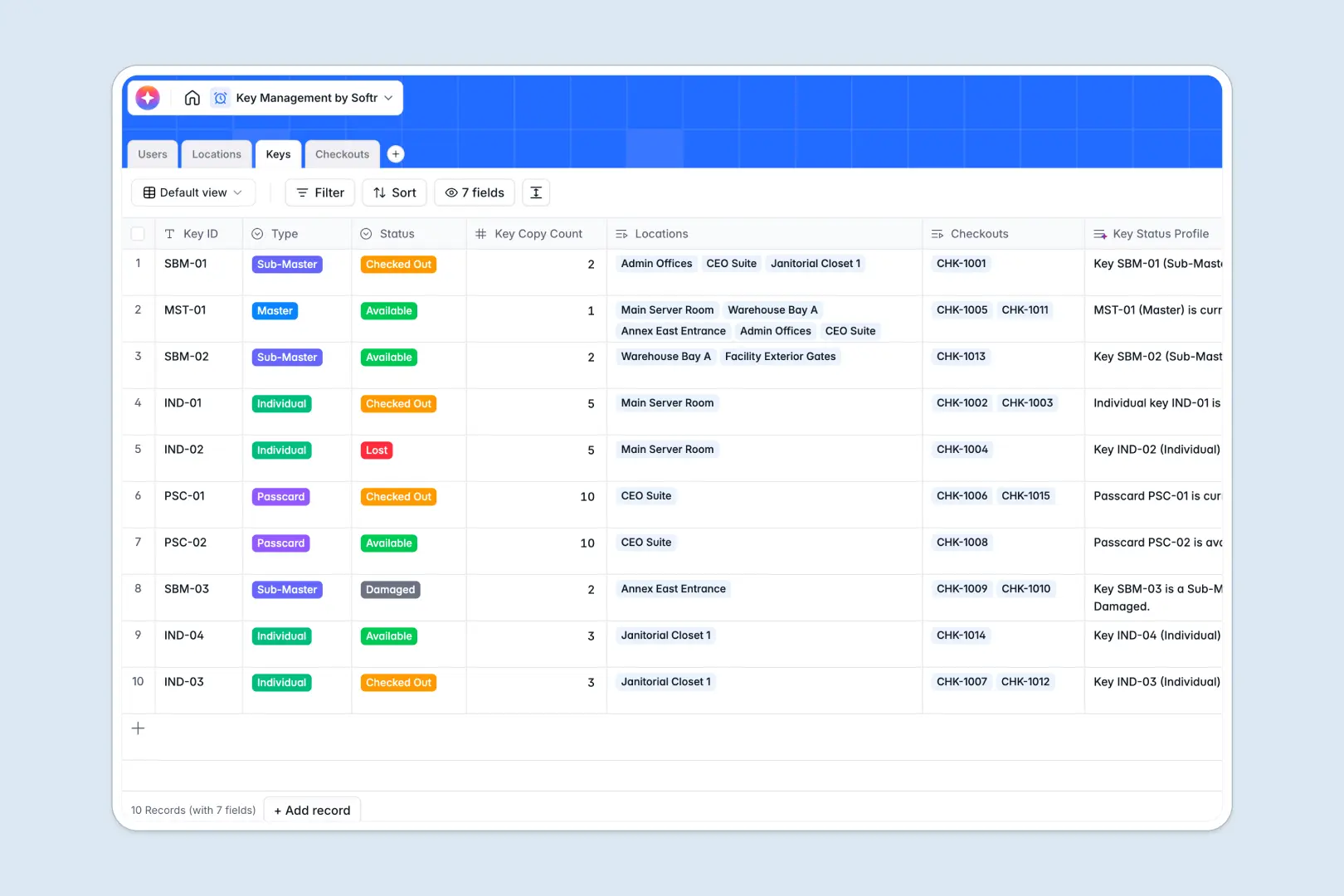
Your Key Management Database at a glance
Track physical key inventory, manage access levels across locations, and log every borrower transaction in real time.
This setup links physical locations, key assignments, and live checkout logs together, so you instantly see who holds which keys without manual checks.
Built-in Database AI agents automatically write security profiles for locations and aggregate status briefs for administrative reviews.
What to check before building your key management base in Airtable
Airtable is a capable relational database, but key management quickly scales to involve multiple team members, operations staff, and external inspectors.
What changes with a database built for apps
Standard tools charge expensive per-seat licenses just for someone to update a checkout status or search a location. Softr Databases allow unlimited collaborators on all plans so your entire team can log returns without inflating your monthly bill.
Additionally, physical asset tracking requires secure access control. Instead of paying extra for third-party extensions to limit what users see, Softr lets you build accessible interfaces on top of your data naturally.
What you can do with this template
Monitor physical asset states across customized security levels and locations like server rooms or administrative annexes.
Run built-in Database AI agents inside your fields to summarize incidents and assess security profiles when checkouts update.
-
Users
Track system users and personnel authorized to request and borrow physical keys
-
Locations
Manage access points and generate AI summaries of location security profiles
-
Keys
Track physical key inventory with AI-generated status summaries on key copies
-
Checkouts
Log key issuances with AI-generated incident summaries for management review
Who is this Key Management database for
This database keeps physical security operations smooth and professional.
- Facilities Managers: Easily audit which master keys are overdue and who holds them.
- Security Teams: Track restricted access areas and generate automated incident summaries.
- Operations Personnel: Check keys in and out for team members without clumsy paper sheets.
How to take it further
1. Customize the database
Add specific columns for physical serial numbers, customize location areas, or set up new security classifications. Every field can be renamed, edited, or restructured in seconds.
2. Import your existing data
Bring in data from existing spreadsheets using a direct CSV import to get up and running instantly. Connect external APIs to sync existing personnel lists from other company directories.
3. Build a full app around it
When your team is ready, go from record keeping to an active operator portal. Use the AI app generator to generate a secure application on top of this exact database.
Set up strict users and permissions so keys can be requested and checked out directly through user logins, keeping master inventory hidden from normal users.
-
1
-
2
-
3
-
4
Frequently asked questions
-
What is a key management database?
-
Why use a no-code database to build a key management system?
-
How can AI help managing data for key management?
-
Can I build an app with this key management database?
-
Is this Key Management template free?
-
How is this template different from a key management Airtable template?
Start building today. It's free!
Build and launch your first app in under 30 minutes.