


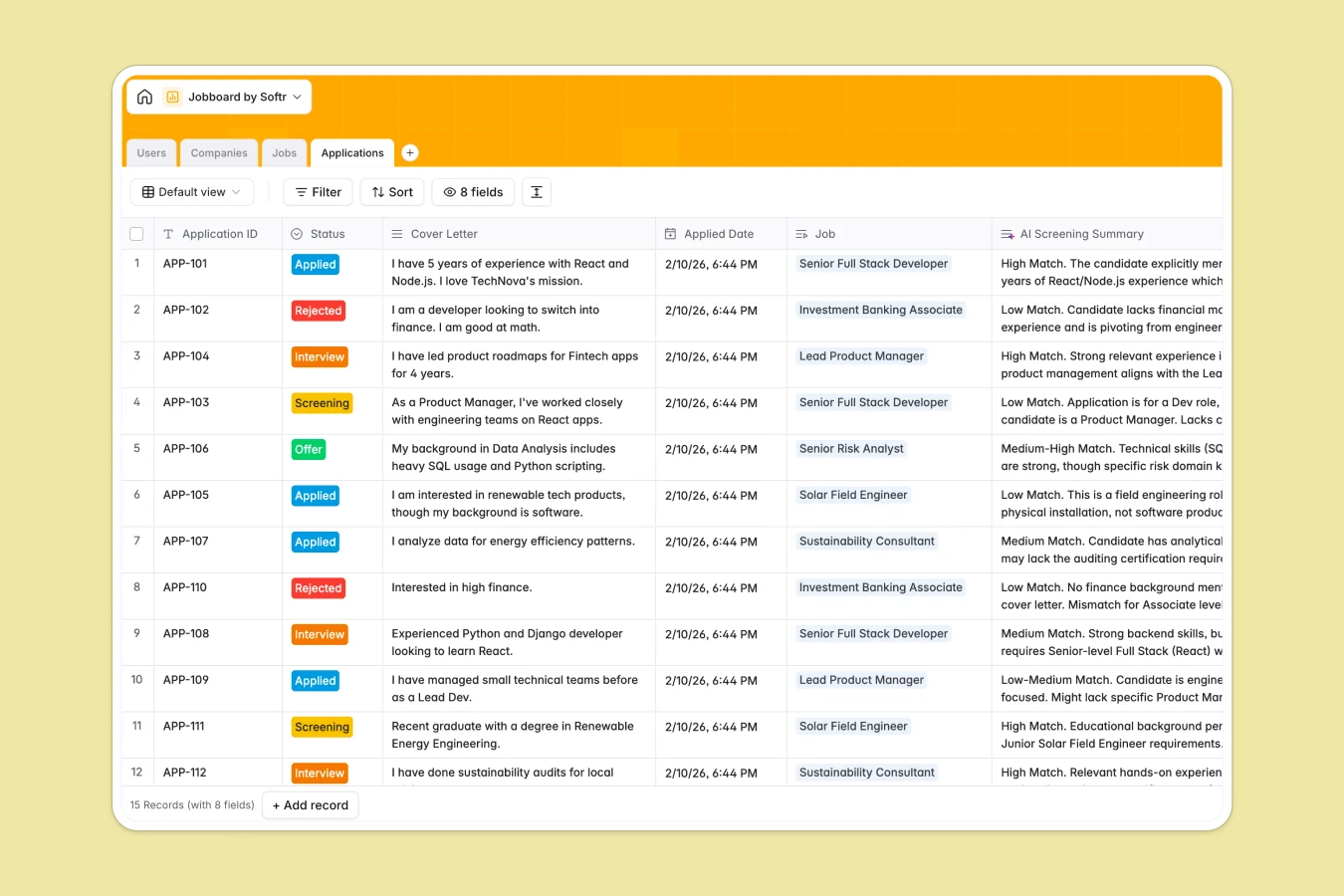
Your Jobboard database at a glance
This ready-to-use template helps you manage an entire recruiting marketplace in one clean, structured space. It organizes files, relationships, and user roles seamlessly so you can focus on connecting the right talent with top companies.
Everything is connected logically: companies link to jobs, jobs connect to applicants, and candidates attach resumes to their profiles. The structure is built with specific roles—Candidates, Recruiters, and Admins—to make data management clear and simple.
AI agents are built directly into this template to handle recruitment busywork. It automatically finds and fills company bios, determines the correct industry from a company website, drafts job descriptions, and summarizes candidate fit from cover letters.
What to check before building your job board in Airtable
While Airtable is a powerful tool for relational data, managing a growing job board there often introduces unexpected challenges.
What changes with a database built for apps
Using Airtable as the engine for a job board gets expensive and complex as you scale. Airtable's per-seat pricing means your costs spike when recruiters or admins need data access, while capped record limits and API restrictions constrain your growth.
This is exactly what Softr Databases are designed to solve. Our database scales to 200,000 records per database with a high-performance API and unlimited collaborators on all plans—saving your budget as your platform grows.
Instead of stitching third-party portal tools onto your data tables, everything exists in one unified platform. You get database tables, built-in automation, and native application layouts connected under one roof.
What you can do with this template
This template lets you immediately organize companies, active job listings, and application stages in structured tables. Because relationships are native, matching a candidate's profile to a job application happens instantly without broken lookups.
Built-in Database AI agents do the heavy lifting for you by scanning external websites to enrich company details and summarizing cover letters to screen candidates automatically. It is ready for you to customize, filter, and modify labels to fit your specific niche.
-
Users
Track candidates, recruiters, and admins with resumes and links
-
Companies
Manage employer profiles with AI-generated bios and industry tags
-
Jobs
Publish roles with salary scales and AI-written job descriptions
-
Applications
Track candidacy pipelines alongside AI-powered screening summaries
Who is this Jobboard database for
- Niche Community Leaders: Monetize your audience by launching a curated job directory for your specific industry.
- Recruitment Agencies: Streamline how you track candidate pipelines, client company info, and open client roles.
- HR Departments: Maintain an internal careers portal and track inbound candidate applications in one central space.
- Startup Accelerators: Build a directory to help portfolio companies list open roles and share talent pools.
How to take it further
Customize the database
Modify this template in seconds by adding custom fields, altering job classifications, or updating candidate statuses. Since it is a native Softr Database, you can adjust selections and visual tables instantly without breaking any underlying data connections.
Import your existing data
If you already have a list of companies or jobs in a spreadsheet, you can import them instantly via CSV upload. You can also connect external services via API to sync real-time application updates directly into your database tables.
Build a full app around it
When you are ready to make this database interactive, you can turn it into a secure, functional portal. Use the AI app generator to instantly generate front-end interfaces, candidate request forms, and recruiter dashboards on top of this exact data.
With granular users and permissions, you decide exactly what candidates see versus what recruiters can edit. Building an app is the natural evolution of your database, allowing users to apply, update profiles, and manage jobs without ever looking at raw tables.
-
1
-
2
-
3
-
4
Frequently asked questions
-
What is a jobboard database?
-
Why use a no-code database to build a job board?
-
How can AI help managing data for your job board?
-
Can I build an app with this jobboard database?
-
Is this jobboard template free?
-
How is this template different from a jobboard in Airtable?
Start building today. It's free!
Build and launch your first app in under 30 minutes.