


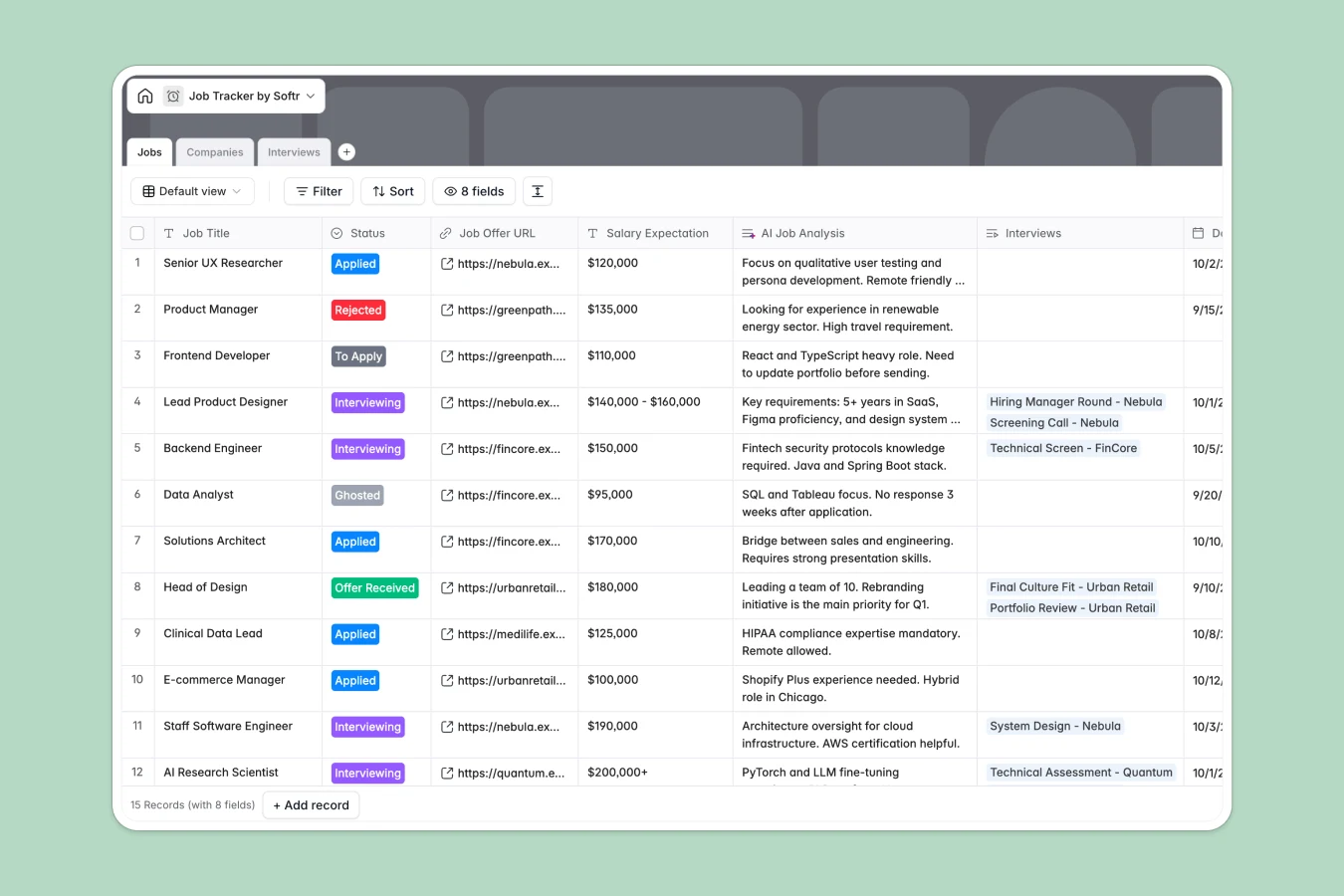
Your Job Tracker Database at a glance
This template allows you to take control of your career search, tracking every single opportunity from your initial discovery to the final signed contract.
Every entity works together: the Jobs table tracks your overall pipeline, which links directly to a Companies directory and your scheduled Interviews log.
You can keep meeting transcripts in one place, capture key notes, and automatically flag high-priority applications without juggling multiple screens.
What to check before building your Job Tracker in Airtable
If you want to track job opportunities, using a relational database with linked tables makes complete sense because copy-pasting company details across rows is painful.
Airtable is a strong database option, but teams and job hunters often run into limits when they want to share, automate, or customize aspects of their tracking flow securely.
What changes with a database built for apps
When you use this template with Softr Databases, you obtain the same relational structure but with the freedom to scale with unlimited collaborators on all plans.
You can easily transition your structured sheets into a streamlined internal directory or candidate portal when sharing your status with mentors, referrers, or team members.
What you can do with this template
- Stay on top of deadlines: Set dates for when you applied, log recruiter names, and track status flags like "Interviewing" or "Offer Received" dynamically.
- Keep an audit trail of meetings: Link transcripts to individual interviews and highlight follow-up actions like automated reminders for thank-you notes.
-
Jobs
Track job applications with status, salary and AI-powered role analysis
-
Companies
Manage potential employers with corporate details and application history
-
Interviews
Log upcoming meetings and review transcripts with AI-powered summaries
Who is this Job Tracker database for
- Active Job Seekers: Keep track of multiple applications, salary expectations, and interview feedback in one cohesive, easily searchable database.
- Career Coaches & Mentors: Manage progress boards for multiple candidates simultaneously and suggest specific companies or open spots.
- Recruitment Agencies: Monitor which candidates are interviewing at specific client companies and track the progression of offers.
How to take it further
1. Customize the database
Feel free to customize the default column properties within seconds. You can edit select options, add a salary package breakdown, or include a custom rating system for cultural fit without writing code.
2. Import your existing data
If you have a backlog of roles, you can quickly import everything via a CSV file. It takes just a few clicks to map your existing columns to this schema and get up and running instantly.
3. Build a full app around it
Once your data is ready, you can easily use Softr's AI app generator to turn this database into a client-ready portal or personal workspace. You can set up custom users and permissions to control who sees sensitive salary details while allowing mentors to add feedback on your interviews.
-
1
-
2
-
3
-
4
Frequently asked questions
-
What is a job tracker database?
-
Why use a no-code database to build a job tracker?
-
How can AI help managing data for your job tracker?
-
Can I build an app with this job tracker database?
-
How is this template different from an Airtable template?
-
Is this Job Tracker template free?
Start building today. It's free!
Build and launch your first app in under 30 minutes.