


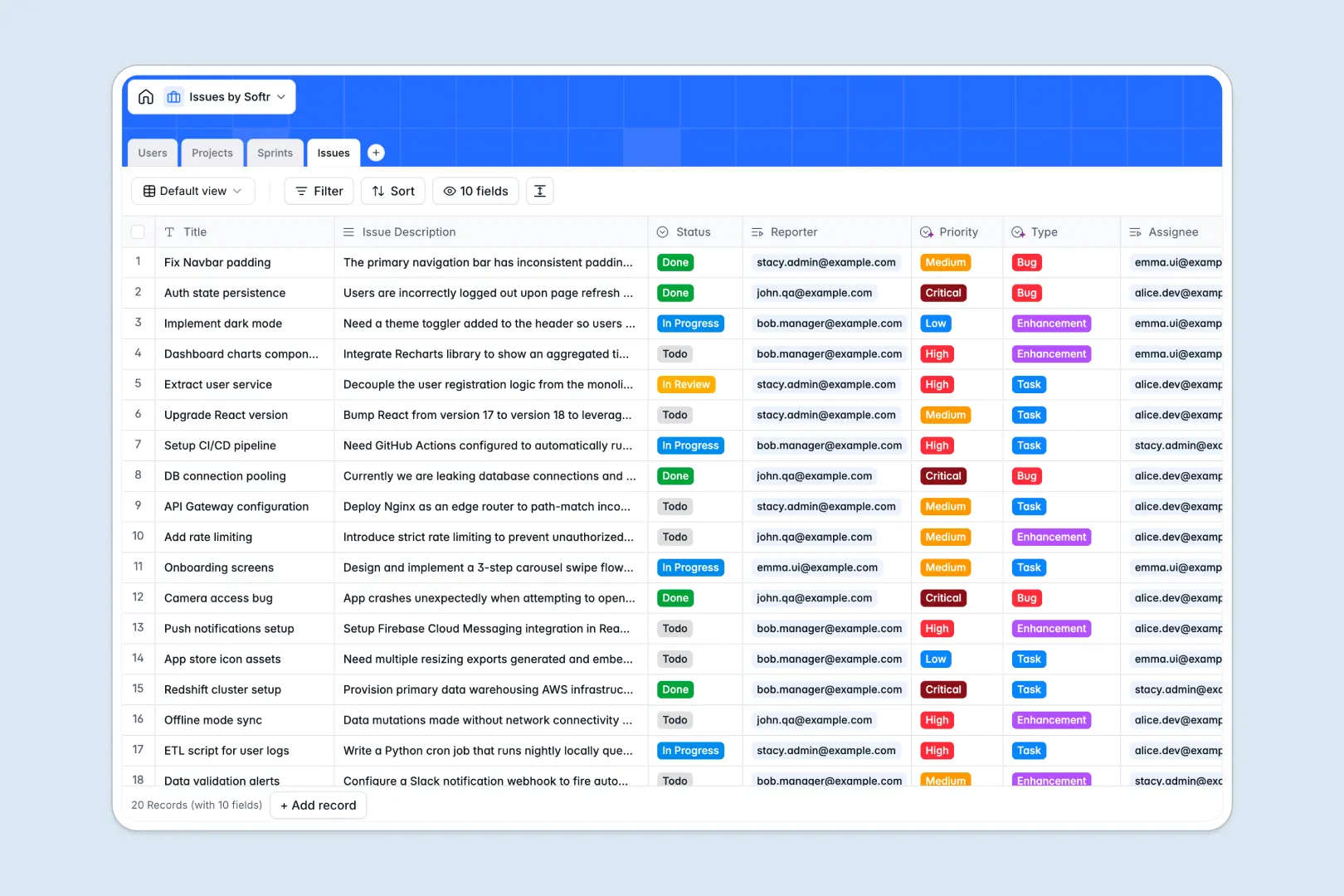
Your Issues Database at a glance
Track software bugs, feature requests, and daily development tasks efficiently on a clean interface. Keep your product and engineering teams fully aligned in one native database.
Connect your development lifecycle seamlessly under one structure. Link high-level Projects to Sprints, assign specific Issues to team Users, and manage progress statuses cleanly.
Native AI fields also automatically analyze issue descriptions to categorize ticket types, prioritize urgency levels, and summarize tasks without manual triage.
What to check before building your issues base in Airtable
Airtable is a highly capable relational database, making it a great choice for tracking structured workflows. However, scaling issue management across cross-functional teams often reveals hidden trade-offs.
What changes with a database built for apps
Many teams find that as more developers, QA testers, and product managers need to report and update bugs, Airtable's per-seat pricing quickly becomes prohibitive.
In contrast, Softr Databases support unlimited collaborators on all plans, allowing your entire organization to submit and update tickets without extra licenses. You also escape strict record caps and enjoy a much faster API limit.
Crucially, instead of paying for extra middleware to build portals for external clients or internal teams, Softr gives you the interface, access permissions, and automated workflows natively in one unified platform.
What you can do with this template
Start tracking right away with pre-built relationships between users, sprints, and issues.
Put task categorization on autopilot. With precise Database AI agents, this database instantly labels ticket types, estimates priority, and writes concise task summaries from raw descriptions.
Easily import your existing records via CSV to quickly transition from setup to immediate everyday staging.
-
Users
Track internal team members with roles, contact details, and assigned project issues
-
Projects
Manage high-level project scopes with AI-powered framework insights and metrics
-
Sprints
Organize short agile delivery cycles with goals, timelines, and linked tickets
-
Issues
Track development tickets using AI to summarize descriptions and classify priorities
Who is this Issues database for
Managing backlogs requires collaborative transparency across multiple roles.
- Product Managers: Outline clear project scopes, structure sprint goals, and prioritize backlog tickets.
- QA Engineers: Report bugs systematically and link them immediately to projects and active sprints.
- Development Leads: Assign tickets to developers, monitor team workload, and track sprint velocity cleanly.
- Operations Teams: Keep stakeholders updated on bug fixes and technical enhancements without giving full database access.
How to take it further
1. Customize the database
Adapt this layout to your exact sprint framework. You can rename statuses, add customized priority labels, or include custom fields for browser details or system logs in seconds.
2. Import your existing data
Bring in your historical development data effortlessly. Migrate your active backlog using the simple CSV uploader or configure native keys to import details from your existing tracking tools.
3. Build a full app around it
When you are ready to scale, build custom portals visually. Describe your ideal ticket dashboard in one prompt to generate an app with AI on top of this exact database, keeping external clients and developers securely in sync.
Configure granular users and permissions to control who can edit codebase tickets, view sprint goals, or report new system issues.
-
1
-
2
-
3
-
4
Frequently asked questions
-
What is an issues database?
-
Why use a no-code database to build an issue tracking system?
-
How can AI help managing data for issues?
-
Can I build an app with an issues database?
-
Is this issues template free?
-
How is this issues tracker different from an Airtable template?
Start building today. It's free!
Build and launch your first app in under 30 minutes.