


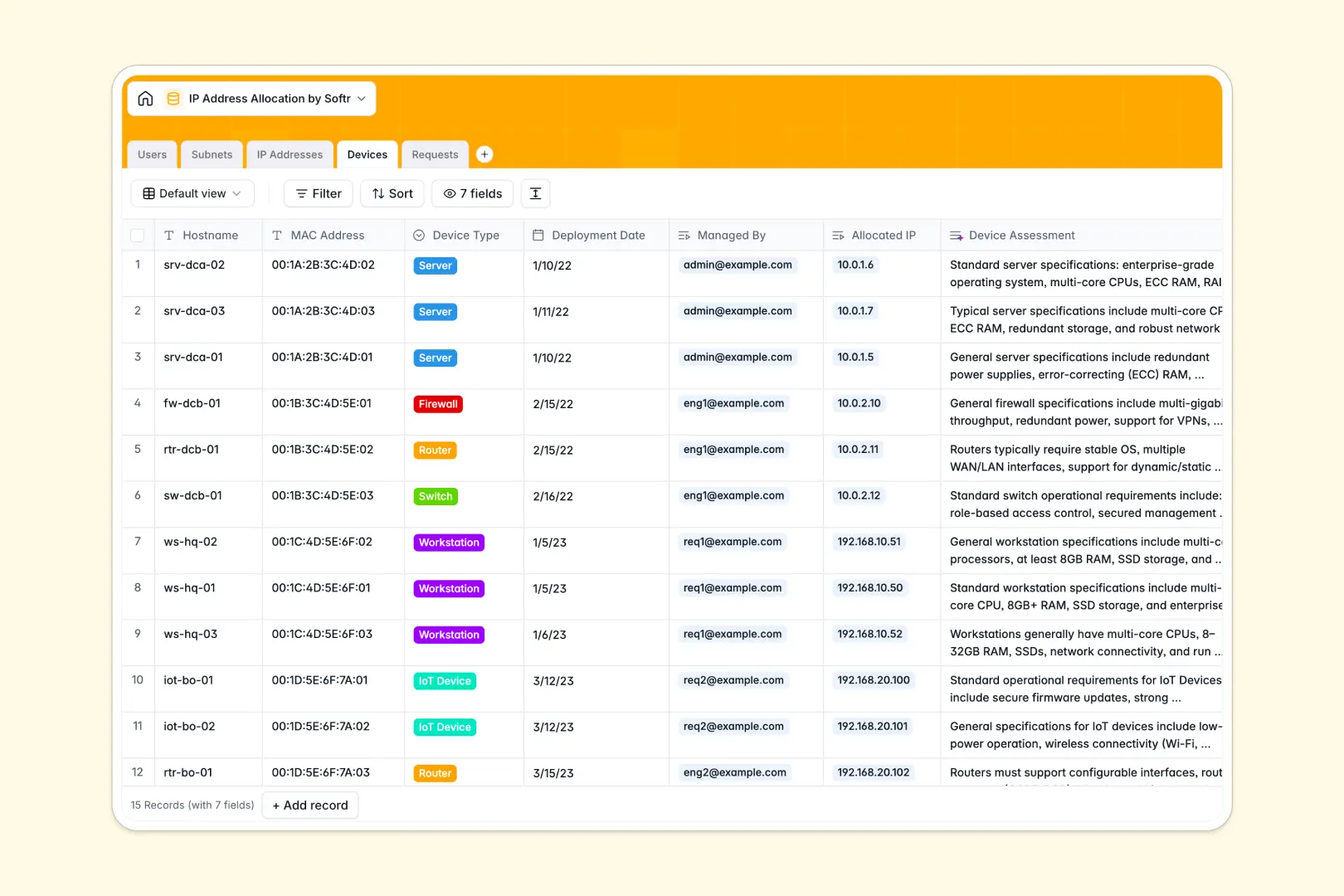
Your IP Address Allocation database at a glance
Manage your network's IP address allocation in a structured space. This template connects subnets, individual IP addresses, devices, and requests so you never suffer from IP conflicts or poor visibility.
Keep track of network blocks like CIDR blocks with locations like Data Center A or Cloud. Network engineers and administrators can process IP assignment requests while tracking which specific devices map to each address.
Built-in automation simplifies your workflow. The database automatically categorizes device specs, summarizes justifications, and provides instant calculations for allocated and available addresses.
What to check before building your IP allocation base in Airtable
When managing complex network architecture, you need structured tables that connect effortlessly. While spreadsheet grids make it too easy to duplicate IP addresses, a database maintains strict data consistency across your entire inventory.
What changes with a database built for apps
Managing network details in Airtable often hits unexpected pricing walls. The moment you need standard technicians, installers, or other team members to submit requests or view assignments, Airtable's per-seat pricing gets expensive.
Softr Databases allow you to share your data with your entire team with unlimited collaborators on all plans. This design lets you open up read and write permissions to network admins and standard requesters alike without worrying about surging costs.
Additionally, you can run automated logic directly on your tables without complex extensions. The database operates as a single source of truth that grows with your team without record caps holding you back.
What you can do with this template
- Track allocation status: Clearly flag and filter IP addresses by status options like Available, Allocated, Reserved, or Offline.
- Centralize device mappings: Connect hostnames and MAC addresses directly to their assigned IPs and managing engineers.
- Leverage built-in AI intelligence: Automate routine research and documentation using Database AI agents that auto-generate technical device assessments and summarize justification requests instantly.
-
Users
Manage network administrators, engineers, and standard system users
-
Subnets
Track available network blocks and generate AI-powered subnet summaries
-
IP Addresses
Monitor individual IP address allocation status and ping logs
-
Devices
Track resources mapped to IPs with AI-powered web search assessments
-
Requests
Manage IP allocations with AI-summarized user justifications
Who is this IP Address Allocation database for
- Network Administrators: Ensure complete subnets visibility across distributed physical data centers and cloud services.
- Network Engineers: Map individual IP addresses to physical or virtual hardware while ensuring MAC address tracking is accurate.
- IT Management: Validate equipment deployment schedules and approve IP resources safely without resource overlap.
- Operations Teams: Submit formal requests for new server or workstation IP resources with easy justification inputs.
How to take it further
Customize the database
You can modify table categories, update your data center location options, or customize select values like status tags directly within your database. Expanding field options allows you to align the structure with your exact corporate network architecture.
Import your existing data
Avoid manual typing by uploading existing spreadsheets or device registries. Easily migrate your current inventory list using direct CSV imports or automate syncing from other systems via the database API in minutes.
Build a full app around it
When your team is ready, convert this database into a robust internal portal or ticketing hub. Use the AI app generator to turn these tables into a live web app where users submit requests and technicians view subnets.
Set up strict users and permissions to control dashboards. Standard requesters only see their subnets and requests, while administrators gain complete network editing rights—all secured via a single, intuitive interface.
-
1
-
2
-
3
-
4
Frequently asked questions
-
What is an IP address allocation database?
-
Why use a no-code database to build an IP address allocation tool?
-
How can AI help managing data for IP address allocation?
-
Can I build an app with this IP address allocation database?
-
Is this IP Address Allocation template free?
-
How is this template different from an Airtable template?
Start building today. It's free!
Build and launch your first app in under 30 minutes.