


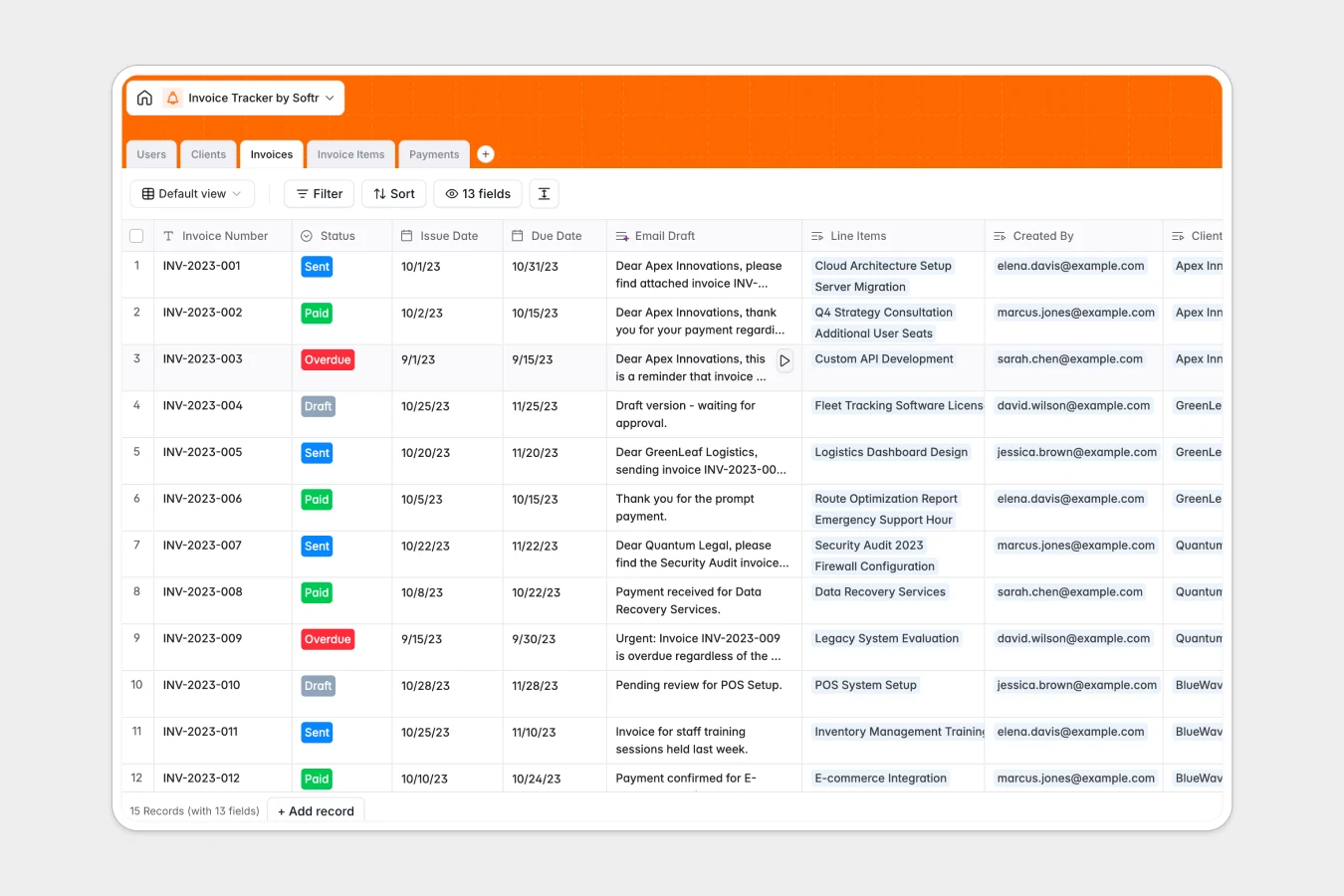
Your Invoice Tracker database at a glance
Streamline your entire billing pipeline by keeping clients, invoices, line items, and payments connected in one clear system. Track outstanding balances, monitor due dates, and update statuses instantly from draft to paid.
This system links your Clients directly to their Invoices and individual line Invoice Items, making it easy to see exactly what services were billed. You can log Payments as they arrive to keep your balance due calculations always accurate.
Built-in intelligent fields automatically handle the heavy lifting. The template uses AI to draft professional collection emails based on invoice status and pulls web-enriched client profiles directly into your dashboard.
What to check before building your invoice tracker in Airtable
While Airtable is a capable relational database, managing billing templates on a platform with per-seat billing can quickly become expensive as your sales, finance, and accounting teams grow. Sharing billing tables with multiple internal roles like Sales Reps and Accountants shouldn't increase your monthly software bill.
What changes with a database built for apps
Instead of paying for every teammate who needs to log a payment or generate an invoice, you need a solution with flat pricing that doesn't limit your growth. Softr Databases give you powerful relational tables with unlimited collaborators on all plans.
This means your entire organization can view and manage live invoicing data without hitting scale ceilings or paying extra for view-and-edit permissions. Plus, keeping your tables and interfaces on a single platform eliminates the complex setup of syncing third-party portals.
What you can do with this template
This ready-to-use template lets you calculate total invoices, track due dates, and manage balance dues without fragile formulas. You can log payments against specific invoice numbers and see client balances update in real time.
Additionally, integrated Database AI agents assist your workflows directly. The database automatically creates customized email follow-ups based on whether an payment is pending, overdue, or successfully paid.
-
Users
Track team members with roles, contact info, and total invoice volume
-
Clients
Manage client details with AI-powered web-sourced company summaries
-
Invoices
Generate invoices and compose professional reminder emails using AI
-
Invoice Items
Detail specific products or services linked as lines on main invoices
-
Payments
Log transaction histories, dates, payment sources and reference keys
Who is this Invoice Tracker database for
- Finance Teams & Accountants: Centralize client billings, verify balance dues, and log multiple payments under one secure hub.
- Sales & Account Managers: Track commissionable client volumes, view outstanding invoice statuses, and monitor accounts independently.
- Operations Leads: Keep line items, payment terms, and vendor databases unified to prevent billing leaking and double-tracking.
How to take it further
Customize the database
Adjust this template to fit your exact business workflows in seconds. You can easily add new fields, customize the billing payment methods, or write new formula columns directly within the database interface without writing a single line of code.
Import your existing data
Bring in your historical records in just a few clicks. Use the CSV import tool to bring in your current list of clients, open invoices, and payment logs, or use the API to sync live financial data from your pre-existing accounting systems.
Build a full app around it
When your team is ready, convert this database into a complete, secure portal. Use the AI app generator to instantly build custom dashboards, user portals, or reporting tools on top of your live data in seconds.
By building an app, you can implement granular users and permissions. This ensures that Sales Reps only see invoices they generated, clients can log in to view paid balances, and the accounting department retains total editing rights over financial databases.
-
1
-
2
-
3
-
4
Frequently asked questions
-
What is an invoice tracker database?
-
Why use a no-code database to build an invoice tracker?
-
How can AI help managing data for my invoice tracker?
-
Can I build an app with this invoice tracker database?
-
Is this Invoice Tracker database template free?
-
How is this invoice template different from an Airtable template?
Start building today. It's free!
Build and launch your first app in under 30 minutes.