


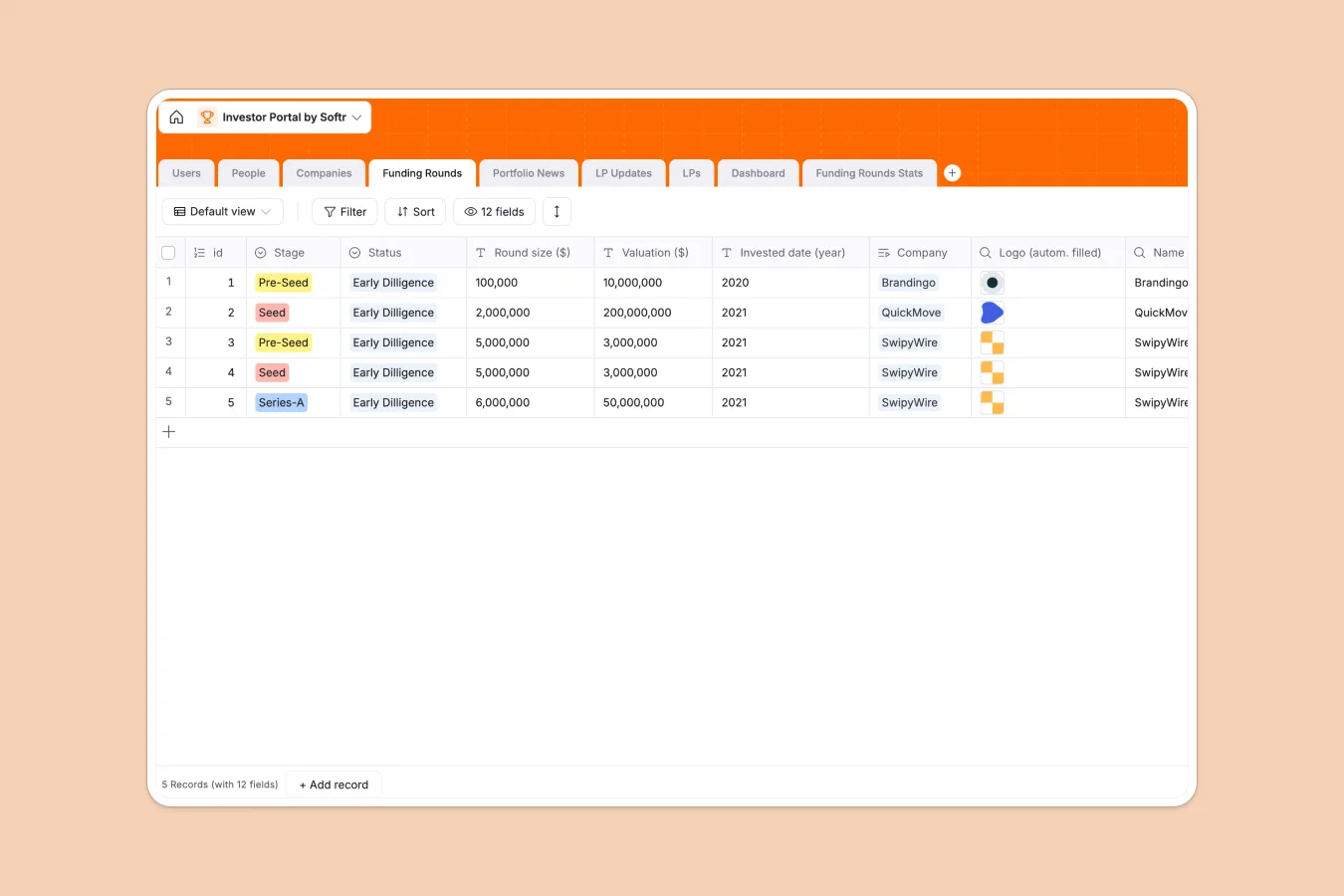
Your Investor Portal database at a glance
Track fund investments, organize portfolio companies, and streamline LP relationship management efficiently. This structure establishes clear connections between limited partners, executive teams, and critical funding records.
Everything is mapped relationaly, matching individual contacts to organization profiles while tracking funding stages and LP update states over time.
What to check before building your investor portal base in Airtable
Choosing a relational database is the smartest move for managing multi-layered financial relationships. But when you need to share those tables securely, tool sprawl and licensing models can quickly complicate your operations.
What changes with a database built for apps
When your network grows, sharing spreadsheets or database files exposes sensitive financial details. Building your fund stack on Softr Databases guarantees that your relationship records remain clean, scalable, and secure.
Unlike traditional engines that charge steep per-seat fees just to show a partner their portfolio performance, you can collaborate with unlimited partners. This lets you grow your list of contacts without facing strict record ceilings or unexpected API bottlenecks.
Keep updates and deal flow moving
Connect portfolio companies with fund stages from Pre-Seed to Series-C, matching contacts with key updates effortlessly.
Furthermore, you can deploy Database AI agents inside your database to browse the web for portfolio press, summarize news articles, or format updates before they get sent out.
-
Users
Manage portal users with assigned administration and associate roles
-
People
Track team members and professional contacts linked to active businesses
-
Companies
Centralize portfolio company profiles, funding stages, and locations
-
Funding Rounds
Monitor investment stages, raising targets, valuations, and deal flow status
-
Portfolio News
Consolidate media articles and updates regarding portfolio developments
-
LP Updates
Organize quarterly letters, documentation, and status reports for partners
Who is this Investor Portal database for
This structured repository is built for venture capital firms and private equity groups streamlining investor relations.
- Venture Capitalists: Monitor seed to growth-stage investments, track portfolio company progress, and organize industry developments in one location.
- Investor Relations Managers: Maintain a single point of truth for Limited Partners, managing communications and secure updates easily.
- Fund Associates: Run due diligence, track aggregate round sizes and valuations, and tie news articles directly to companies.
How to take it further
1. Customize the database
Define your investment stages, add custom industries, or update country selections to fit your unique geographies. Softr Databases let you adjust choice options, append new record fields, and extend formulas easily.
2. Import your existing data
Bring your current venture contacts and portfolio financials over using the fast CSV upload tool. You can also connect external services via API to automate data sync.
3. Build a full app around it
When you are ready to share this data with investors, use Softr to generate an app with AI on top of this schema. This lets you set up secure logins and granular users and permissions so each LP only views their respective documents and yields.
-
1
-
2
-
3
-
4
Frequently asked questions
-
What is an investor portal database?
-
Why use a no-code database to build an investor portal?
-
How can AI help managing data for an investor portal?
-
Can I build an app with this investor portal database?
-
Is this Investor Portal database free?
-
How is this template different from an Airtable template?
Start building today. It's free!
Build and launch your first app in under 30 minutes.