


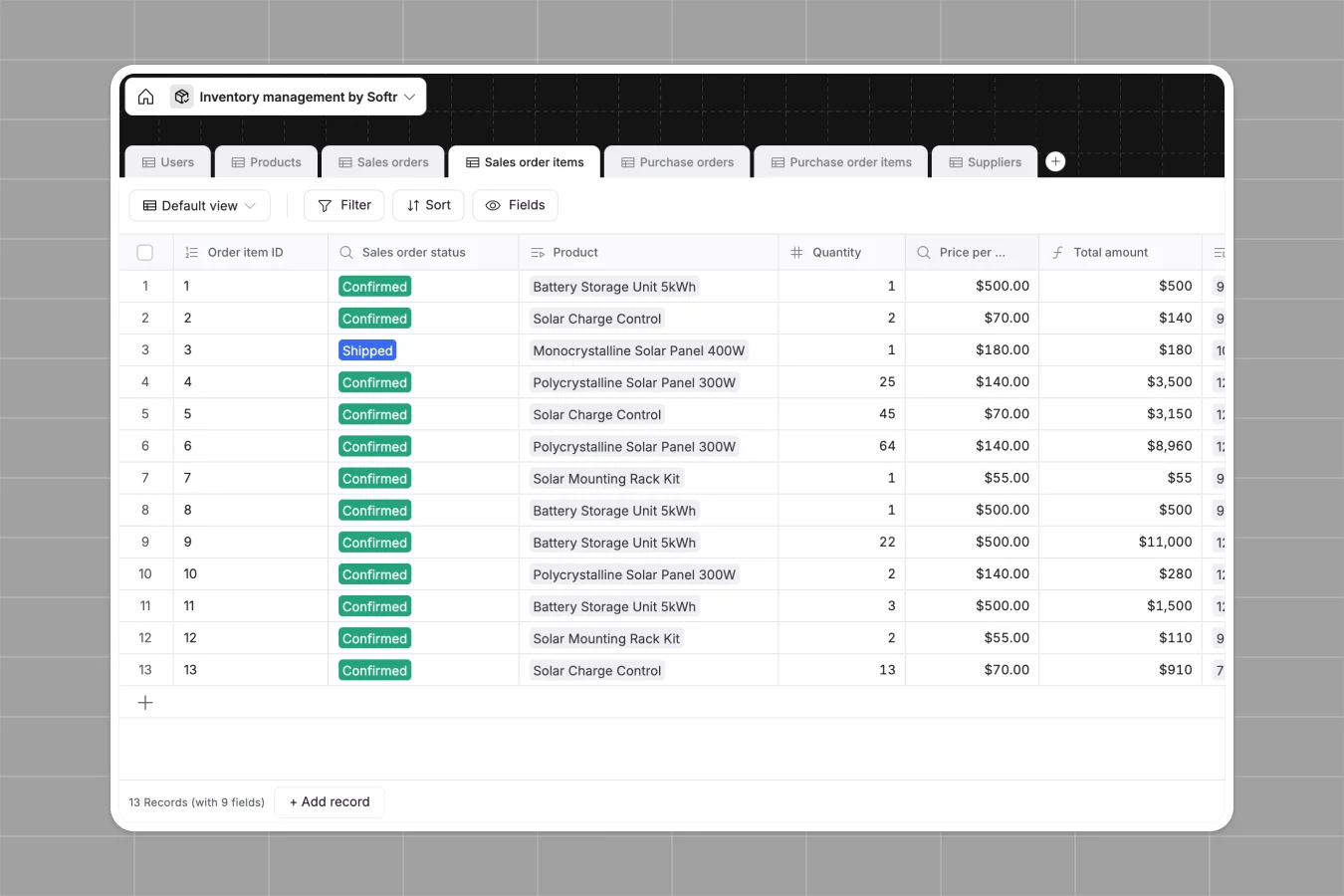
Your Inventory Management Database at a glance
Keep physical stock levels, customer sales, and supplier purchases synchronized in real time. This database bridges the gap between sales activity and warehouse purchasing, protecting your business from stockouts and over-purchasing.
Everything operates on real relationships. Products are linked to specific suppliers, sales orders capture customer details, and purchase orders track incoming supplies automatically as warehouse data changes.
What to check before building your inventory base in Airtable
While databases are the right tool for tracking physical stock, starting your operations in Airtable comes with distinct operational hurdles as your shipping, sales, and warehouse teams grow.
What changes with a database built for apps
Managing critical stock counts across warehouse and sales departments requires daily cross-team collaboration. In Airtable, adding your entire warehouse team, sales reps, and procurement staff quickly becomes expensive due to strict per-seat pricing plans.
Softr Databases remove this friction by supporting unlimited collaborators on all plans. You can store up to 200,000 inventory, product, and purchase records in a single database with a fast API that handles active operations without throttling.
Because the database and the app layer live on the same platform, you do not need to stitch multiple tool stacks together. You can design custom views for sales representatives while keeping supplier purchase orders protected for administrative eyes only.
How this inventory template keeps your team fast
- Live stock formulas: Units available are updated instantly using native formulas that subtract sold products from purchased units.
- Visual warning levels: Track stock safety immediately with formula-driven "Inventory Level" statuses that flag low stock so you can reorder from your linked suppliers.
- Complete order lifecycle: Track sales orders and purchase orders through clear statuses, from drafted procurement and sent receipts to delivered shipments.
-
Users
Manage warehouse and sales staff profiles with roles and contact info
-
Products
Track stock levels, pricing, available units, and financial performance
-
Sales orders
Manage outbound customer sales orders with fulfillment status tracking
-
Sales order items
Detail product quantities and calculations for each customer sales order
-
Purchase orders
Track inbound stock procurement orders with suppliers and status updates
-
Purchase order items
Record specific product quantities and costs for inventory restocking
Who is this Inventory Management database for
- Warehouse Managers: Easily monitor inventory levels, confirm incoming purchase orders, and flag low-stock products.
- Sales Directors: View product availability, look up sell prices, and update sales order statuses from "Confirmed" to "Shipped."
- Procurement Leads: Draft purchasing logs to suppliers, track purchase cost totals, and monitor order due dates in one location.
- Business Owners: Analyze total revenue, costs, and product performance from unified relational tables without broken lookup spreadsheet formulas.
How to take it further
1. Customize the database
You can restructure this database to fit your precise supply chain. Add new custom product categories, modify supplier fields, adjust low-stock warning threshold triggers in formulas, and introduce multi-warehouse select tags.
2. Import your existing data
Bring in historical product sheets, supplier contact tables, or sales directories in minutes. Use the native CSV importer to map columns to the database structure or use our rapid API to sync from existing shipping or e-commerce platforms.
3. Build a full app around it
When your operational needs expand, easily build an app on top of this structured schema. Using Softr's AI Co-Builder, you can describe the workflow platform your team needs in one sentence, and it will generate interactive portal experiences for your warehouse, sales, and procurement personnel.
Establish strict users and permissions so that warehouse workers only edit stock quantities while sales managers focus entirely on customer pipeline delivery records. This well-structured database guarantees that your generated application remains reliable, clean, and highly secure as your team grows.
-
1
-
2
-
3
-
4
Frequently asked questions
-
What is an inventory management database?
-
Why use a no-code database to build an inventory management system?
-
How can AI help managing data for inventory operations?
-
Can I build an app with this inventory database?
-
Is this inventory template database free?
-
How is this template different from an Airtable template?
Start building today. It's free!
Build and launch your first app in under 30 minutes.