


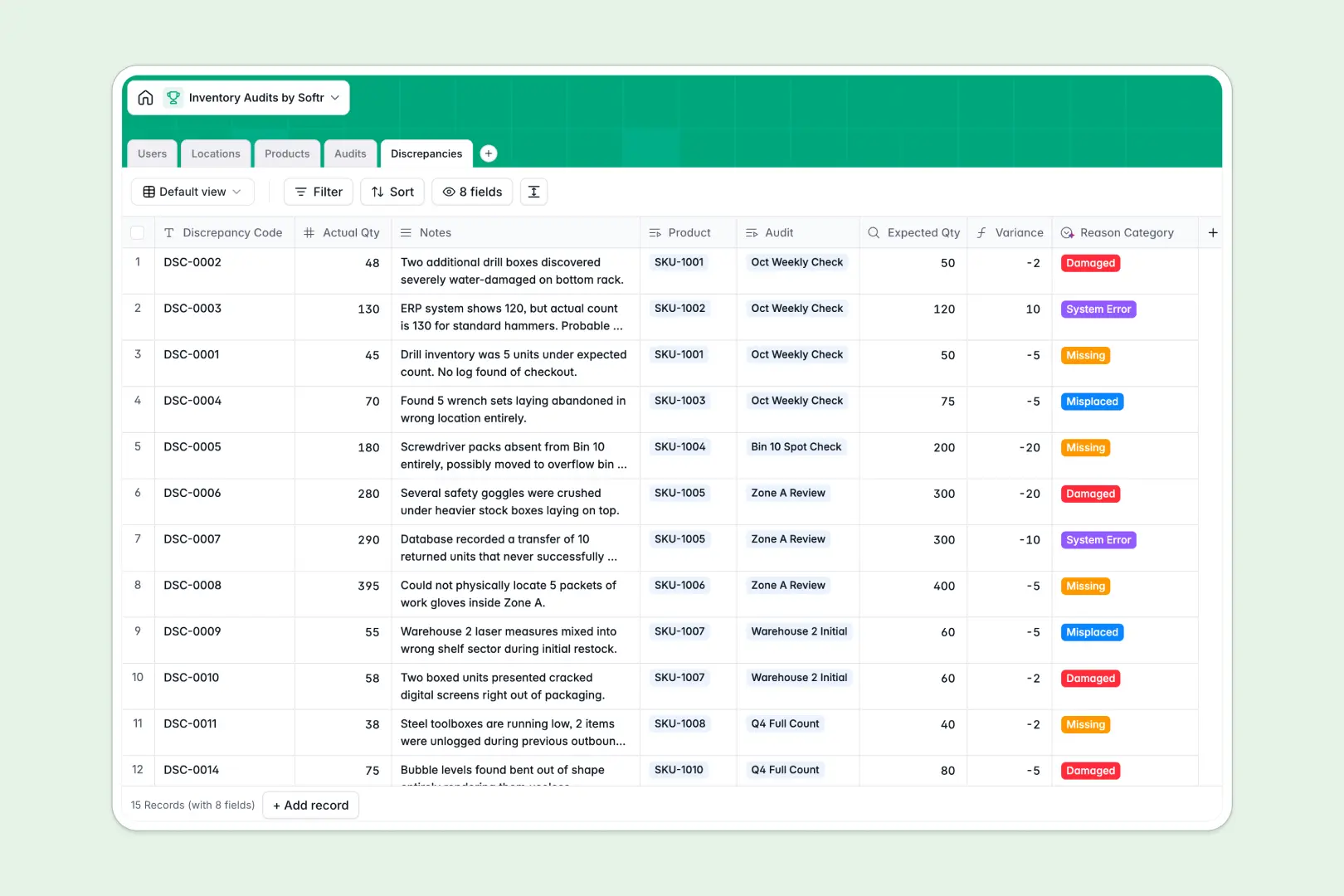
Your Inventory Audits database at a glance
This pre-built template helps you systematically verify and reconcile your physically stored items against expected stock levels. It coordinates auditors, maps exact warehouse locations, and tracks catalog details to ensure total operational accuracy.
By tracking audits, physical locations, master catalog products, and specific discrepancies in connected tables, the template replaces disjointed manual sheets with a single reliable workflow. Native relational links automatically pull expected quantities to calculate exact unit variances.
Built-in AI fields draft product descriptions on the fly, summarize auditor audit notes into key action items, and categorize variance reasons automatically based on raw auditor feedback.
What to check before building your inventory audits base in Airtable
While keeping inventory aligned with digital counts is a logical fit for a relational database, committing your operational records to Airtable carries limitations that run straight to your bottom line.
What changes with a database built for apps
Unlike platforms that charge per collaborator and quickly run up high monthly licensing fees when you allow auditors and warehouse staff to edit records, Softr Databases feature unlimited collaborators on every plan. Your team can update actual inventory numbers directly on the floor without incurring seating fees.
Additionally, enterprise-level warehouses face hard record caps and API speed limits elsewhere. Softr Databases scale comfortably with support for up to 200,000 records per database and a fast, 50-requests-per-second API to feed scanners and barcode apps directly.
Most importantly, turning a database into a working workspace with limited access is not a complex integration project. Softr Databases come with full app generation tools, workflows, and granular access rights in one platform so your template functions instantly as a secure counting system.
Gain automation where your inventory live
Instead of paying for third-party connector scripts to analyze audit results, your counts can automate themselves. Built-in Database AI agents process incoming data directly inside your fields, scanning physical audit notes to automatically tag the variance reason or isolate product groups.
This setup cuts down on manual review cycles, letting warehouse managers review automatically summarized audit findings immediately after an auditor finishes their count run.
-
Users
Manage warehouse administrators and inventory auditors with role assignments
-
Locations
Organize physical layouts from warehouses to bins for targeted audits
-
Products
Track stock levels, values, and generate web-researched AI product profiles
-
Audits
Log planning progress, schedule counts, and draft automated AI summaries
-
Discrepancies
Record stock variances and utilize AI to classify reasons for mismatches
Who is this Inventory Audits database for
- Warehouse Operations Managers: Oversee multi-location zones, schedule routine audit counts, and analyze stock variances.
- Inventory Auditors: Log into clean views, complete assigned audits, and update actual quantities from mobile devices.
- Supply Chain Administrators: Maintain master product catalogs, map location zones, and reconcile high-value stock discrepancies.
How to take it further
Customize the database
To fit your unique facility, customize the database by adding custom location fields, adjusting reason select tags (like Damaged or Missing), or setting up automated formulas for audit costs. You can edit this database directly within Softr to match your exact floor plan.
Import your existing data
You do not need to restart from scratch. Move your master catalog instantly by executing a CSV import or linking to an inventory source using Softr's native API connection so you can run live audits today.
Build a full app around it
When your operations demand more control, you can easily build an app on top of this audit template. Describe the perfect tool in one prompt to let the system generate interfaces, custom portals, and automated workflows connected directly to your tables. Setting up users and permissions ensures warehouse managers can schedule audits while floor staff only view their own assigned checklists, giving you clean data without the spreadsheet clutter.
-
1
-
2
-
3
-
4
Frequently asked questions
-
What is an inventory audits database?
-
Why use a no-code database for inventory audits?
-
How can AI help managing inventory audit data?
-
Can I build an app with this inventory audits database?
-
How does this look compared to an Airtable auditing template?
-
Is this inventory audits template completely free?
Start building today. It's free!
Build and launch your first app in under 30 minutes.