


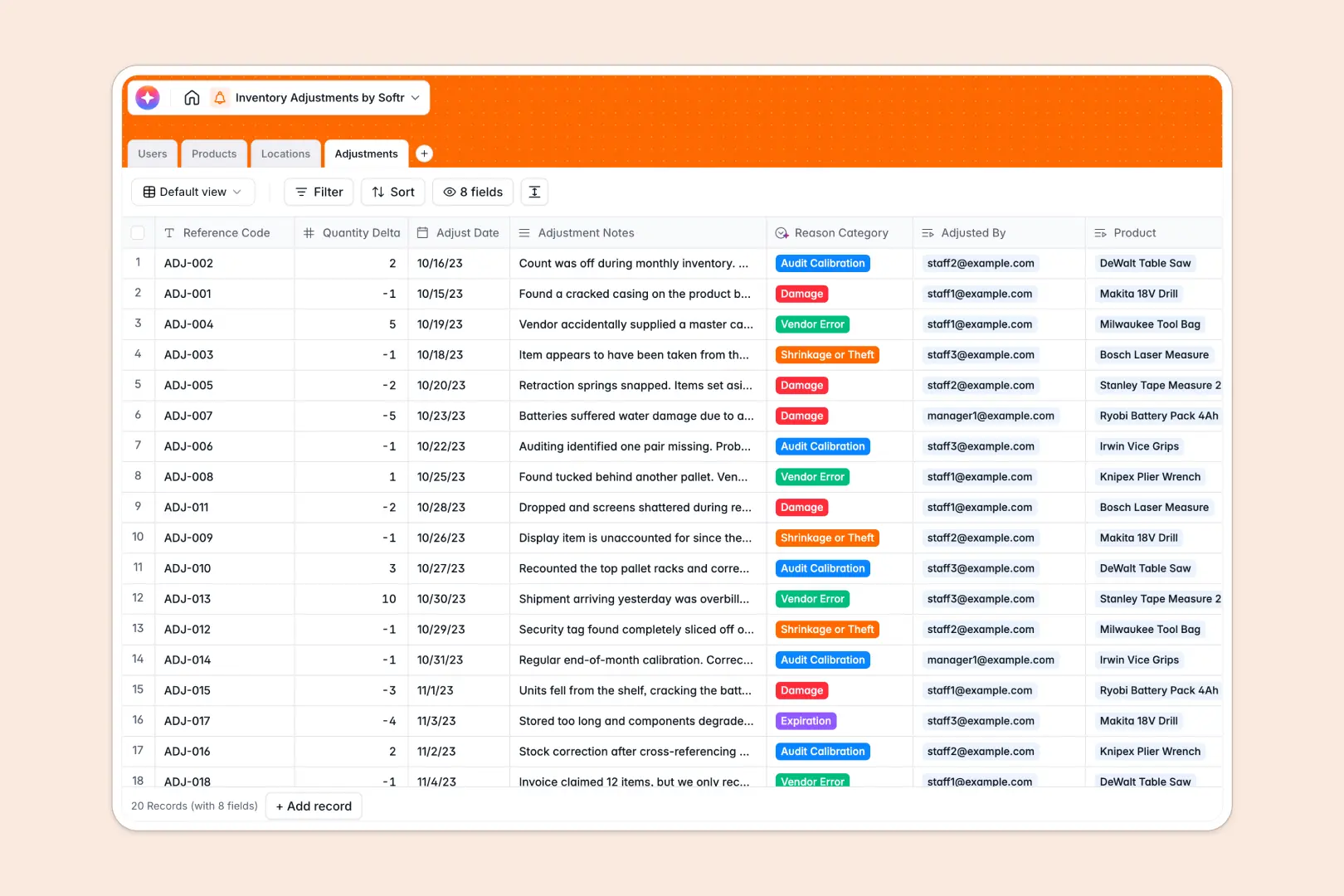
Your Inventory Adjustments database at a glance
Track stock corrections, log shrinkage reasons, and keep your inventory balances accurate in real time without manual tracking errors.
This template connects Products, Locations, and staff Adjustments seamlessly so that every quantity change registers instantly across your system.
Inside, native Database AI agents automatically research external product descriptions and classify adjustment logs into distinct operational categories.
What to check before building your inventory adjustments base in Airtable
While mapping physical stock corrections requires a relational configuration, adding warehouse staffers as database collaborators in other platforms can lead to unexpected costs.
What changes with a database built for apps
When tracking stock discrepancies, you need real-time data entries from operations managers, warehouse staff, and procurement specialists. Charging per-seat for everyone who inputs quantities makes scaling a database highly expensive.
This is exactly why teams build on Softr Databases. You enjoy robust relational structures, native rollups, and auto-calculated fields with unlimited collaborators on every plan.
What you can do with this template
Instantly log quantity deltas and reference codes while the system automatically sums net adjustments across your entire catalog.
Leverage built-in Database AI agents to analyze rough notes and automatically tag reason categories like "Shrinkage or Theft" or "Vendor Error" to run clean inventory audits.
-
Users
Track warehouse staff and managers with roles and logged stock activities
-
Products
Manage catalog items with stock metrics and AI-generated descriptions
-
Locations
Organize storage facilities, zones, and tracking of stored products
-
Adjustments
Log inventory stock changes using AI to categorize the exact reason
Who is this Inventory Adjustments database for
This structured template is built for operations teams that require precise, reliable record-keeping for physical stock movements.
- Warehouse Managers: Log stock corrections instantly, track storage zones, and monitor inventory movements.
- Inventory Controllers: Run rollup calculations on net adjusted quantities and track variance reasons with total confidence.
- Operations Directors: Gain centralized visibility over warehouse logs, shrink categories, and team performance metrics.
How to take it further
Customize the database to match your exact facilities, adding custom zone types or modifying adjustment reasons in just a few clicks.
Import your existing data within minutes by utilizing a secure CSV upload to bring in your active catalog, physical locations, and core inventory lists.
Build a full app around it to secure your warehouse desk. You can transition from raw tables to a clean, mobile-optimized scanning and logging portal.
By using the visual interface builder paired with granular users and permissions, you can grant warehouse staff entry-only access while managers retain full approval metrics.
-
1
-
2
-
3
-
4
Frequently asked questions
-
What is an inventory adjustments database?
-
Why use a no-code database to build an inventory adjustments system?
-
How can AI help managing data for inventory adjustments?
-
Can I build an app with this inventory adjustments database?
-
Is this Inventory Adjustments database template free?
-
How is this template different from an Airtable template?
Start building today. It's free!
Build and launch your first app in under 30 minutes.