


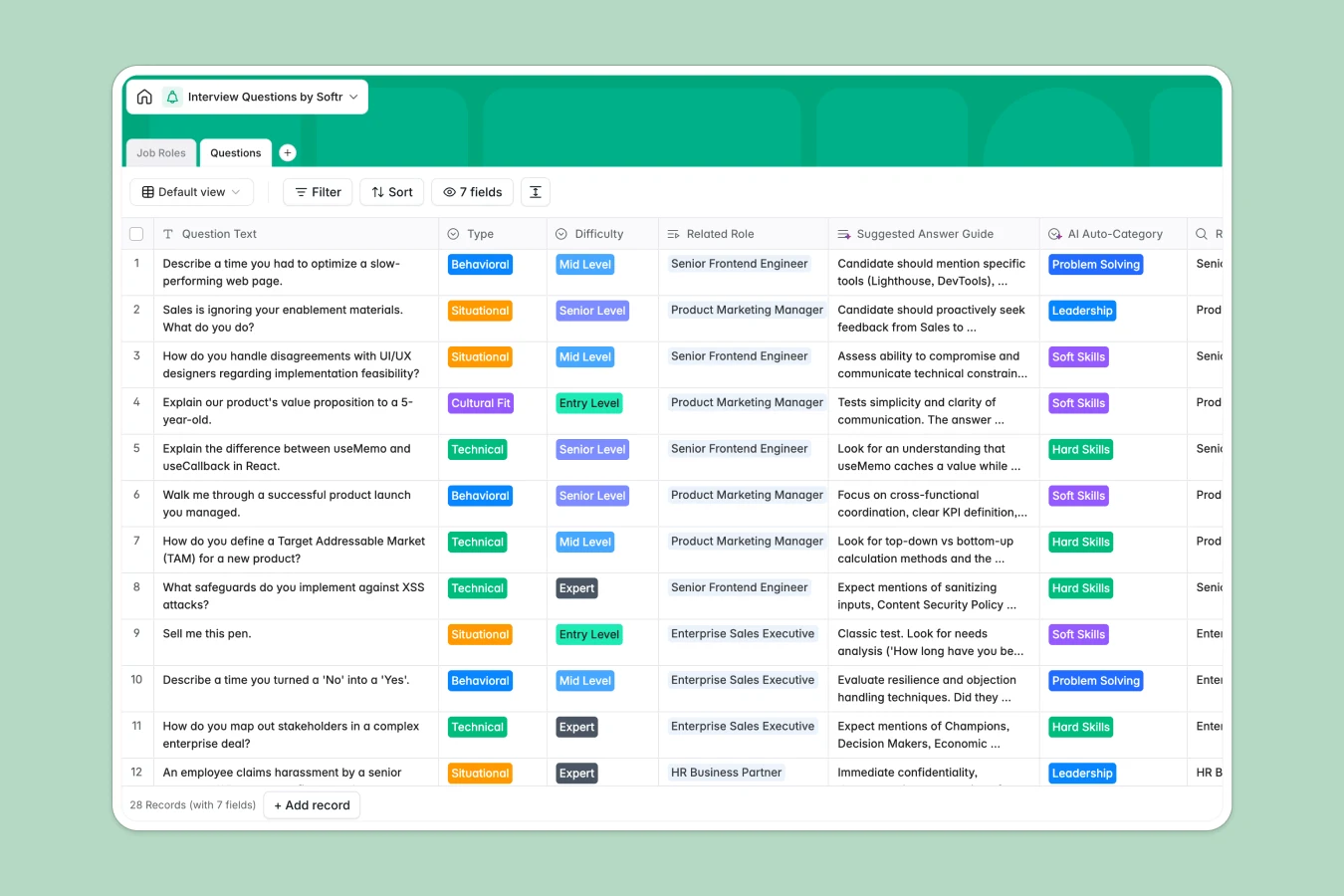
Your Interview Questions database at a glance
Standardize your hiring process by keeping your entire repository of interview questions, evaluation categories, and answer keys in one organized database.
This template naturally links Job Roles directly to the Questions table, meaning every situational or technical prompt is automatically tied back to specific target departments.
The layout also includes a pre-configured AI Auto-Category field, freeing your team from manual categorization and keeping your bank of questions perfectly structured.
What to check before building your interview questions base in Airtable
Airtable is a capable relational database, but managing a hiring framework requires sharing questions with many interviewers while restricting access to sensitive candidate reviews.
What changes with a database built for apps
Sharing hiring pipelines and question banks with your entire team of interviewers can get expensive fast due to per-seat database licensing. With Softr Databases, you can share your evaluation criteria and collaborate with unlimited team members on all plans.
You do not need to stitch external frontend layers together to prevent team members or external evaluators from editing your master questions. Access rules and interface builders are unified natively in one direct workspace.
What you can do with this template
Set deep criteria guidelines across departments like Sales, Marketing, or Engineering, ensuring hiring panels grade candidates on a consistent rubrics.
Leverage built-in Database AI agents to automatically categorize questions, summarize sample answers, or generate custom situational prompts directly inside your tables.
-
Job Roles
Define specific positions, departments and categorize interview questions
-
Questions
Store recruitment questions and guides with smart AI auto-categorization
Who is this Interview Questions database for
This template is designed for growing teams that need a reliable, repeatable way to construct structured evaluation loops.
- HR and Recruiting Teams: Maintain a master question library to ensure every hiring candidate experiences a consistent evaluation flow.
- Hiring Managers: Quickly reference behavioral and technical questions tailored specifically to active target roles.
- Department Heads: Define operational candidate benchmarks and build clear sample answer guides in collaboration with HR specialists.
How to take it further
Customize the database
Define and refine custom question types (like technical live coding) or add scoring scale fields directly. You can adjust all column selections directly in your browser with simple dropdowns.
Import your existing data
If you have lists of questions stored in spreadsheets, you can upload them instantly via CSV import or use the API to sync with external ATS platforms.
Build a full app around it
When your team is ready, you can use the AI app generator to turn this database into a secure interviewer portal. Introduce native users and permissions to allow interviewers to write down score assessments while keeping master questions locked.
-
1
-
2
-
3
-
4
Frequently asked questions
-
What is an interview questions database?
-
Why use a no-code database to build an interview questions system?
-
How can AI help managing data for interview questions?
-
Can I build an app with an interview questions database?
-
Is this Interview Questions database free?
-
How is this interview questions database different from an Airtable template?
Start building today. It's free!
Build and launch your first app in under 30 minutes.