


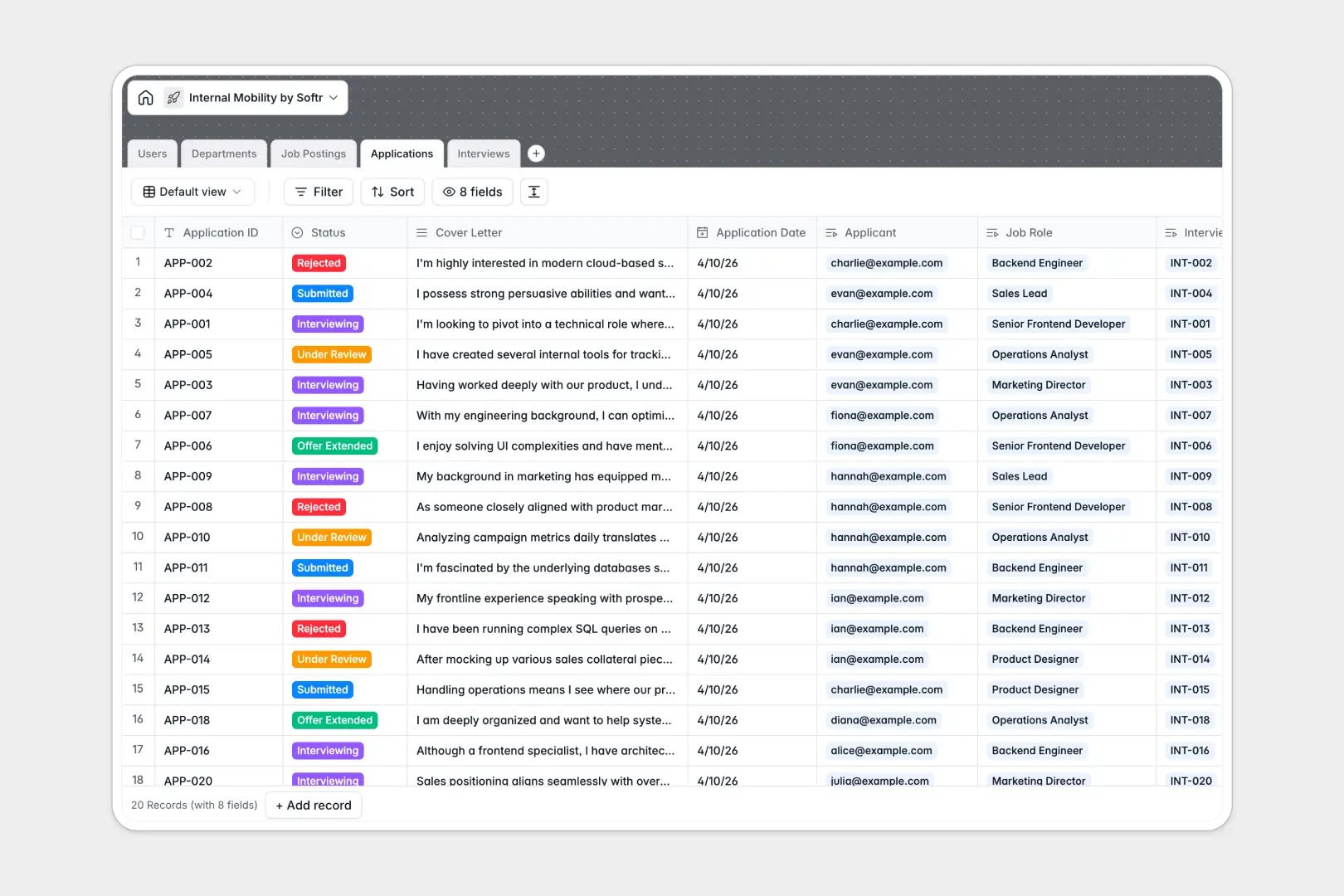
Your Internal Mobility database at a glance
This template lets you align internal talent with open roles and track advancement from application to final offer in one clean views. Keep your employees motivated by making career pathways visible and structured.
It connects five essential tables—Users, Departments, Job Postings, Applications, and Interviews—into a single relational system so hiring managers always know who is moving where.
No manual tracking is required. Built-in AI fields draft tailored job descriptions and summarize applicant cover letters automatically, freeing your team to focus on the human side of recruitment.
What to check before building your internal mobility base in Airtable
Starting your talent management tracker in Airtable is a logical choice since you want typed records, relational data, and structured views. However, before committing, it is worth looking at where the setup hits limitations for team-wide use cases.
What changes with a database built for apps
Airtable functions perfectly as a personal backend, but sharing it with employees, interviewers, and hiring managers quickly becomes expensive due to per-seat pricing.
This is exactly why Softr Databases are built differently: they offer native relational structures with scalable record and API limits, alongside unlimited collaborators on every plan. Your team can update interview notes, apply for jobs, and review candidates without worrying about license costs.
Because the database and the sharing options exist on is a single unified platform, you don’t have to stitch separate form tools or interface layers together to protect sensitive applicant details.
What you can do with this template
Use this template to catalog open roles sorted by department and match them with active employee profiles instantly. Track application statuses through stages like "Under Review" or "Interviewing" without losing context.
You can also take advantage of Database AI agents directly inside your tables to analyze candidate submissions and generate structured summaries of cover letters so managers can make decisions faster.
-
Users
Track team members, roles, contact info, and internal mobility roles
-
Departments
Manage organizational structures, team assignments, and open headcounts
-
Job Postings
Manage internal job postings with AI-generated role descriptions
-
Applications
Track applicant pipelines with AI summaries of candidate cover letters
-
Interviews
Schedule candidate evaluation rounds, document feedback, and track decisions
Who is this Internal Mobility database for
- HR & People Ops Leads: Maintain transparent internal application pipelines and reduce expensive external recruiters.
- Department Heads: Identify internal candidates with matching skills and review interview outcomes efficiently.
- Active Employees: Submit applications to open postings directly and view updated advancement opportunities.
How to take it further
Customize the database
Define your own hiring workflows by modifying the choice fields in the Applications table. You can easily add intermediate check-in steps, custom interview recommendations, or specific team fields directly in the database interface.
Import your existing data
Avoid manual typing on day one by uploading your current employee roster, roster roles, or active job postings via a CSV import. You can also hook up external systems using the robust database API for automatic sync.
Build a full app around it
When you are ready to expand, you do not have to settle for basic spreadsheets or admin views. You can build an app directly on top of this exact database to give everyone their own customized portal.
Using Softr's AI visual builder, you can prompt the platform to generate a dedicated talent hub. Employees will see only their active applications, while hiring managers get a secure interface with specific users and permissions to grade interviews and extend offers without seeing other departments' data.
-
1
-
2
-
3
-
4
Frequently asked questions
-
What is an internal mobility database?
-
Why use a no-code database to build an internal mobility system?
-
How can AI help managing data for internal mobility?
-
Can I build an app with this internal mobility database?
-
Is this internal mobility template free?
-
How is this template different from an Airtable template?
Start building today. It's free!
Build and launch your first app in under 30 minutes.