


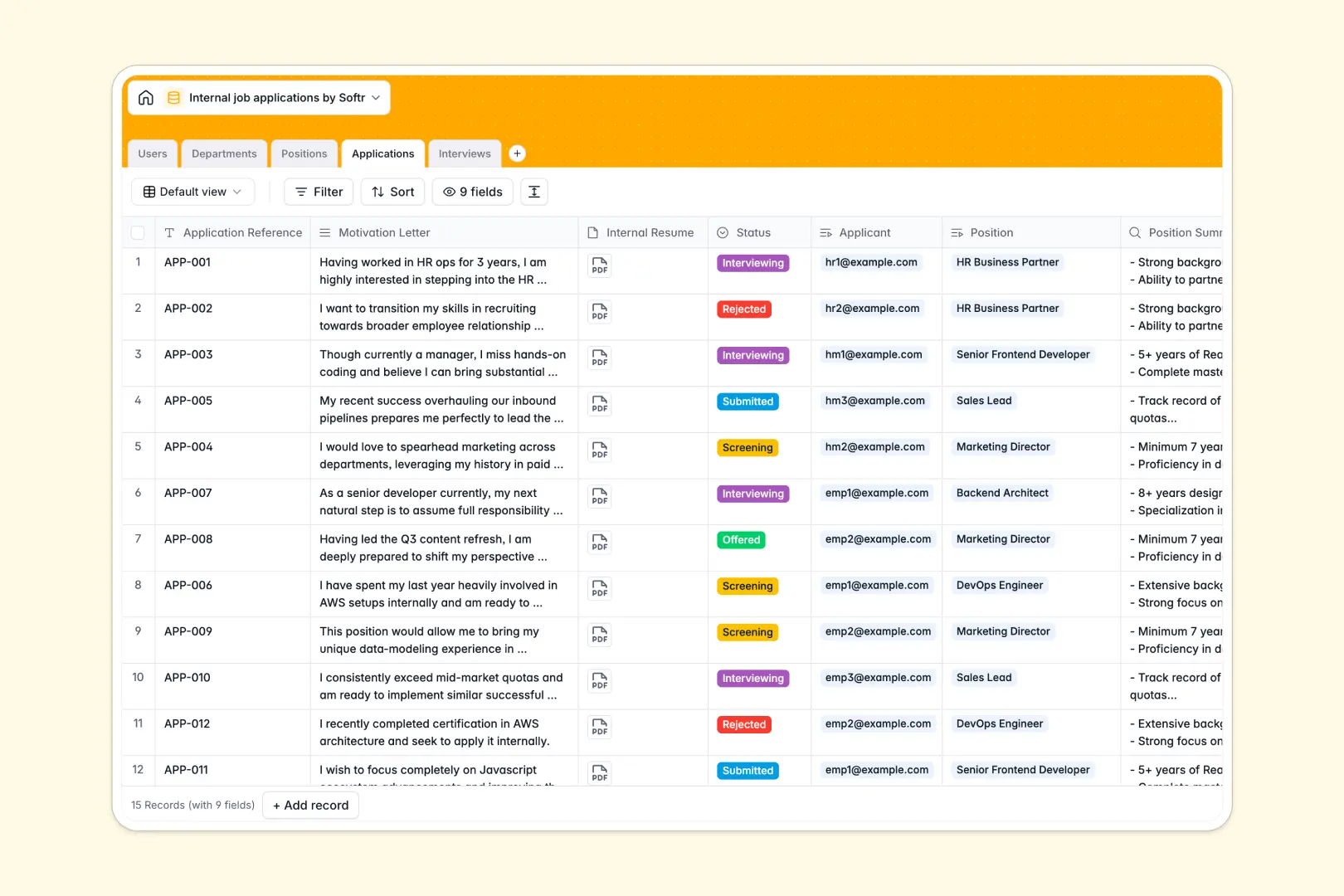
Your Internal Job Applications database at a glance
This template gives you a central workspace to manage your internal hiring pipeline without losing track of interested employees.
It connects Users (Employees, HR Admins, and Hiring Managers) with Departments, active Positions, Applications, and Interviews. This ensures candidate profiles, interview loops, and feedback are linked to the right openings.
Built-in intelligence helps automate busywork: it instantly summarizes detailed job descriptions, matches applicant motivations against roles, and synthesizes raw interview feedback natively.
Where internal job applications outgrow Airtable
Many teams naturally start tracking internal hires in Airtable because it provides structured, relational tables. While database structure is necessary, there are a few scale and cost bottlenecks to check before committing.
What changes with a database built for apps
As soon as you invite hiring managers and internal candidates to update their details or review roles in Airtable, per-seat licensing fees quickly compound. Airtable's pricing model punishes broad collaboration.
This is why we built Softr Databases. It provides the exact same robust relational foundations as Airtable, but with unlimited collaborators on all plans. You do not have to pay extra when your team grows.
Additionally, you can scale confidently without hitting tight database caps. You get higher record ceilings and faster API performance to power your critical internal talent mobility processes.
What you can do with this template
This template establishes a secure, organized ledger of internal job openings and applicant progression. You can immediately log department listings, connect hiring managers to roles, and schedule interviews.
By leveraging Database AI agents, your hiring team can automatically evaluate matches based on custom letters and candidate resumes, letting you shortlist internal transfers faster.
-
Users
Track employees with roles, departmental links, and recruitment activities
-
Departments
Manage organizational units connecting company employees and team positions
-
Positions
Publish open internal roles with vacancy status and AI-generated summaries
-
Applications
Process employee job submittals using AI to assess candidate fit and alignment
-
Interviews
Schedule candidate evaluations using AI to structure and summarize interview feedback
Who is this Internal Job Applications database for
- HR & Talent Teams: Centralize employee tracking, evaluate candidates, and maintain clean historical feedback.
- Hiring Managers: Review incoming internal applicant profiles, view open slots, and log organized interview feedback.
- Internal Candidates: Submit structured applications and view open department listings in a transparent way.
How to take it further
Customize the database
You can modify this template in seconds by editing database fields directly. Change the application stages (e.g., from Screening to adding a Technical Review stage), add departments, or create custom tags to track employee tenure.
Import your existing data
If you have active listings or candidate lists elsewhere, you can upload them easily. Use CSV imports for bulk records, or leverage the REST API to sync existing HR databases automatically.
Build a full app around it
Because this is a structured workspace, you can easily build an app on top of it. Use Softr's AI Co-Builder to generate a custom internal careers portal in seconds.
Assign logical users and permissions so candidates only see open postings and their own submissions, while hiring managers can edit evaluation fields and add notes safely.
-
1
-
2
-
3
-
4
Frequently asked questions
-
What is an internal job applications database?
-
Why use a no-code database to build an internal hiring system?
-
How can AI help managing data for internal applications?
-
Can I build an app with this internal applications database?
-
Is this internal job applications template free?
-
How is this template different from an Airtable template?
Start building today. It's free!
Build and launch your first app in under 30 minutes.